What you’ll need:
A connected WhatsApp Business integration.
Admin permissions in Kommo to configure opt-in and opt-out settings.
Keep in mind:
Only mark a contact as Opt-in if they have agreed to receive marketing messages. Learn more about Meta’s opt-in requirements.
An empty marketing subscription field does not block marketing messages. However, recording contacts’ preferences helps you avoid sending unwanted messages.
Opt-out status affects marketing templates sent through broadcasts and individual chats.
The status does not block utility templates or regular service replies sent within the 24-hour customer service window.
Opt-in and Opt-out are marketing subscription statuses in Kommo. They record whether a contact has agreed to receive WhatsApp marketing messages from your business.
This article explains how contacts’ statuses change, where you can check and update them, and what happens when a contact opts out.
To learn more about WhatsApp Business marketing subscription statuses, check out WhatsApp Business opt-in and opt-out overview.
To learn how to configure opt-in and opt-out keywords, see Set up WhatsApp opt-in and opt-out in Kommo.
How a contact’s status changes
A contact’s marketing subscription status can change when:
The contact sends one of your configured opt-in or opt-out keywords.
An admin changes the status manually in Kommo after the contact clearly communicates their preference.
The contact unsubscribes from marketing messages directly in their WhatsApp app.
After the status changes, Kommo:
Updates the Marketing subscription field in the contact profile.
Sends a confirmation message if one is configured for the keyword.
Records the change in the activity feeds of both the contact and the related lead.
Applies the new status to future marketing messages.
The status history shows the previous and new statuses, when the change occurred, and who or what made the change.
Check a contact’s marketing subscription status
You can check an individual contact’s status in their profile or view multiple statuses in the Contacts list.
Check one contact’s status
To check a specific contact:
Open the contact from Lists → Contacts, a related lead, or their chat.
Check the Marketing subscription field.
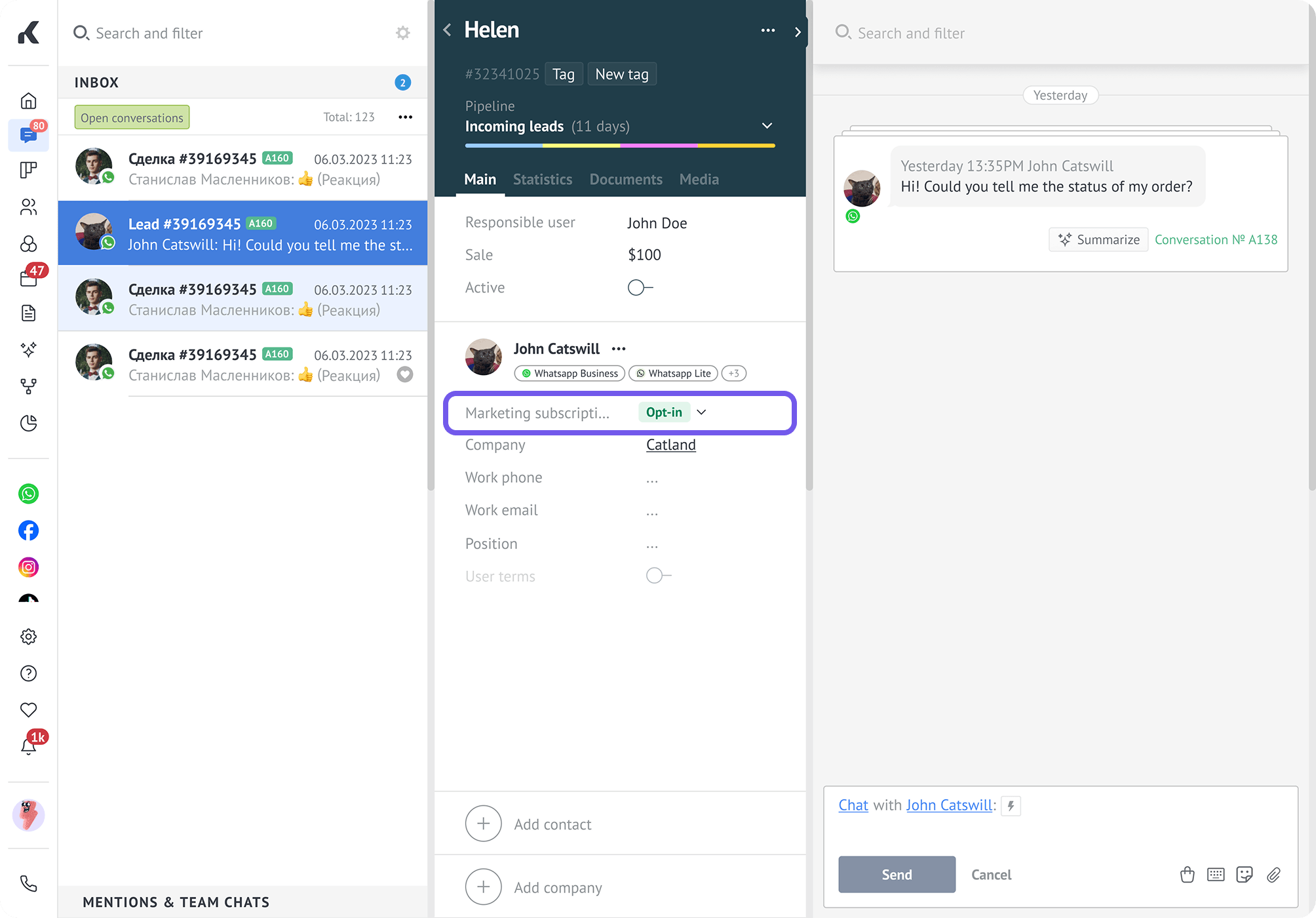
The field can display:
Opt-in — The contact has agreed to receive WhatsApp marketing messages.
Opt-out — The contact has asked your business to stop sending WhatsApp marketing messages.
Select — No status has been recorded.
Select is a placeholder for an empty field, not a marketing subscription status. An empty field does not prevent marketing messages from being sent.
View all contacts’ statuses
To view statuses in the Contacts list:
Go to Lists → Contacts.
Find the Marketing subscription column.
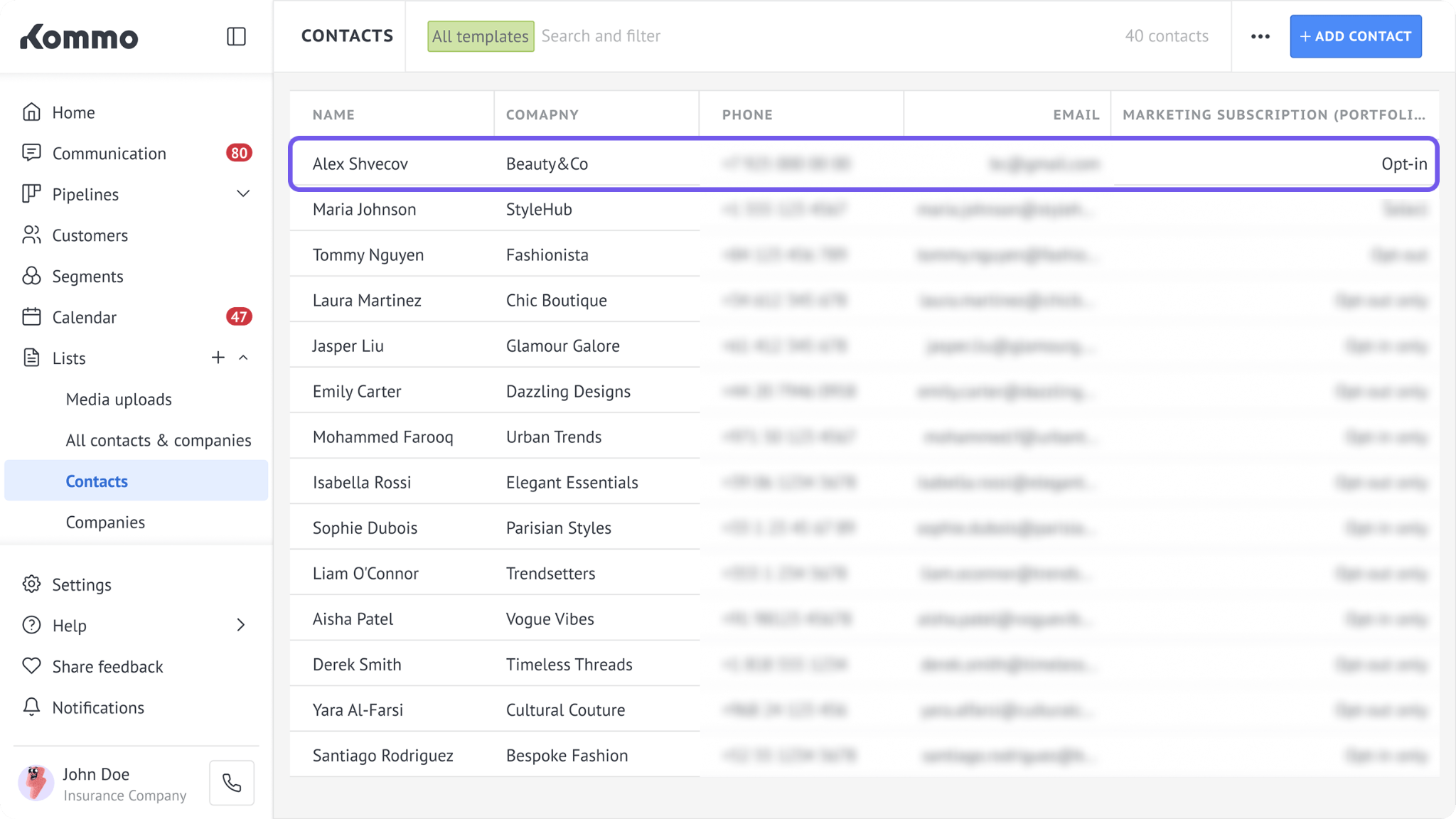
Each contact’s current status appears next to their name.
Check a contact’s status history
Kommo records marketing subscription status changes so you can see when and how a contact’s preference changed.
To check the history:
Open the contact from Lists → Contacts, a related lead, or their chat.
Open the contact’s profile.
Check the activity feed.
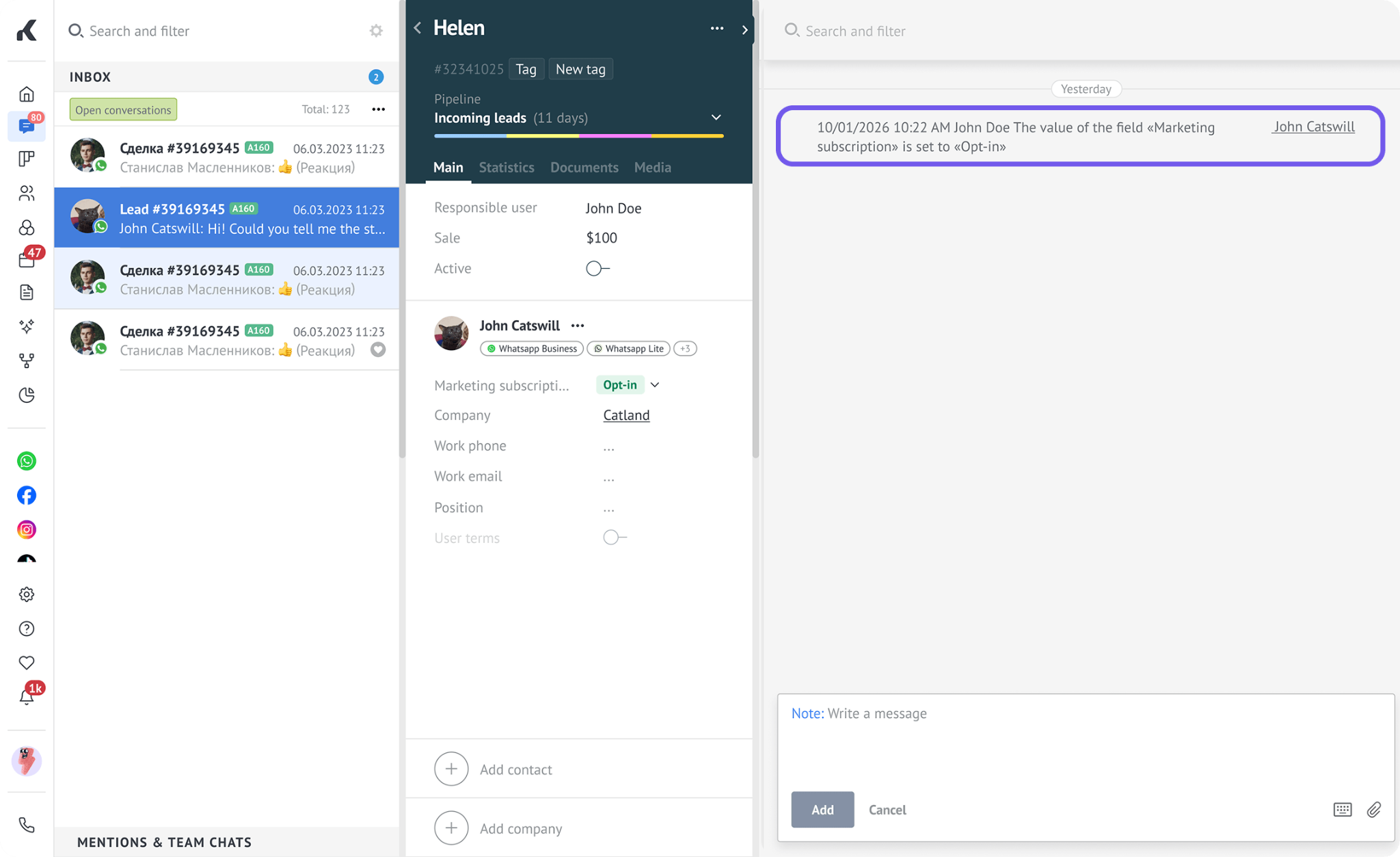
The activity feed shows:
When the status changed.
The previous and new statuses.
Who or what changed the status, such as a Kommo user, bot, contact, Meta, or the automatic opt-in and opt-out handler.
Tip: You can also find this information in the related lead’s profile.
Change a contact’s status manually
Admins can change a contact’s status manually after the contact clearly communicates their preference.
To change the status:
Open the contact’s profile directly or from their chat.
Open the contact’s profile.
Click the dropdown next to the Marketing subscription field.
Select Opt-in or Opt-out.
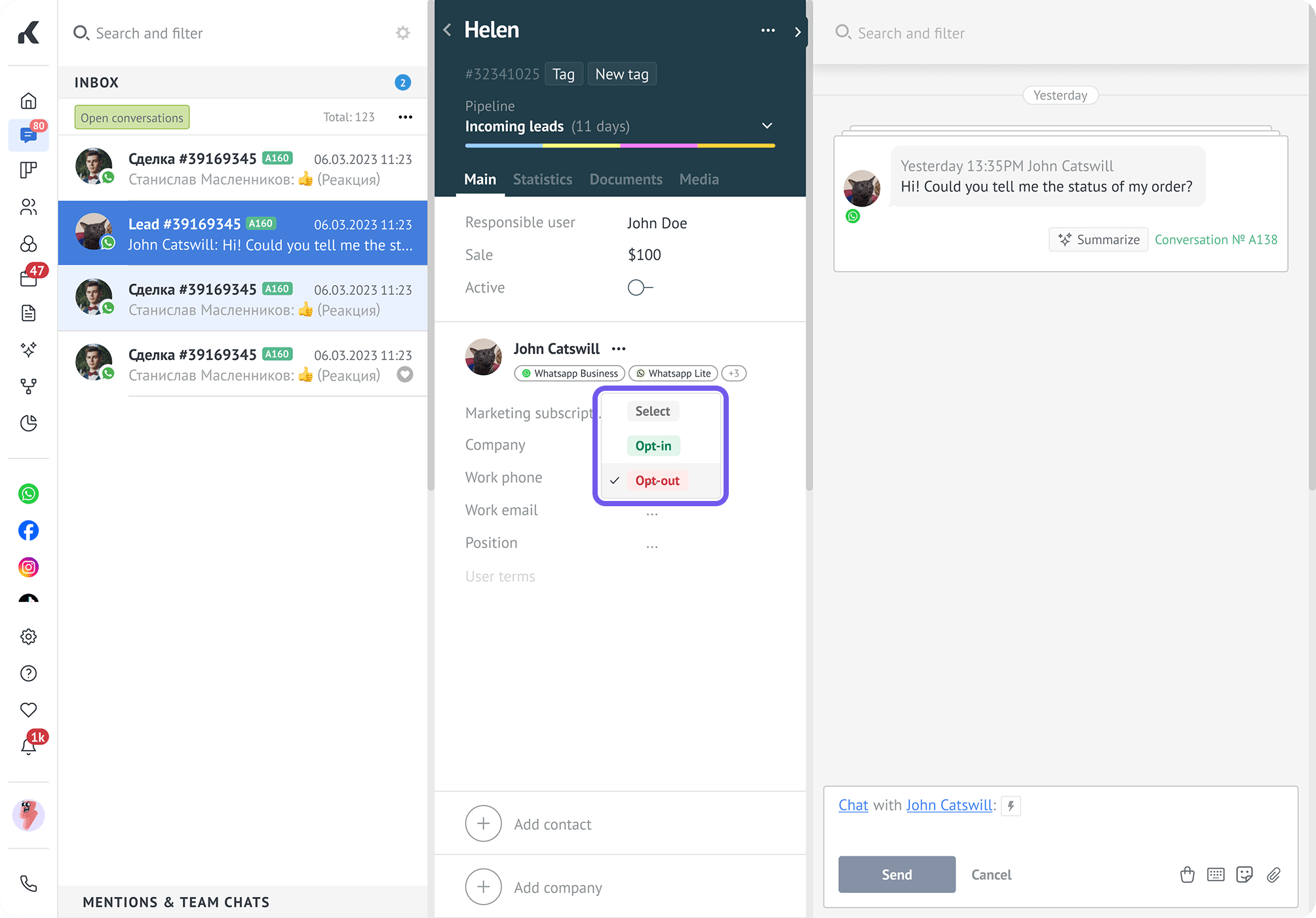
To clear the recorded status, select Select.
What happens when a contact opts out
When a contact opts out, Kommo stops marketing messages from being sent to them by default. What happens next depends on whether you send the message through a broadcast or an individual chat.
You can still choose to send the message. However, respecting the contact’s choice helps you keep your communication relevant and maintain a healthy WhatsApp quality rating. Learn more in the WhatsApp Business Messaging Policy.
Broadcasts
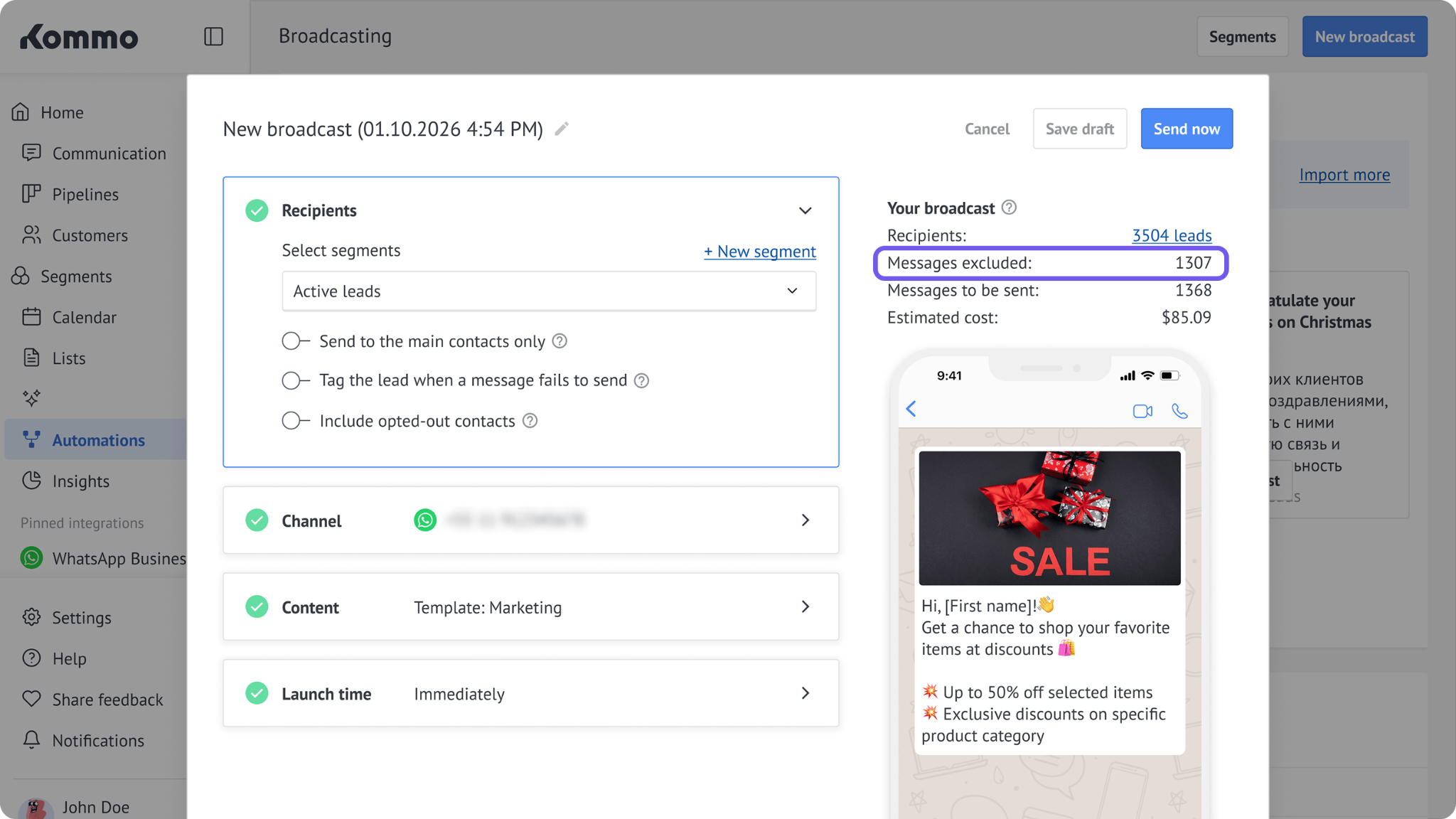
Kommo automatically excludes opted-out contacts from WhatsApp broadcasts.
Before sending a broadcast, you can see how many contacts will be excluded because of their Opt-out status.
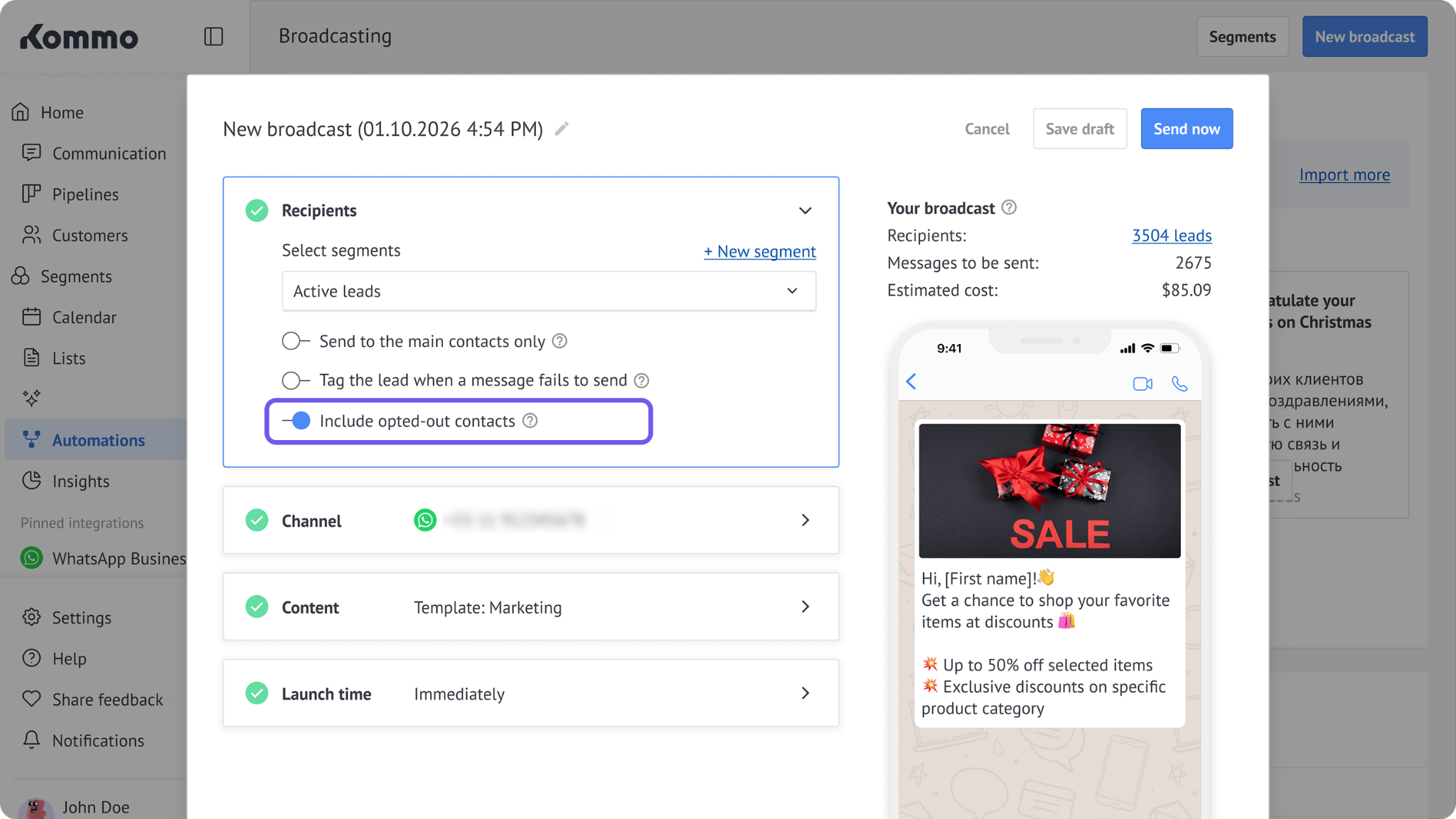
To send the broadcast to these contacts, turn on the Include opted-out contacts toggle:
Individual chats
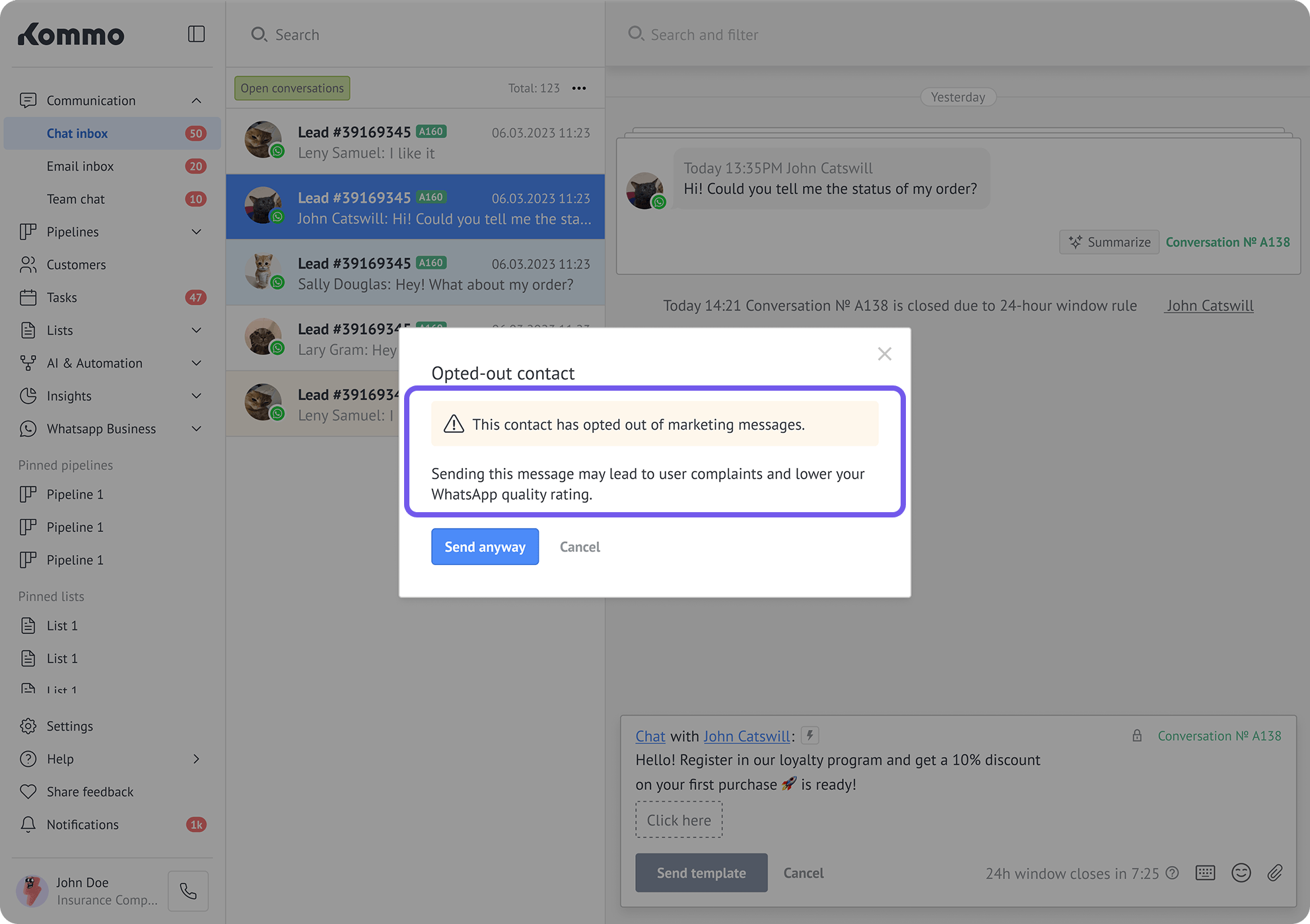
If you try to send a marketing template from a Kommo chat to an opted-out contact, Kommo displays a warning and asks you to confirm the action.
You can still send the template, but we recommend respecting the contact’s preference to protect your WhatsApp Business phone number’s quality rating.
For more information about template categories and sending rules, see the WhatsApp templates overview.
Allow a contact to receive marketing messages again
After opting out, a contact can opt in again whenever they want to receive marketing messages.
The contact can opt in again by:
Sending one of your configured opt-in keywords.
Giving clear consent in another valid way, after which an admin can change the status to Opt-in in Kommo.
Once the contact’s status changes to Opt-in, they can receive WhatsApp marketing messages from your business again.