What you’ll need:
Verified business account. Learn how to verify it in our article.
Your business must use the WhatsApp Business integration, not the WhatsApp Business App.
Enable two-step verification for account security.
Maintain consistent branding and proper documentation across all channels.
Keep in mind:
Your brand should be very reputable and notable in order to get Meta's approval.
Even if all criteria are met, Meta’s approval is not guaranteed.
Accounts with past violations of WhatsApp or Meta policies will be denied.
WhatsApp’s Official Business Account (OBA) status gives your business a blue badge that proves authenticity. It appears in chats, profiles, and contact cards, reassuring customers they’re speaking with the real brand – crucial for sensitive conversations like payments. The badge also helps improve response rates, strengthen engagement, and add credibility to your marketing messages.
How to apply for OBA?
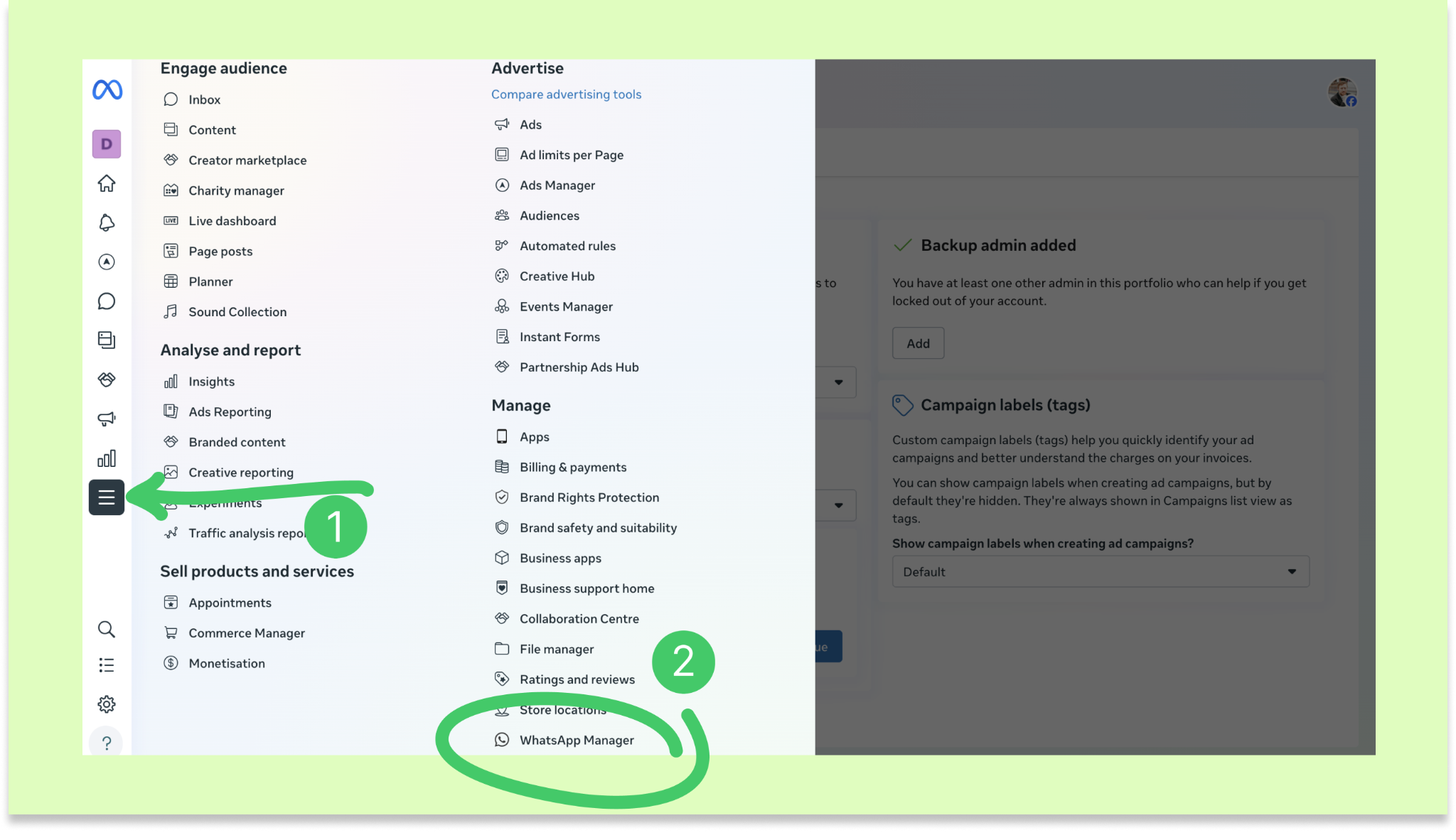
Go to Meta Business Suite and select your business portfolio. Click All tools and select WhatsApp Manager.
Note: Menu labels may vary depending on your Meta interface.
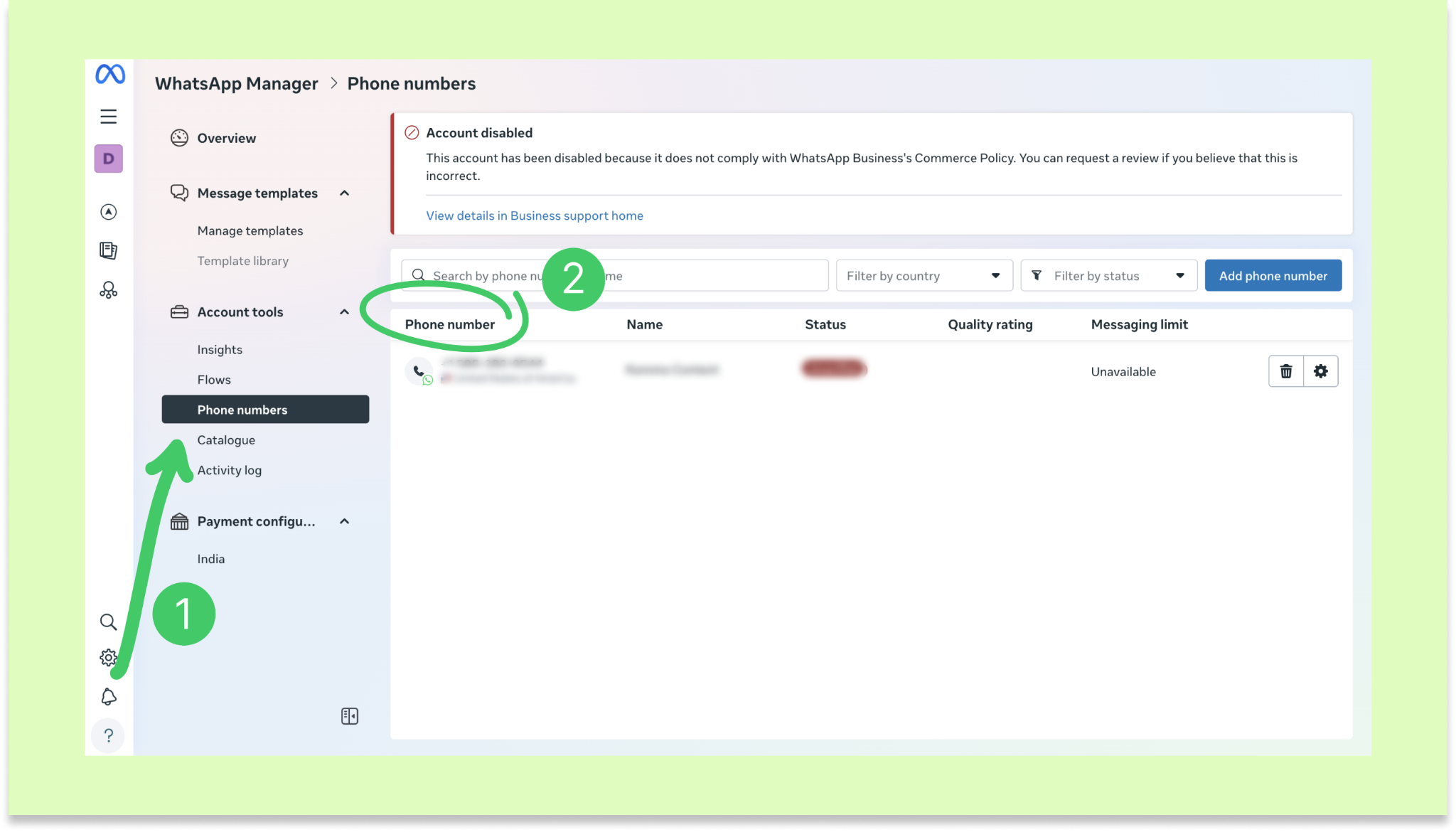
Open Phone numbers and select the phone number you want to apply with.
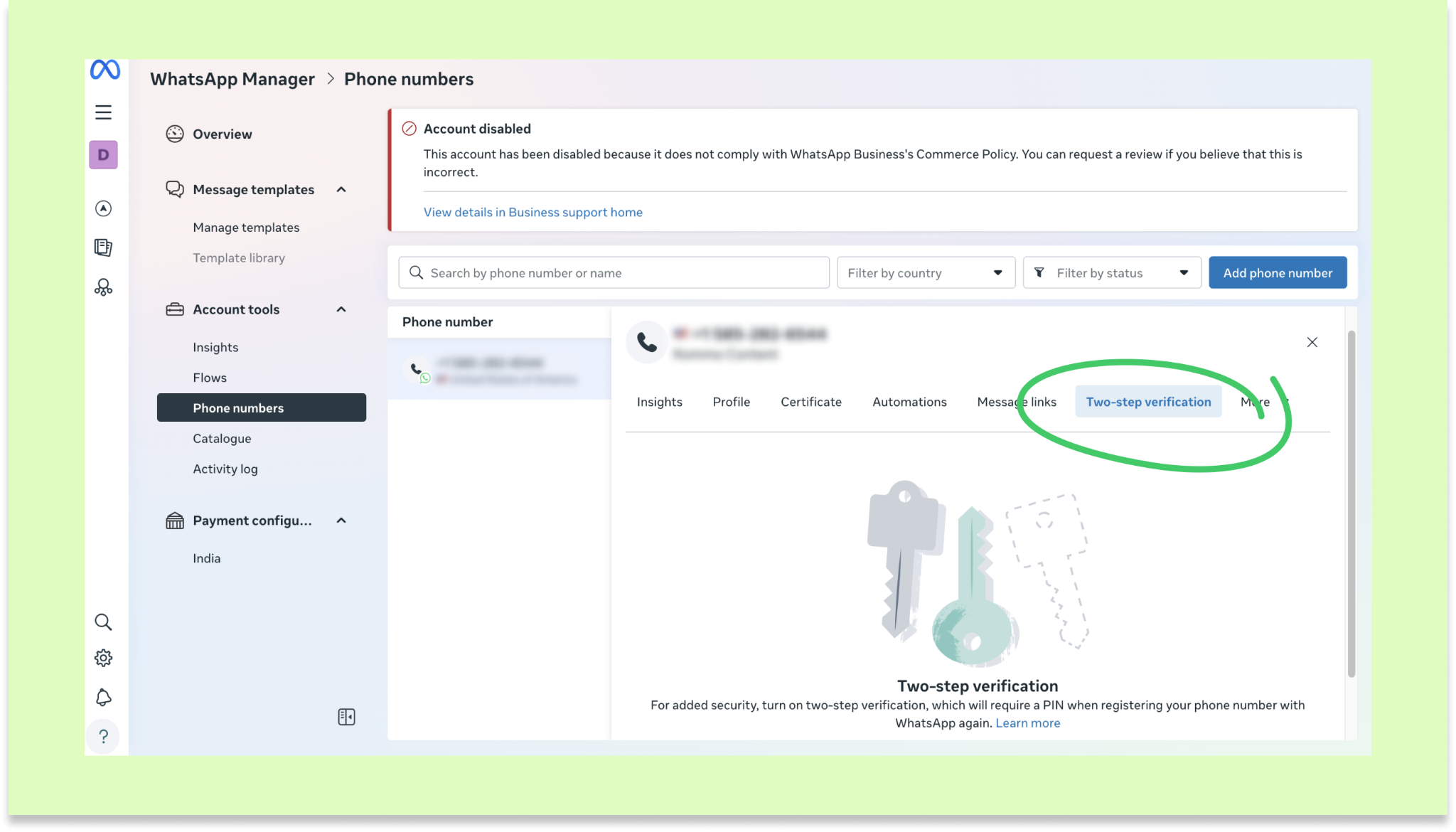
Turn on two-step verification for that number.
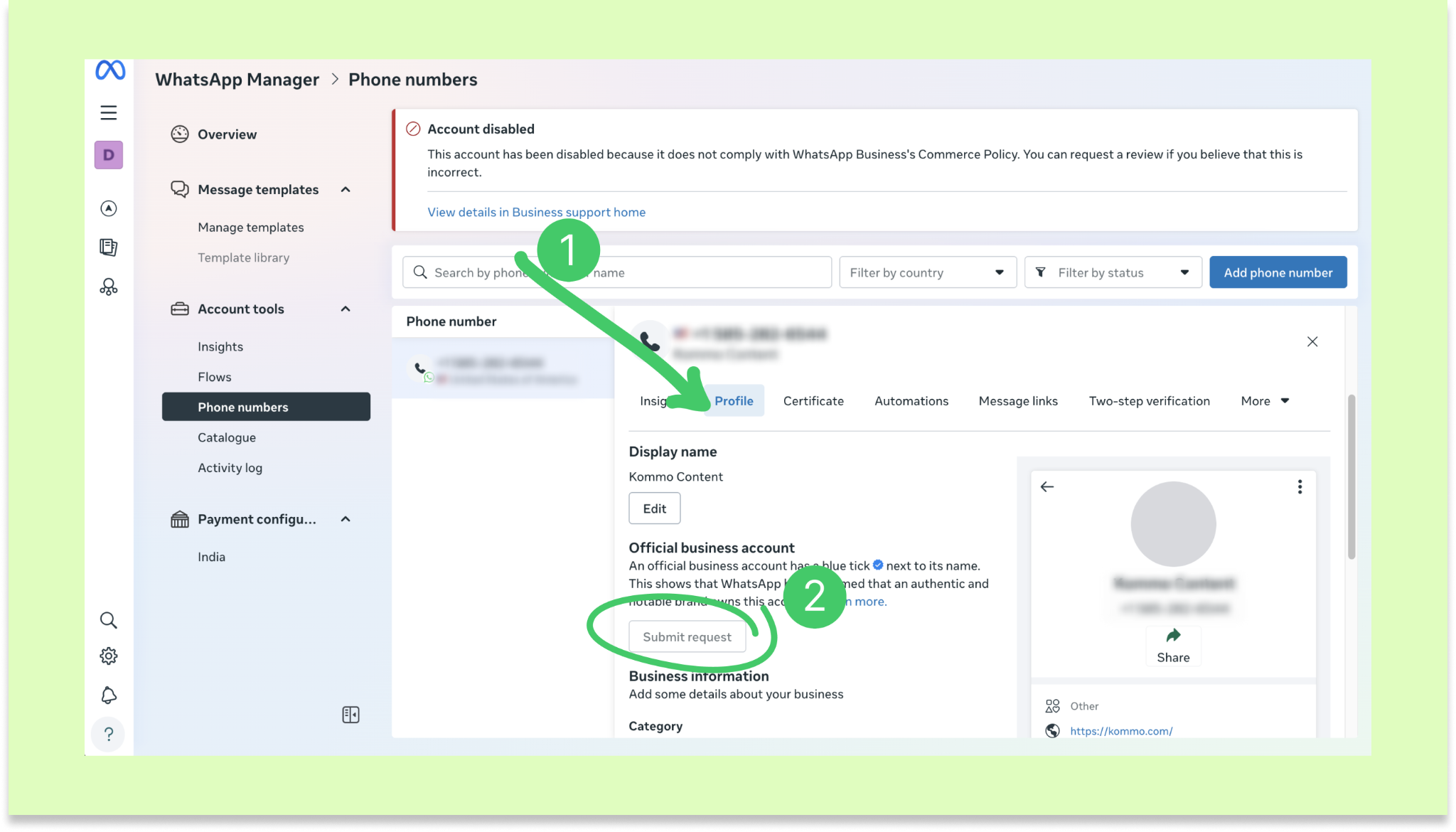
Open profile, then click Submit request.
Submit supporting details to show your business is notable. This can include:
News articles from recognized publications
Note: Your business must meet WhatsApp’s notability requirements. This means your brand name (same as your WhatsApp display name) must appear in five articles from reputable, high-audience publications. The mentions can’t be paid promotions, and you’ll need to provide the article links during submission. Learn more about business notability.
A Wikipedia page
Your country of operation, parent company (if applicable), and primary language
Meta will review your application and respond within a few business days but may take longer.
Meta will notify you once your request is reviewed – if everything matches, your account gets approved. If details don’t match (like your address), the request may be rejected. In that case, you can reapply after 30 days.
Troubleshooting OBA rejections
Currently, rejections cannot be appealed. If your request fails:
Wait 30 days before reapplying and use that time to strengthen your online presence.
VOIP, test, or WhatsApp Business App numbers aren’t eligible for verification. Make sure you added a valid phone number.
If you recently changed your display name, check its approval status in WhatsApp Manager and make sure it’s approved.
If you need more help with setup or troubleshooting, feel free to reach out to our support chat or contact us via WhatsApp. You can also hire a Kommo partner to do all the hard work for you.
Not a user yet? Sign up for our 14-day free trial or book a free live demo.