What you’ll need:
Available in Base, Advanced, Pro, and Enterprise plans, or with an active 14-day trial.
Learn how to work with Copilot in our how to use article.
The Analyze with AI feature is currently available only on Pro, Enterprise, and trial accounts. It will become available on other plans soon.
Keep in mind:
Only admins can enable or disable Kommo Copilot in a workspace. Once it’s enabled, all users can start using Copilot in their workspace.
Kommo Copilot uses shared AI credits that renew automatically during your billing cycle. To learn more about AI credits and limits, check our article.
Analyst mode is only available on the Pro plan.
Copilot works in any language, with best results in English, Spanish, Portuguese, Indonesian, Turkish, and Russian.
Analyst mode uses all workspace data, regardless of individual user permissions. Other Copilot modes follow user access permissions.
Copilot is regularly updated to improve answer quality and performance, so its interface and responses may change over time.
Kommo Copilot is an AI assistant built into your Kommo account. It helps you work with leads and complete simple tasks faster. Copilot uses your workspace data — like chats, notes, tasks, and lead fields — to give you clear answers, summaries, and suggestions.
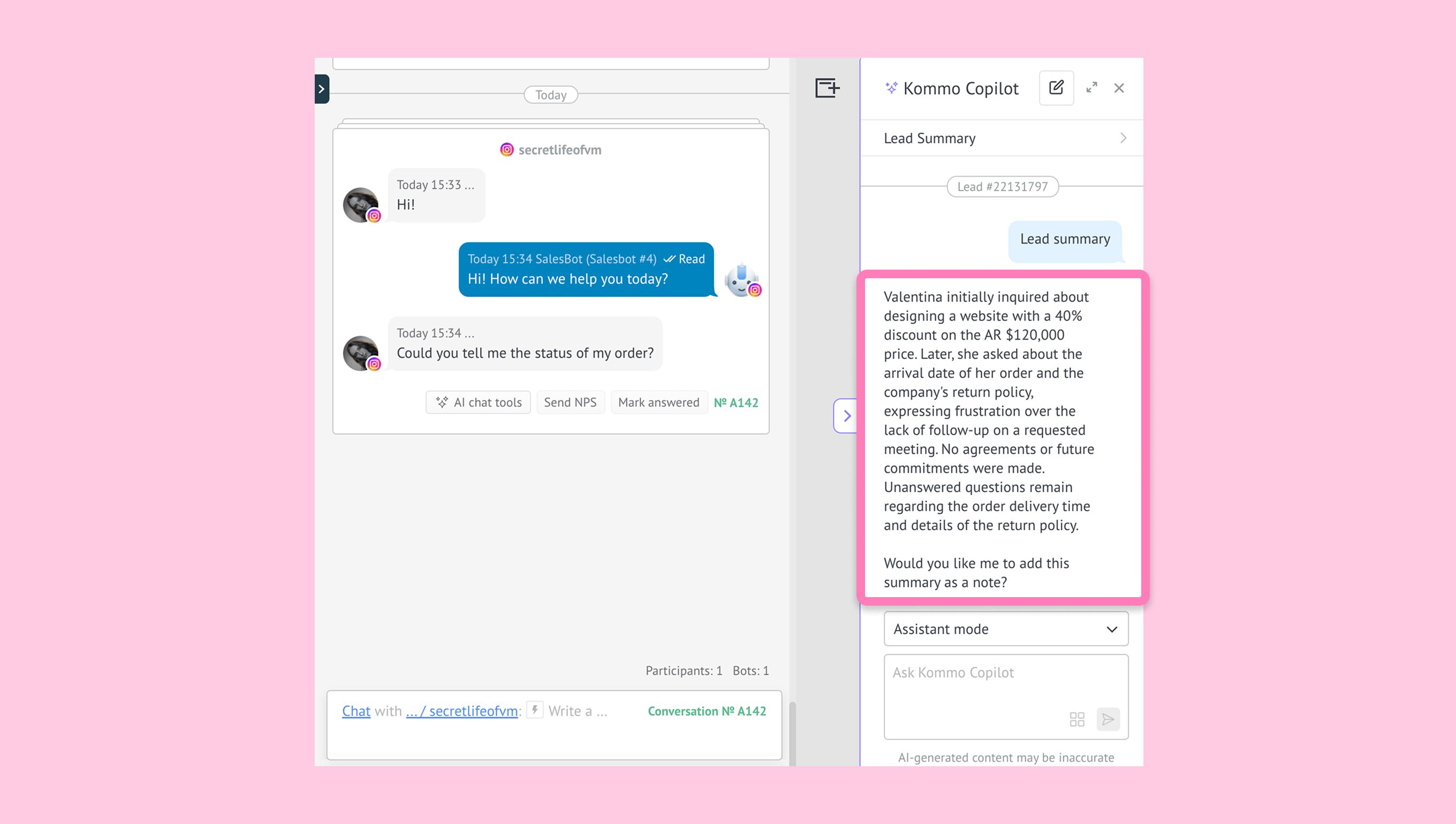
When using Copilot, AI credits are deducted from the shared AI credit balance across Kommo AI features. The number of credits used depends on the type of request and the Copilot mode you use.
Important: Questions related to Kommo do not use AI credits (e.g., How to set up the AI agent? or How do I upgrade my plan?). Instead, they use separate monthly limits based on your plan:
Trial and Base plans — approximately 100 questions
Advanced — approximately 150 questions
Pro and Enterprise — approximately 200 questions
Use cases
Find answers to Kommo questions – Copilot searches the Kommo knowledge base and returns relevant answers with images and links to related articles.
Answer general questions – for non-Kommo queries, Copilot pulls information from open sources and includes citations when available.
Fill missing lead details – Copilot scans chats, tasks, notes and audios to suggest missing information, then updates fields once confirmed.
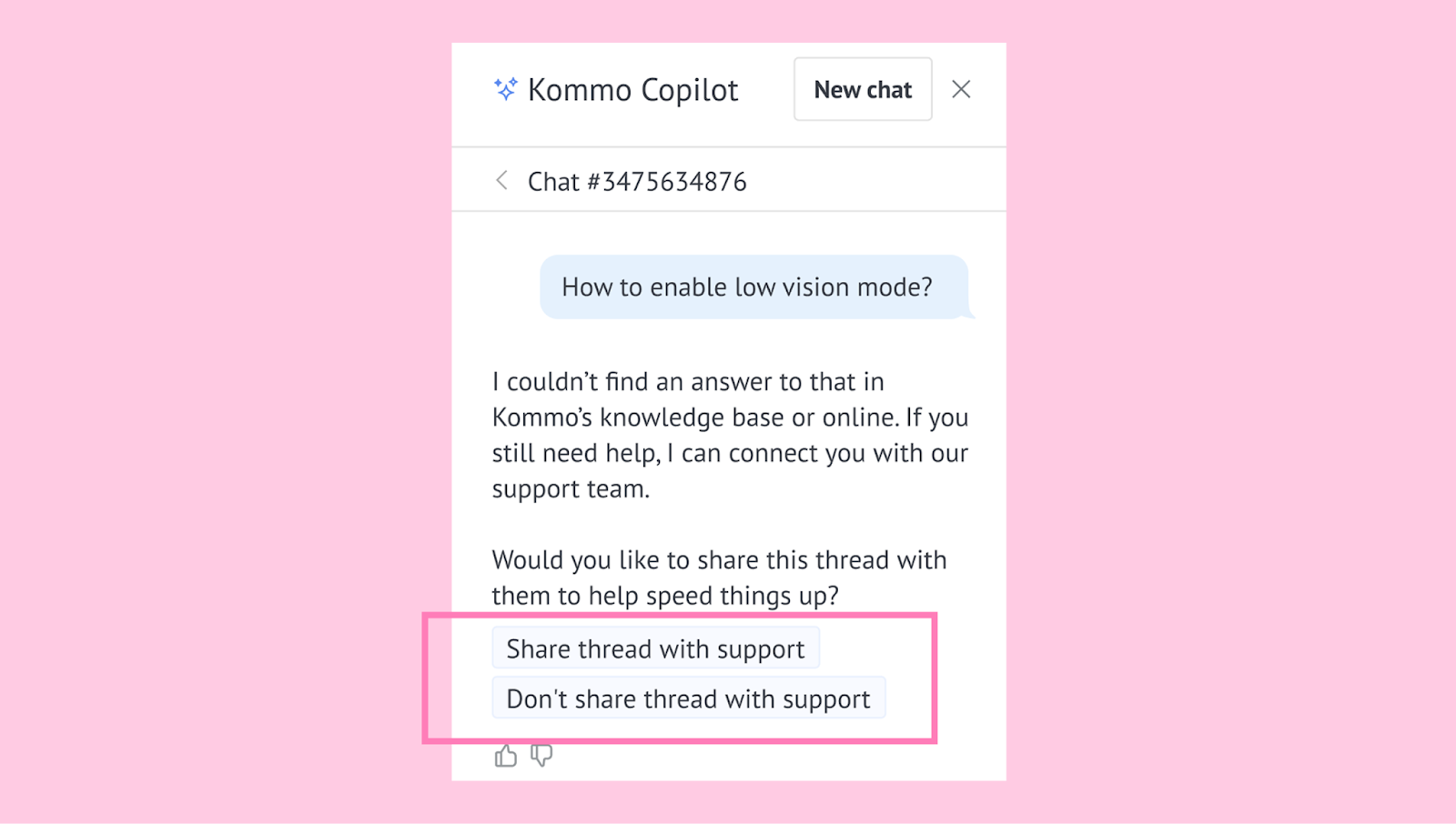
Handle missing content in the knowledge base – If Copilot can’t find a matching knowledge base article, it notifies you and provides a link to start a chat with a support representative. You can share the Copilot conversation with them:
Kommo Copilot modes
Copilot includes different modes for questions, CRM tasks, and performance analysis:
Help mode
Assistant mode
Analyst mode (available on the Pro plan)
Each mode is designed to provide more relevant responses depending on the type of request
Learn more about Copilot modes in our How to use Kommo Copilot article.
Main subfeatures
AI Knowledge
This feature answers questions using information from your Kommo account. It uses:
Lead card data
The Kommo knowledge base
External sources, when needed
AI knowledge allows you to:
create lead summaries
spot unanswered questions
get suggested replies.
Data Enrichment
This functionality finds missing information in lead cards based on conversations and internal records.
Copilot reviews chats, mails, tasks, notes and audio to suggest values for empty fields such as name, email, or phone number. Once you confirm, the fields are updated automatically.
You can also limit updates. For example, if you type Only fill in the name, Copilot applies only that change.
WhatsApp template review
The Analyze with AI button in the WhatsApp template builder helps you review a WhatsApp template before submitting it to Meta.
Note: The Analyze with AI feature is currently available only on Pro, Enterprise, and trial accounts. It will become available on other plans soon.
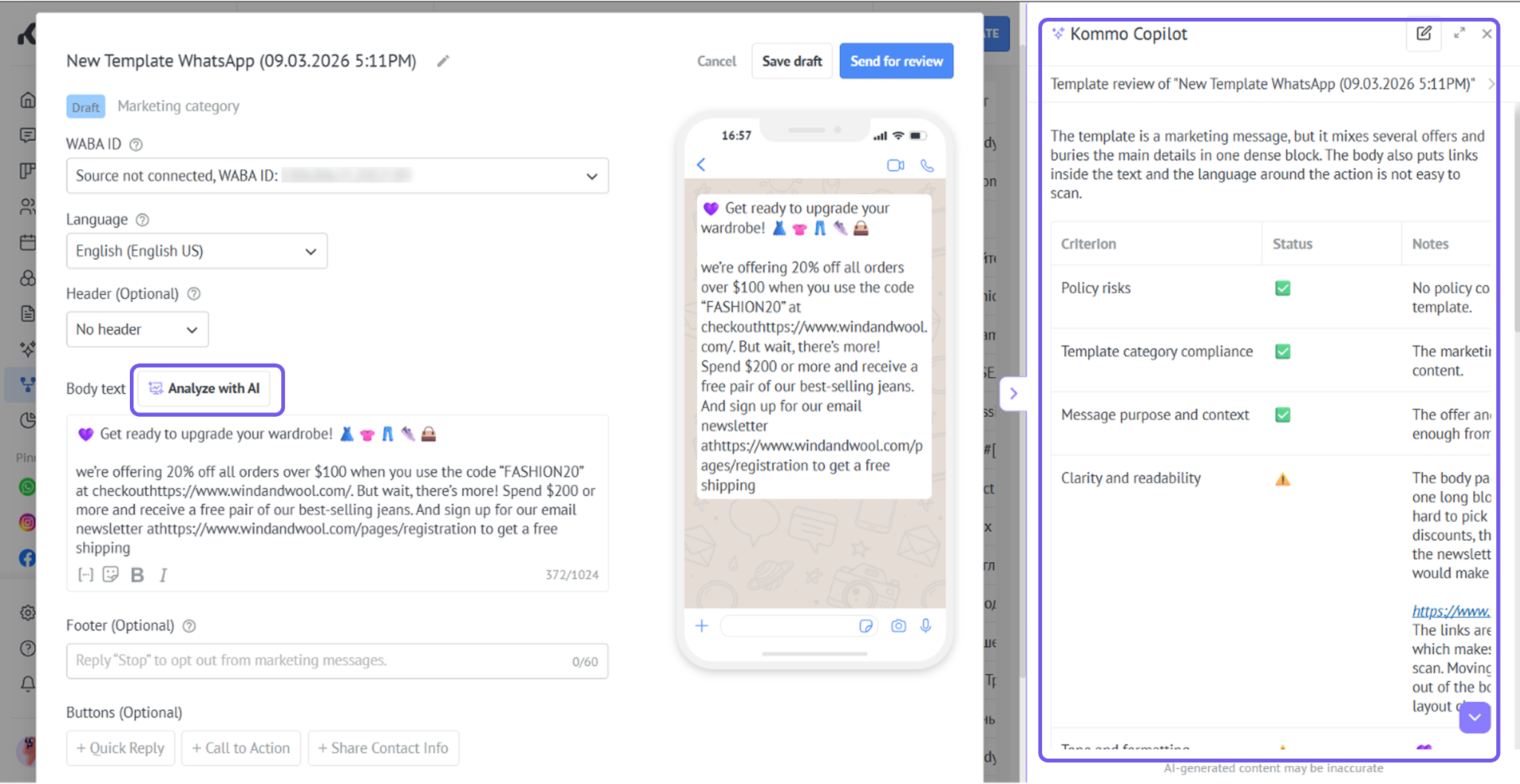
Copilot checks the complete template, including its header, body, footer, buttons, links, placeholders, and example values. It identifies possible category mismatches, policy risks, unclear wording, spam-like formatting, and calls to action that do not match the message.
The result includes:
An overall review summary
A status and explanation for each assessment criterion
An improved version of the template
An option to apply the suggested changes directly
Note: The review is optional and advisory. It does not guarantee Meta approval, message delivery, a high template rating, or protection from WhatsApp account restrictions.
Learn more about WhatsApp templates.