What you’ll need:
Any Kommo plan (Base, Advanced, Pro, Enterprise, or 14-day trial).
Keep in mind:
Only users with the Admin role can edit the fields in the product catalog
AI agent is available during the 14-day trial and as part of Advanced, Pro and Enterprise plans after the trial period. Learn more about Kommo plans here
In Kommo, products represent the items and services you sell to your clients. Instead of keeping your catalog in a separate spreadsheet or document, you can store it directly in Kommo — so your whole team always has access to accurate, up-to-date information.
Linking products to leads makes it easy to track purchase history and manage your sales from one place.
Use cases
Keep your team updated — store all product information in Kommo and update it whenever needed. Your team will always have access to accurate product details and current prices in one place.
Simplify your sales process — link products to leads and specify the quantity purchased. Kommo will automatically calculate the total sale amount, and you can view the full purchase history directly from the lead profile.
Let AI assist your clients — give the AI agent access to your product catalog so it can answer product-related questions on your behalf.
Connect your WhatsApp catalog — connect your WhatsApp catalog to Kommo to keep everything in sync.
Integrate your ecommerce platform — connect your online store — such as Shopify, WooCommerce, or Bling — to sync product data, track orders, and manage customer communication directly in Kommo.
Products
Add products manually or import them from your existing catalog. You can fully customize which details are included — such as price, description, or SKU. Once products are linked to a lead, you can track purchase history and search leads by purchased products. 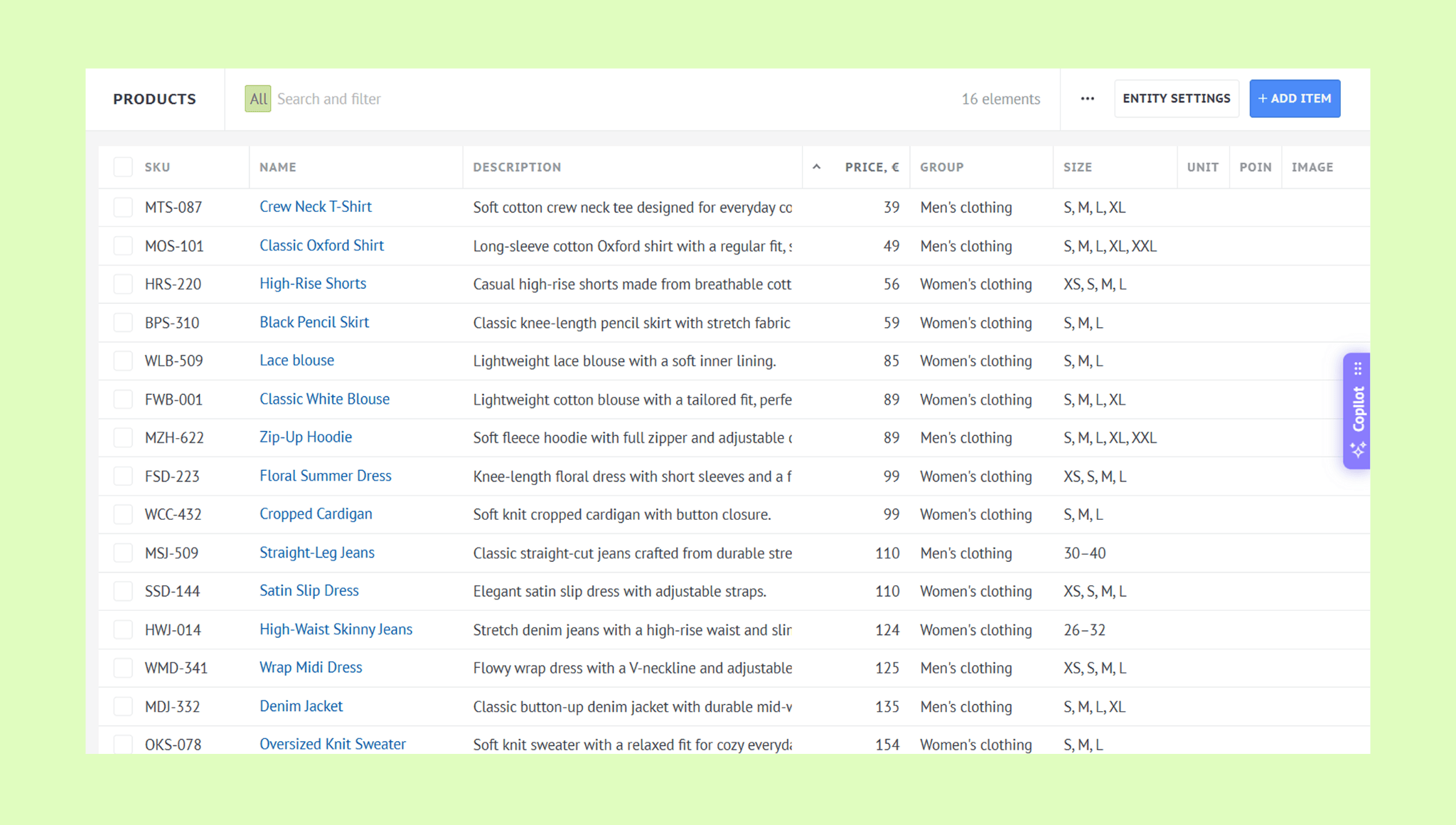
Learn how to add or import products and link products to leads.
AI agent
The AI agent is a virtual assistant that automatically responds to client inquiries across connected channels — such as WhatsApp, Instagram, and Facebook.
You can give it access to your product catalog so it can answer product-related questions and help clients choose the right option for their needs.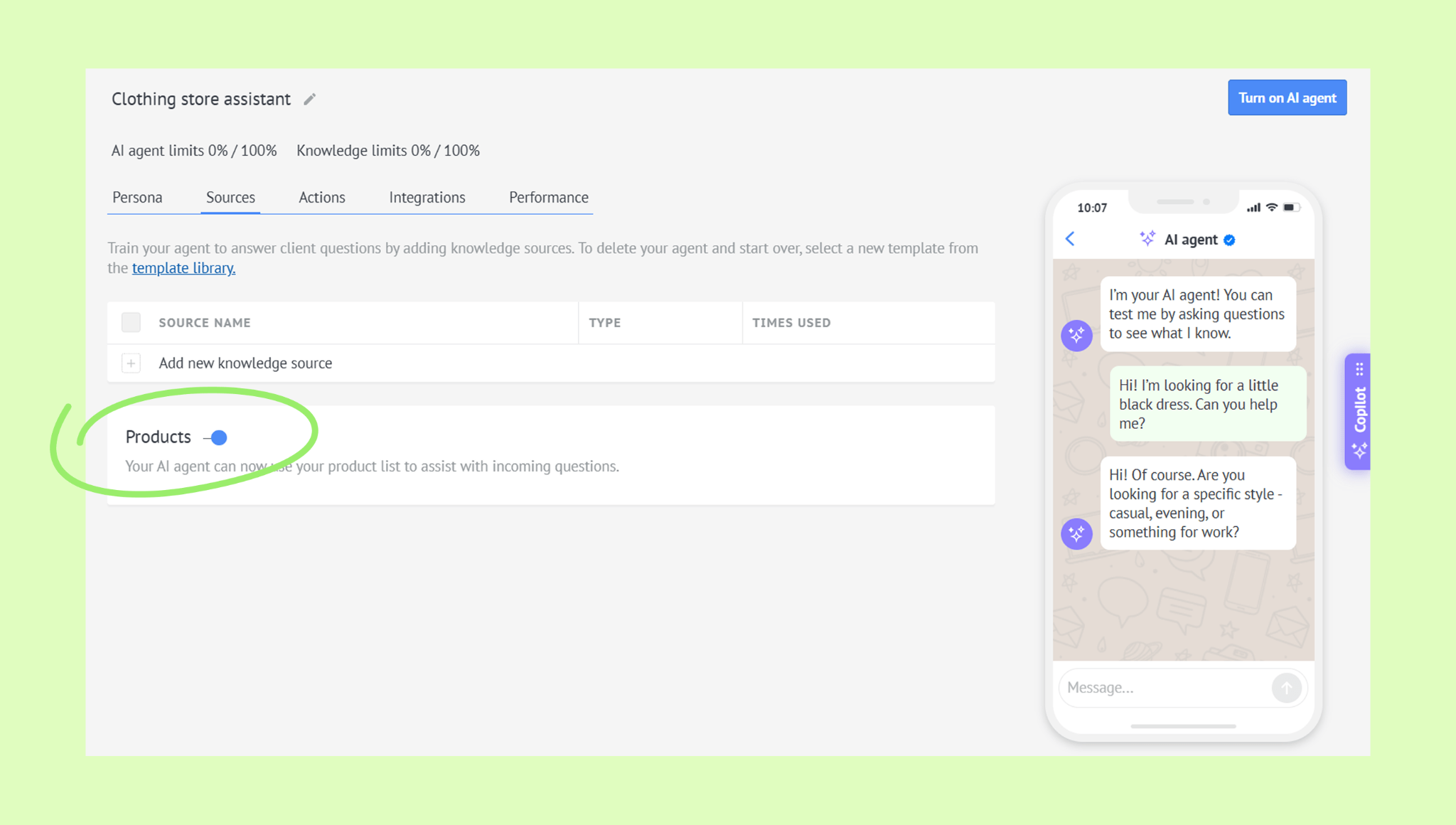
Note: Only one product catalog can be connected to the AI agent.
Learn more about AI agent in this article.
WhatsApp catalog
If you use WhatsApp Business, you can connect your WhatsApp catalog to Kommo. All products from the catalog will appear in Kommo, where you can view them, link them to leads, and send them to clients individually or in bulk via broadcasts. 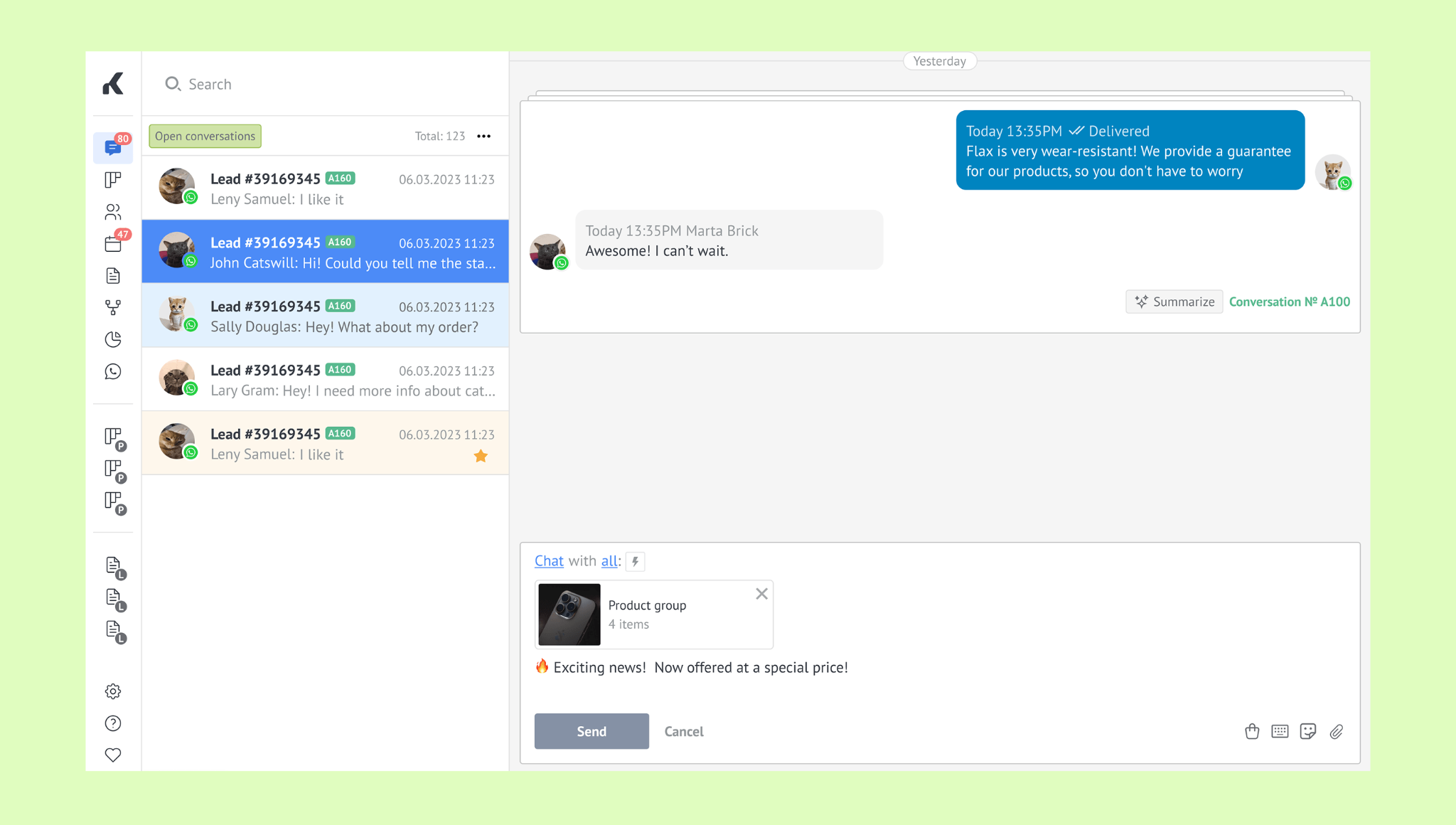
Learn how to connect your WhatsApp catalog to Kommo here.
Ecommerce integrations
If you use Shopify, WooCommerce, Blink, or other ecommerce services, you can integrate them with Kommo to sync product data, track orders, and manage customer communication in one place.
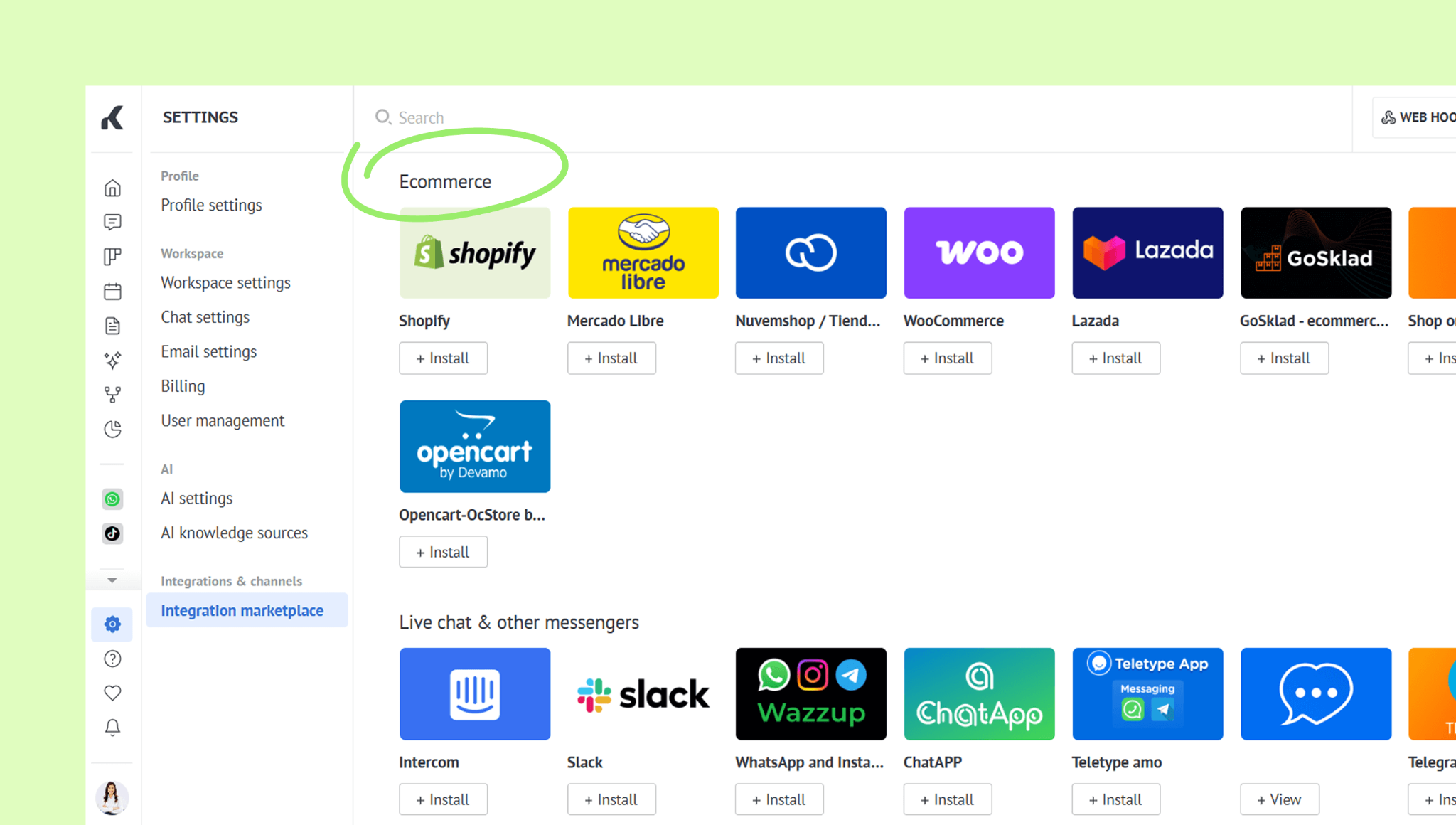
Note: Each integration has its own features and limitations.
For more details about popular e-commerce integrations, check out the articles:
You can find more integrations here.
Learn how to sync a product catalog with external platforms in this article.