What you’ll need:
Any Kommo plan (Base, Advanced, Pro, Enterprise, or 14-day trial)
Admin access for workspace-wide settings
A configured pipeline and at least one lead source or test lead
One teammate who can test the workflow with you
Keep in mind:
Test with sample data before using the workspace with real clients
Fix critical workflow problems before adding more fields, channels, or automations
A launch check confirms that leads arrive correctly, users can complete their work, and the full process is clear from the first inquiry to the final result.
Outcome
By the end of this guide, you will know whether your workspace is ready for daily use and which issues still need attention.
1. Check the workspace settings
Confirm that the settings used across your workspace are correct:
Workspace name
Country and time zone
Date and time format
Currency
Contact name format
Learn how to manage workspace settings.
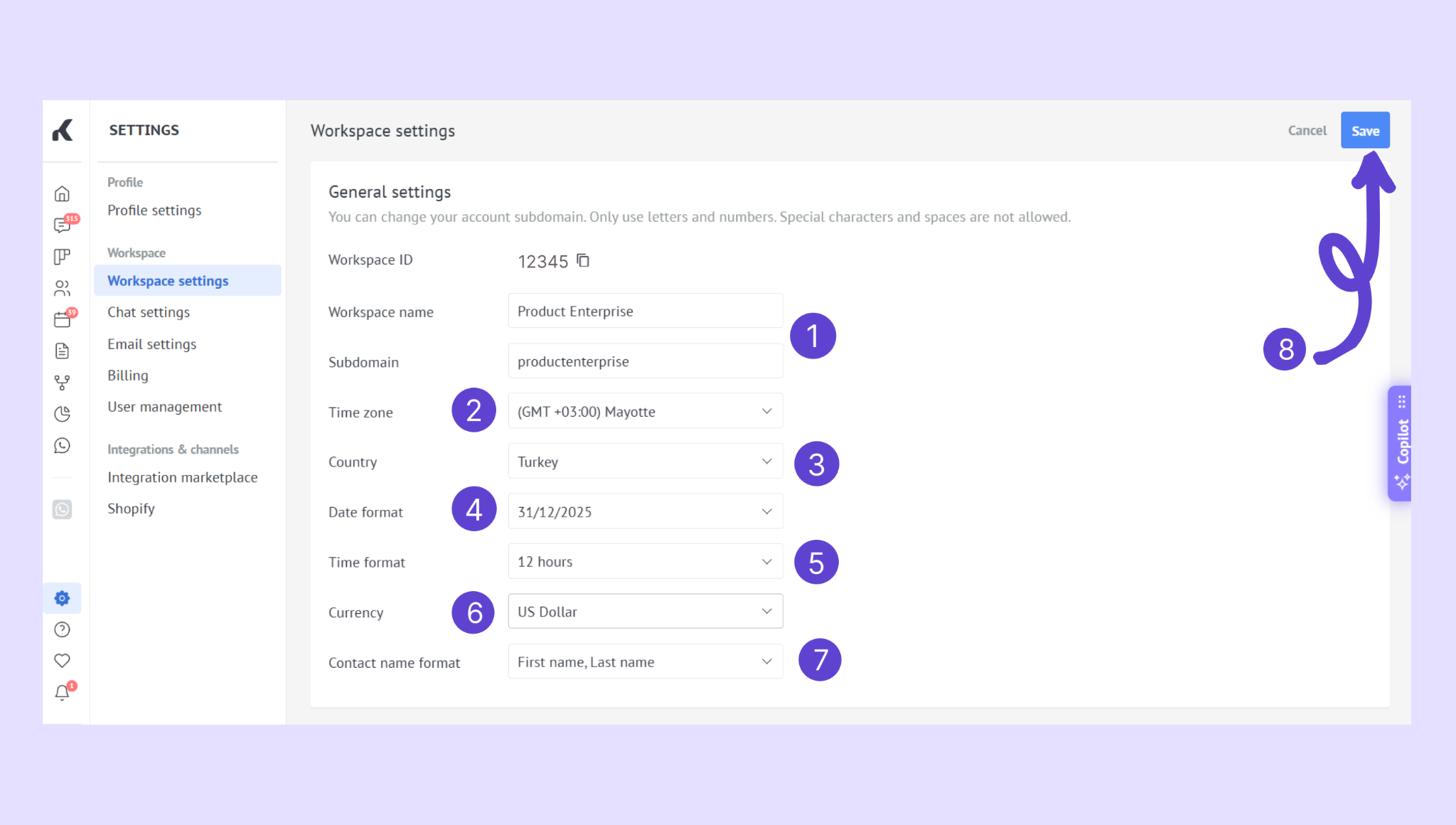
You’re done when: Dates, task times, sale values, and contact names appear correctly for your team.
2. Check the pipeline
Review the first pipeline and confirm that:
It represents one clear workflow
Stage names are easy to understand
Each stage has a clear entry and exit rule
Won and lost outcomes are used consistently
Inactive or unnecessary stages have been removed
You’re done when: A teammate can explain where a lead belongs and what should happen next.
3. Check the record layout
Create a sample lead and review the lead, contact, and company information.
Confirm that:
Essential fields are visible and clearly named
Information belongs to the correct record type
Required fields do not block early work unnecessarily
No information must be entered twice
Important details are easy to find
You’re done when: A teammate can complete the record without asking where information belongs.
4. Test how leads enter Kommo
Use the same source your business will use after launch. For example, send a test message, submit a website form, create an advertising lead, send an email, import a small file, or create a lead manually.
Check that:
The lead appears in the correct pipeline and stage
Contact details are captured correctly
The source is identifiable
The correct user can see and take responsibility for the lead
The conversation or submitted information is available
You’re done when: A new inquiry reaches the right place without manual correction.
5. Test the daily workflow
Ask a teammate to process the test lead as they would a real client:
Open and review the lead.
Reply to the client or add a note.
Add or update the important information.
Create a follow-up task.
Move the lead to the next stage.
Assign or transfer the lead when relevant.
Close the lead as won or lost.
You’re done when: The teammate can complete the full flow without relying on the person who configured the workspace.
6. Check users and permissions
Confirm that each user can access the sections and records needed for their role.
Test that:
Users can sign in successfully
New leads are visible to the right people
Users can update the records they manage
Sensitive settings and records are limited appropriately
There is a clear backup owner when the responsible user is unavailable
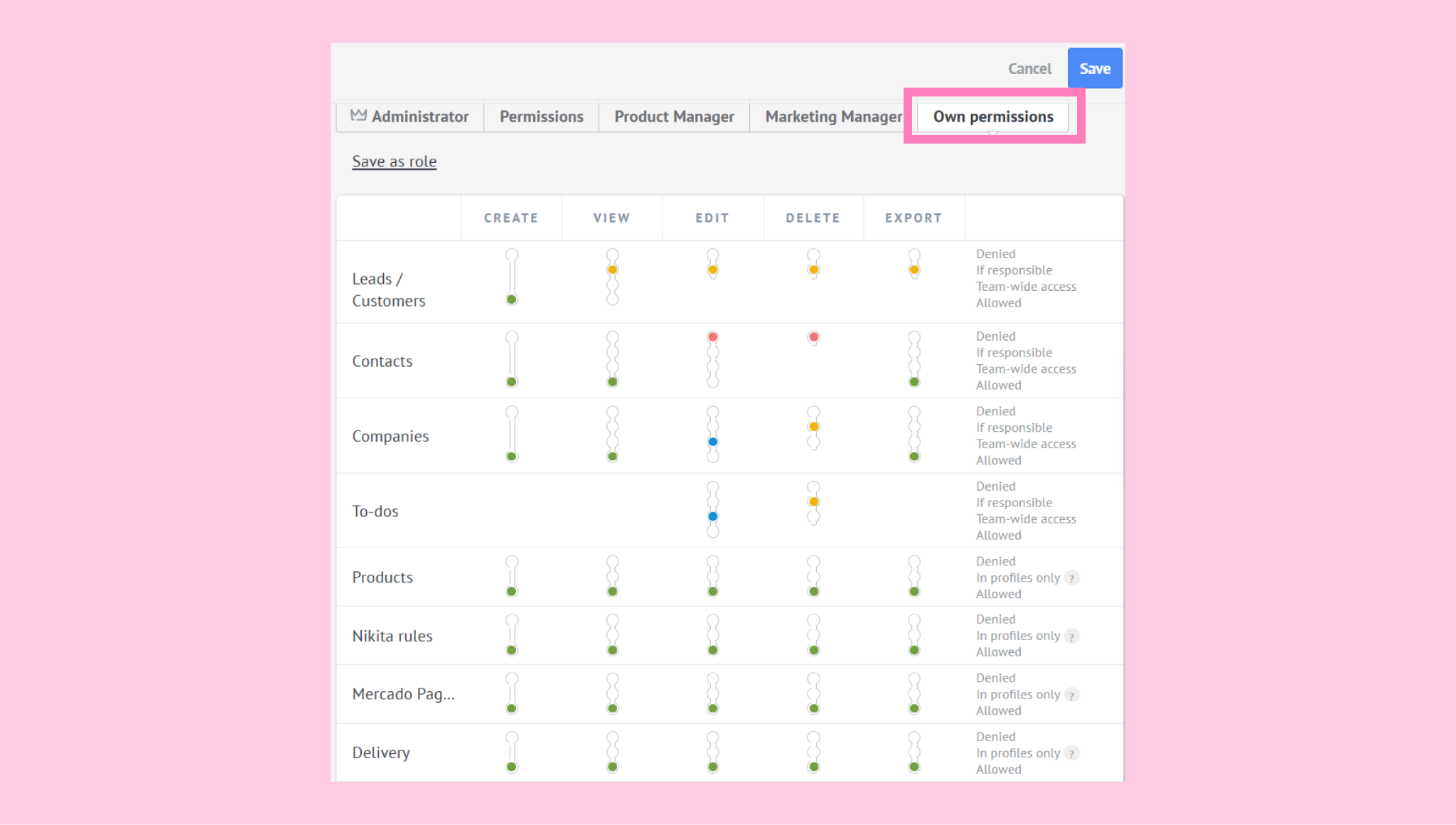
You’re done when: Each teammate can complete their work without seeing or changing information outside their role.
7. Test tasks and reminders
Create, assign, complete, and reschedule a test task. Confirm that the responsible user can find it and that the due date uses the correct time zone.
Check that every active lead has a clear next action where your process requires one.
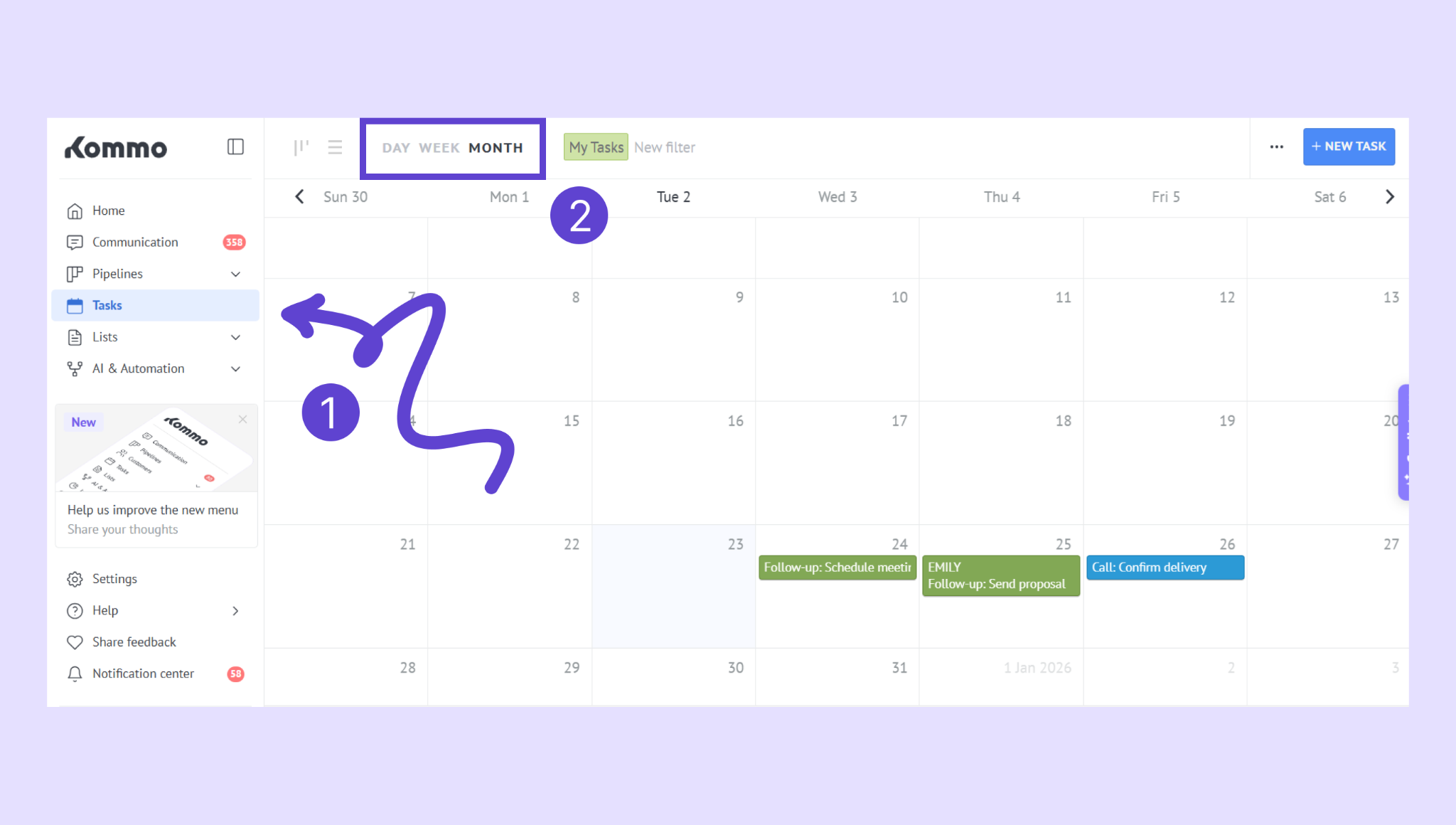
You’re done when: The next action is visible and follow-ups can be completed on time.
8. Test automations
Run each automation included in the first launch with a test lead.
Confirm that:
The correct condition starts the automation
The action runs only once when expected
The right user, stage, message, or task is selected
The automation does not block manual work
Your team knows what happened automatically
Disable or simplify any automation that produces an unclear result.
You’re done when: Every active automation has a predictable and verified result.
9. Agree on the team process
Before launch, make sure the team agrees on:
Who reviews new leads
How quickly new inquiries should be handled
When leads move between stages
How follow-up tasks are used
When a lead is marked as won or lost
Who handles setup questions or corrections
You’re done when: The team follows the same process instead of creating individual workarounds.
Launch readiness checklist
Your workspace is ready for launch when:
Workspace settings are correct
The first pipeline reflects the real process
Essential record fields are clear
The main lead source works
A test lead can be processed from start to finish
Users have the correct access
Tasks and reminders work as expected
Each launch automation has been tested
The team understands the daily workflow
After launch
Review the first real leads with your team and record any confusion, repeated manual work, or missing information. Improve the existing workflow before expanding it with more channels, fields, pipelines, or automations.
Return to the Start using Kommo setup checklist to continue with the remaining onboarding steps.