What you’ll need:
Any Kommo plan (Base, Advanced, Pro, Enterprise, or 14-day trial)
Administrator (Admin) access in Kommo
An account for the channel you want to connect (e.g., WhatsApp Business, Instagram Business, or Facebook Page)
Each workspace supports one account for each channel type (e.g. WhatsApp, Instagram, Facebook — one each)
Some integrations require a third-party connection process (e.g., Meta verification for WhatsApp).
Some messaging features may not be available in all regions or for all businesses.
Connecting a channel is the first step toward messenger-based sales (MBS) — Kommo’s approach to selling through real-time chats.
Once connected, all your messages from platforms like WhatsApp, Instagram, Facebook Messenger, and others will appear right inside Kommo. You can reply instantly, assign chats to teammates, and keep every conversation tied to the right lead card.
How to connect your first channel
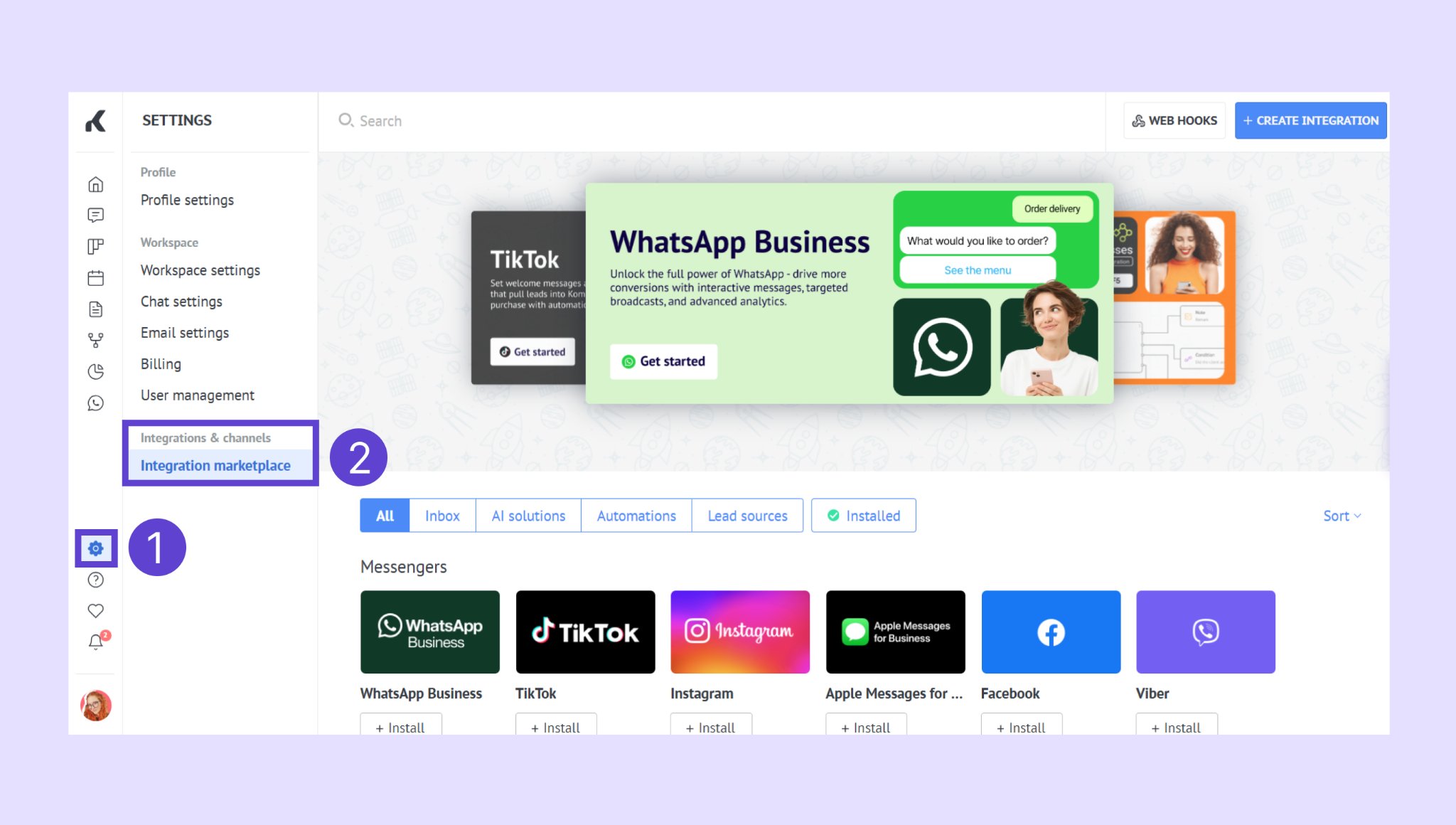
Go to Settings → Integration marketplace.
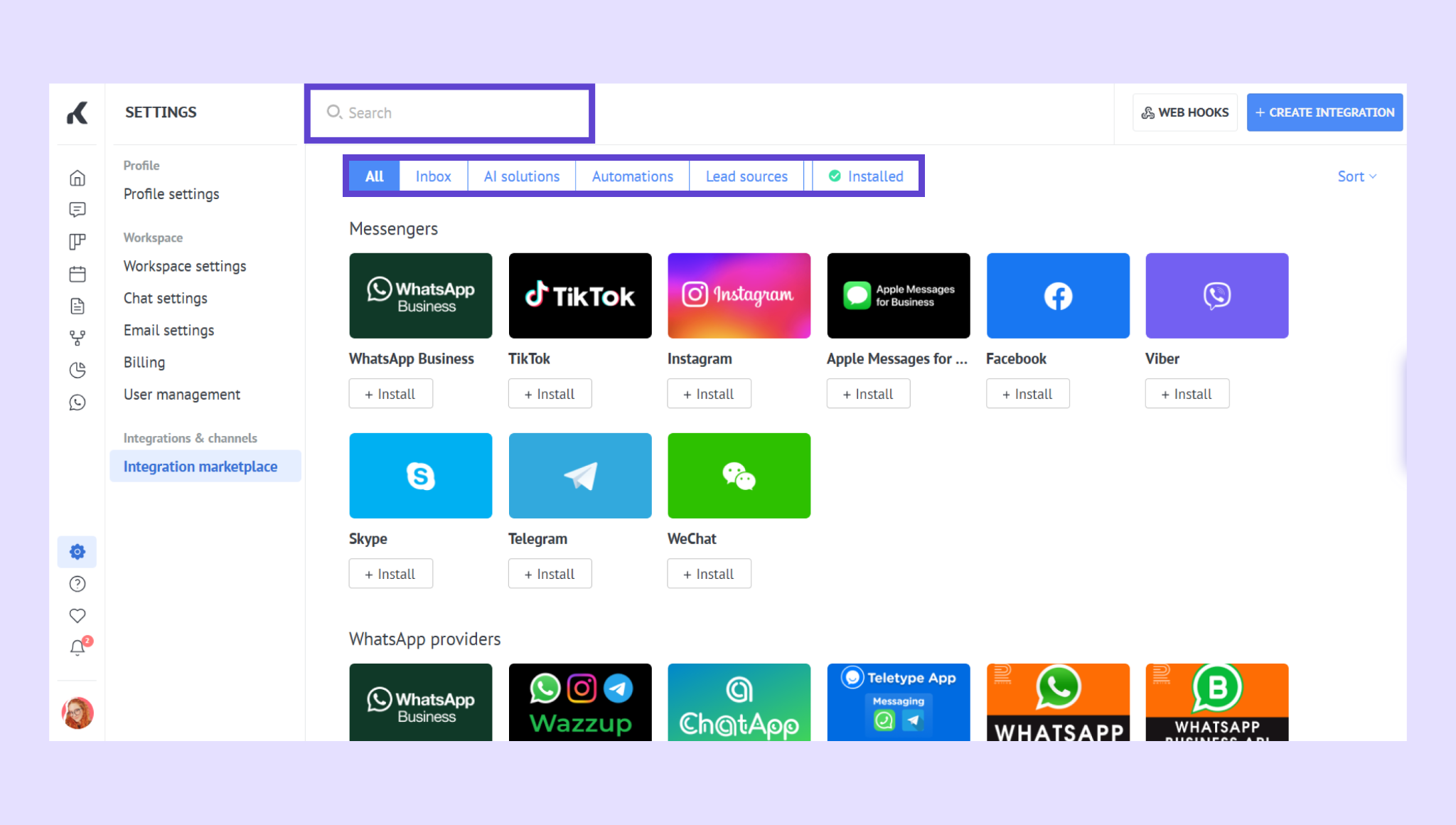
Browse or search for the channel you want to add (e.g., WhatsApp Business, Instagram, Facebook Messenger).
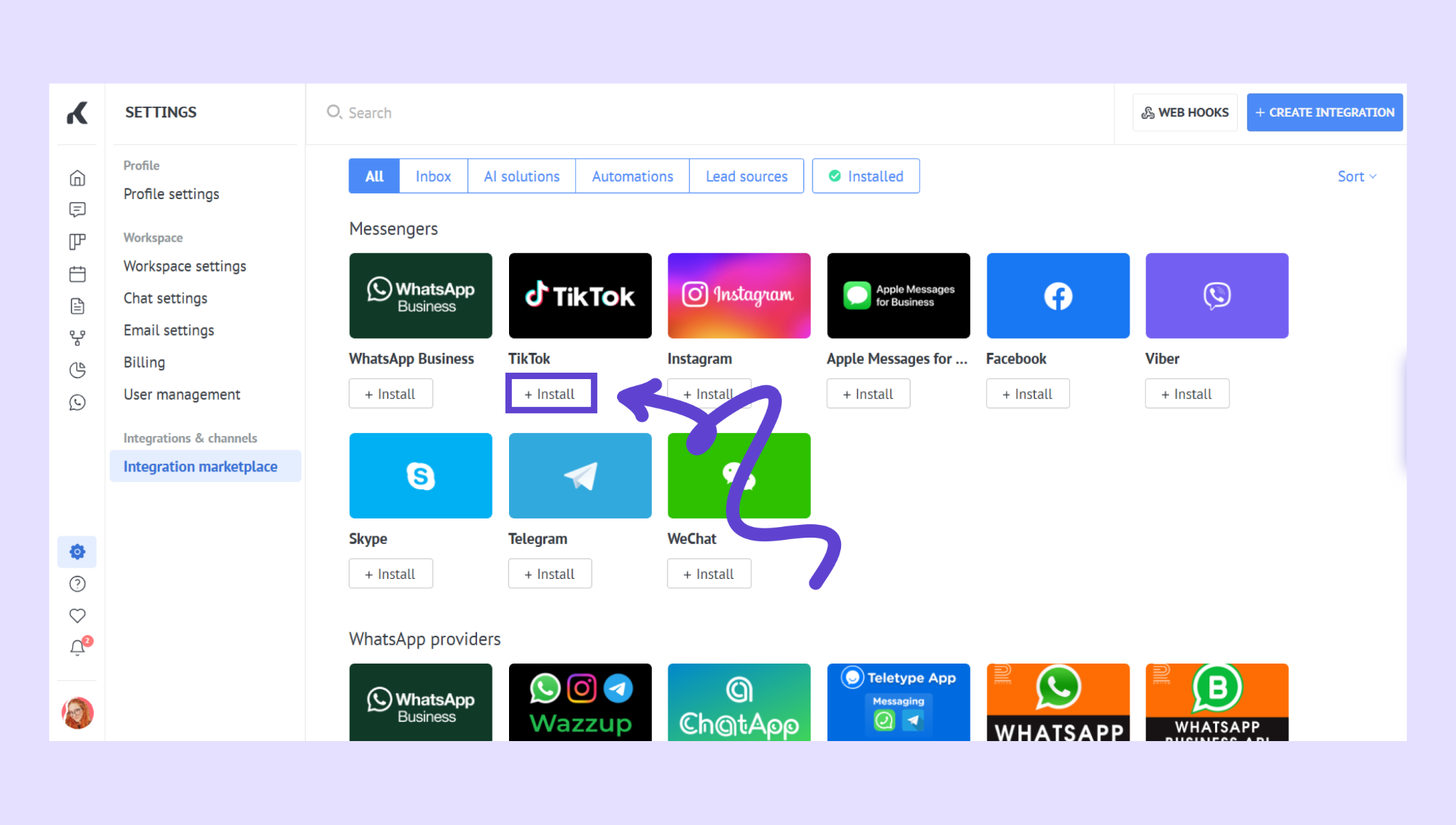
Click Install next to the integration.
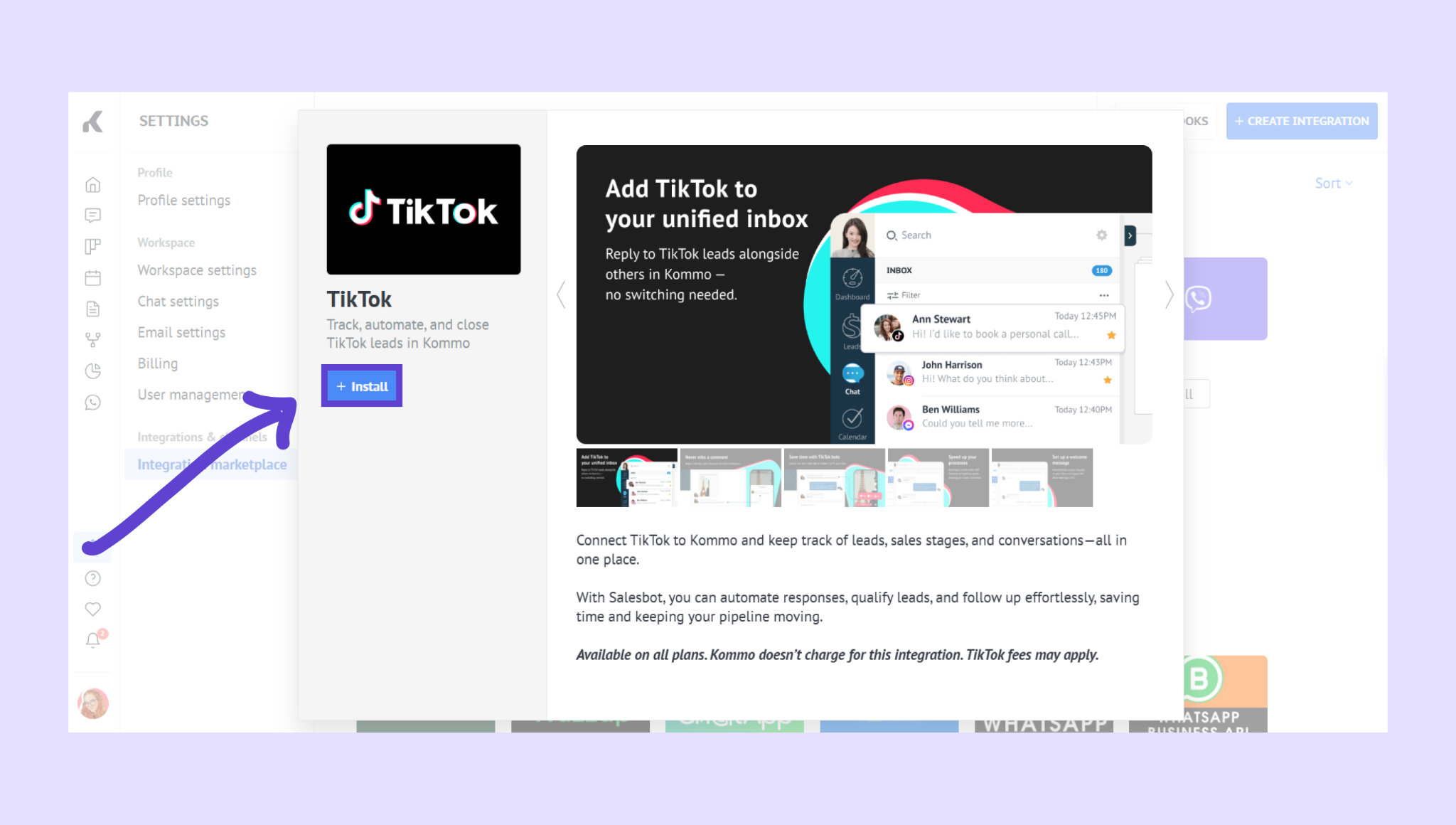
Click Install once again.
Log in with your account credentials when prompted.
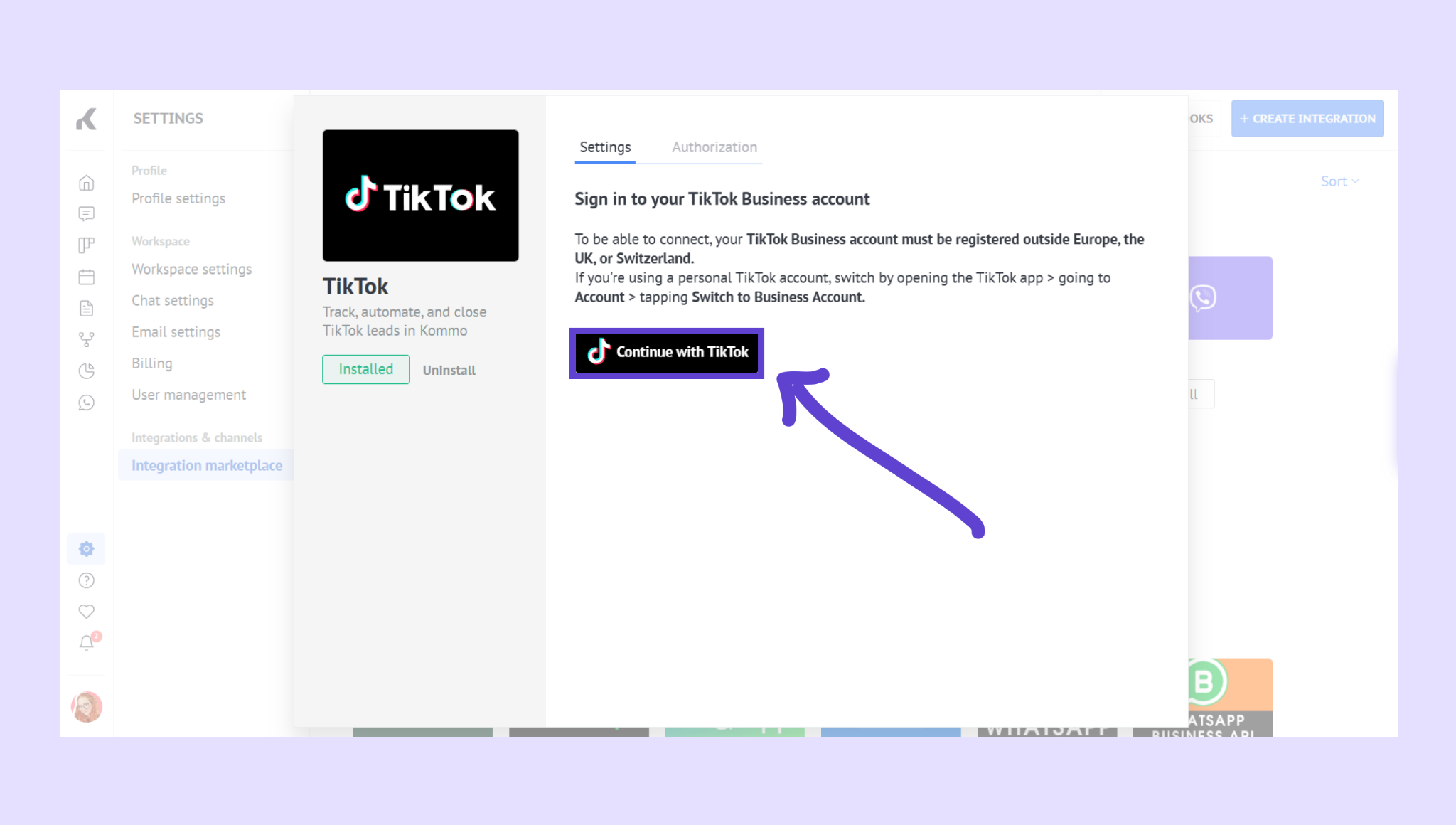
Grant Kommo the necessary permissions and wait for the confirmation — once connected, the integration will show the Installed status in Kommo.
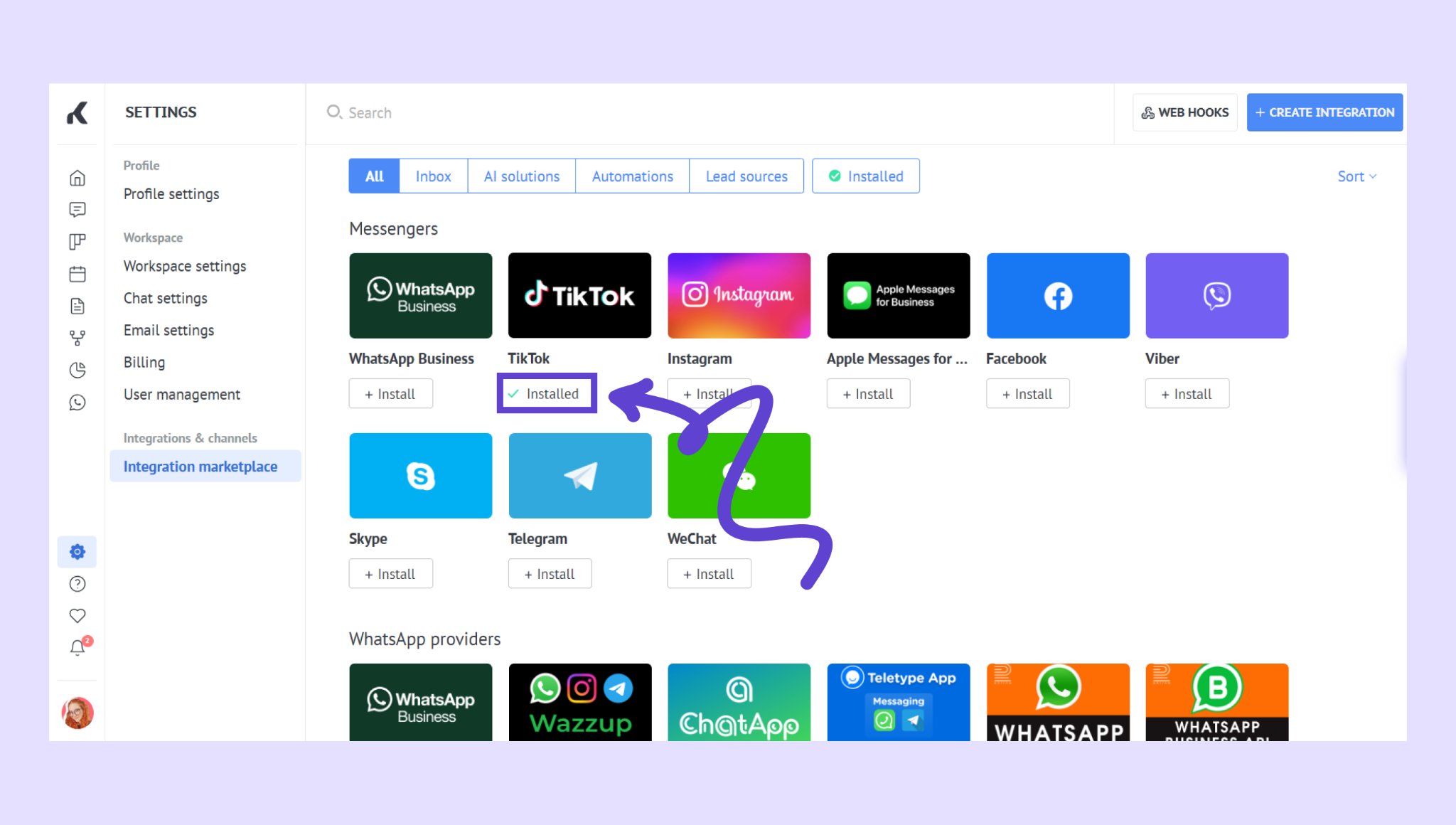
Tip: You can connect multiple channels to centralize all customer conversations — ideal for teams handling sales and support across several platforms. If you don’t see the channel you’re looking for, use the request form that appears when your search returns no results to suggest a new integration.
Verify the connection
After setup:
Open Communication → Chat inbox and send a test message from your connected channel. If it appears in Kommo’s inbox, the connection is active.
You can now assign leads to your teammates, create tasks, and link chats to leads automatically.
Next steps
Once your first channel is connected:
Bring your team in and manage conversations from one shared inbox
Automate conversations with Salesbot or Kommo AI and capture leads 24/7
If you need more help with setup or troubleshooting, feel free to reach out to our support chat or contact us via WhatsApp. You can also hire a Kommo partner to do all the hard work for you.
Not a user yet? Sign up for our 14-day free trial or book a free live demo.