
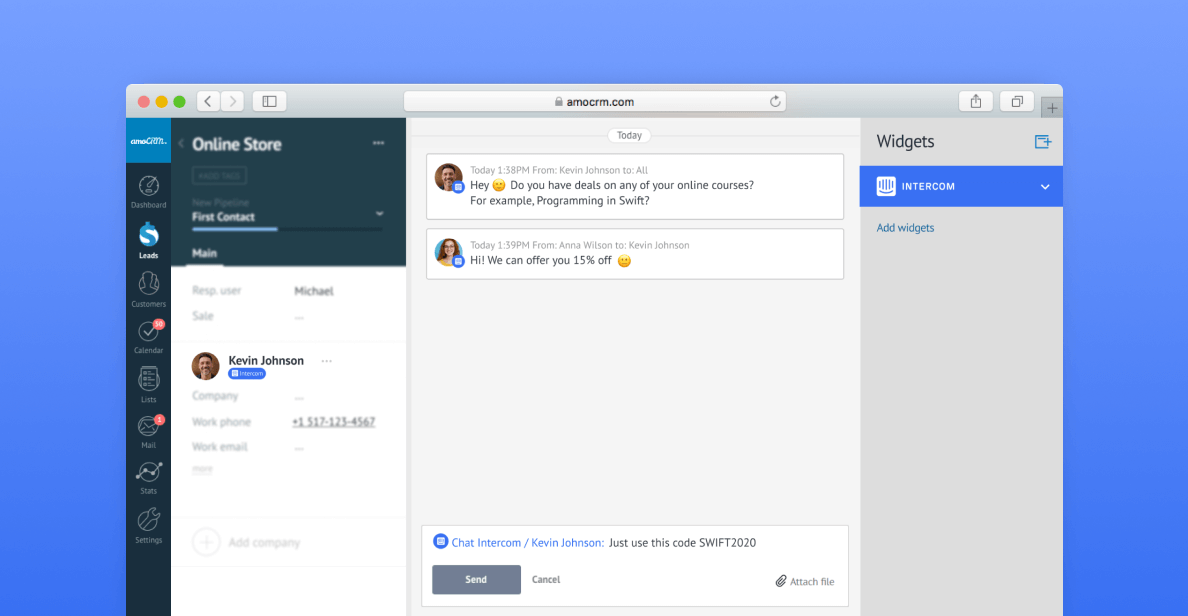
Connect Intercom - the business messaging platform for sales, marketing and support teams in your Kommo account. You will be able to receive and respond to messages straight from the lead card. 😎
How to install & use
Installing Intercom is simple: 👇
Go to Settings > Integrations and select Intercom
Click on Install
Click on Log in with Intercom
You will be redirected to authorize the connection
Click on Authorize access
Match the Intercom and Kommo account users
Click on Save
Intercom has been successfully installed in your Kommo account. 🕺
Once installed, add the Intercom chat in the desired pipeline.
In the pipeline click on Setup pipeline
Click on Add source
In the Widget section select Intercom
All new incoming messages will arrive in the pipeline. 🧐
You can respond to the messages straight from the lead card, and all of the communication will be reflected both in Kommo and the Intercom chat.
Related use cases
CRM for SaaS Companies - How Qollabi boosted efficiency by 30% & productivity by 20%
Need more help with setting up or troubleshooting? Contact us by sending an email to support@kommo.com or write to us on Facebook.
Not a user yet? Visit our tour page or contact us for a demo.