What you’ll need:
Any Kommo plan (Base, Advanced, Pro, Enterprise, or 14-day trial)
Keep in mind:
Only users from the same Kommo workspace can participate in team conversations
Access to related leads, contacts, and other records depends on each user’s permissions
Mentions do not change a user’s access permissions to related records
Team chats is a place for internal communication in Kommo. You can message coworkers directly, create group conversations, review mentions, and contact Kommo Support without moving work to another messaging tool. 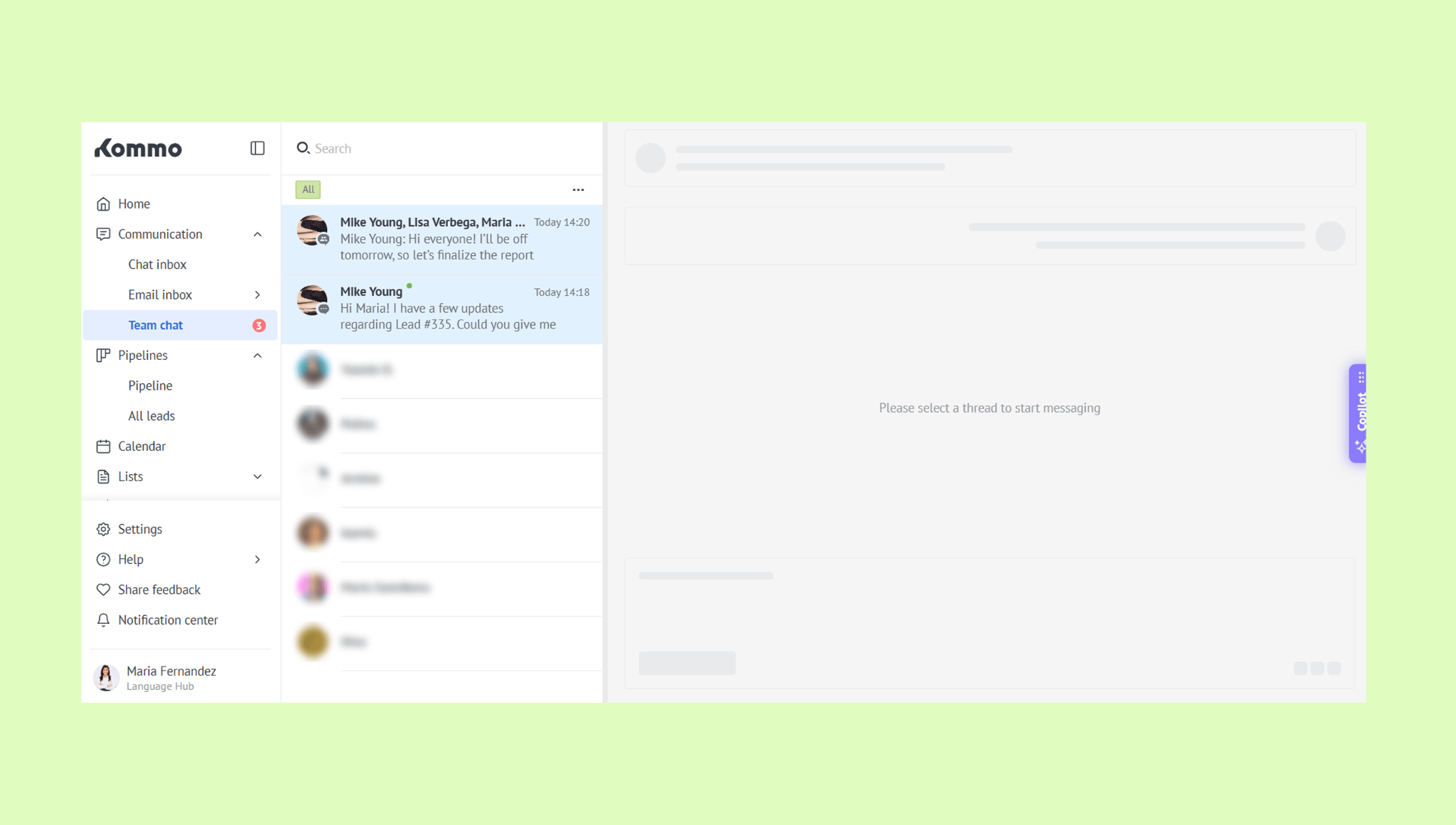
Use cases
Coordinate with your teammates — Send private messages or create group chats to discuss work, share updates, and make decisions together.
Follow important updates — Find messages where a teammate mentioned you, so important requests are easier to notice.
Contact Kommo Support — Ask questions about Kommo and return to the conversation whenever you need it.
Chat with teammates
Use private chats for one-to-one conversations or create a group chat when several teammates need to discuss the same topic. Messages stay inside your workspace and are not visible to clients.
Follow mentions
When a teammate mentions you in a client conversation, the mention appears in the Team chat. From there, you can reply to your teammate or jump straight into the conversation with the client.
Contact Kommo Support
Use Support chat to ask questions about your account or Kommo features. Support conversations remain separate from team and client chats, so they are easy to find and revisit.
Filter and search chats
Chat filters make it easier to focus on the conversations that matter. Preset views include All, Unread, Today, and Starred, while date filters help narrow chats to a specific day or period, such as the last week or last 30 days.
Keyword search helps you quickly find a particular conversation or message.
Learn how to manage chats in this article.