What you’ll need:
A Kommo account on the Pro or Enterprise plan. Learn more about Kommo plans here.
Admin access in Kommo.
An external AI service or integration.
Keep in mind:
Trial accounts include 100 Chats API messages, which expire when the trial ends. Chats API add-on is not available for purchase during the 14-day free trial.
Chats API is not available during the Pro plan trial.
Only outgoing messages sent through Chats API use your available messages.
Incoming messages and message history do not use your Chats API limits.
If you downgrade your Kommo plan, your remaining limits are frozen and cannot be used until you switch back to a Pro or Enterprise plan.
Chats API helps you connect Kommo with custom apps, AI assistants, or external integrations.
Use cases
Build custom chat integrations – Connect tools like N8N, Make, or your own app to send and receive messages through Kommo.
Keep conversations in Kommo – Store messages from external tools in the right lead, so your team can view the full chat history in one place.
Connect an external AI assistant – Let an external AI chatbot reply to clients, answer common questions, qualify leads, or collect details.
Chats API supports messages in the following formats:
Text messages
Images
Videos
Files
How Chats API messages are charged
Receiving messages from clients through Chats API is free.
Only outgoing messages sent to clients are charged. Each successfully sent outgoing message uses 1 Chats API message from your available messages.
For example, if an AI assistant sends 10 messages to clients through Chats API, 10 Chats API messages are deducted from your available messages.
Your available Chats API messages
The number of outgoing messages you can send through Chats API depends on how many Chats API messages are available in your account.
There are two types:
Messages included in the plan — Chats API messages that come with your Kommo plan.
Additional messages — extra Chats API messages you purchase as an add-on.
Messages included in the plan
Included messages renew every month. Any unused messages do not carry over to the next month.
Each Kommo plan includes a different number of Chats API messages:
Plan | Included Chats API messages | Additional messages |
|---|---|---|
Trial | 100 messages per account. Any remaining messages are removed when the trial ends | Not available |
Base | Not available | Not available |
Advanced | Not available | Not available |
Pro | 500 messages per month per account | You can purchase additional Chats API message packages |
Enterprise | Customized for each account. Contact the Kommo team to learn more about available options | You can purchase additional Chats API message packages |
Additional messages
Additional messages stay available until the end of your current Kommo subscription. If your subscription ends, any remaining purchased messages are locked for 6 months and cannot be used.
If you renew your subscription within 6 months, the remaining messages become available again. If you do not renew within 6 months, they are removed from your account.
If you need more messages than your Kommo plan includes, you can purchase a Chats API message package as an add-on at any time.
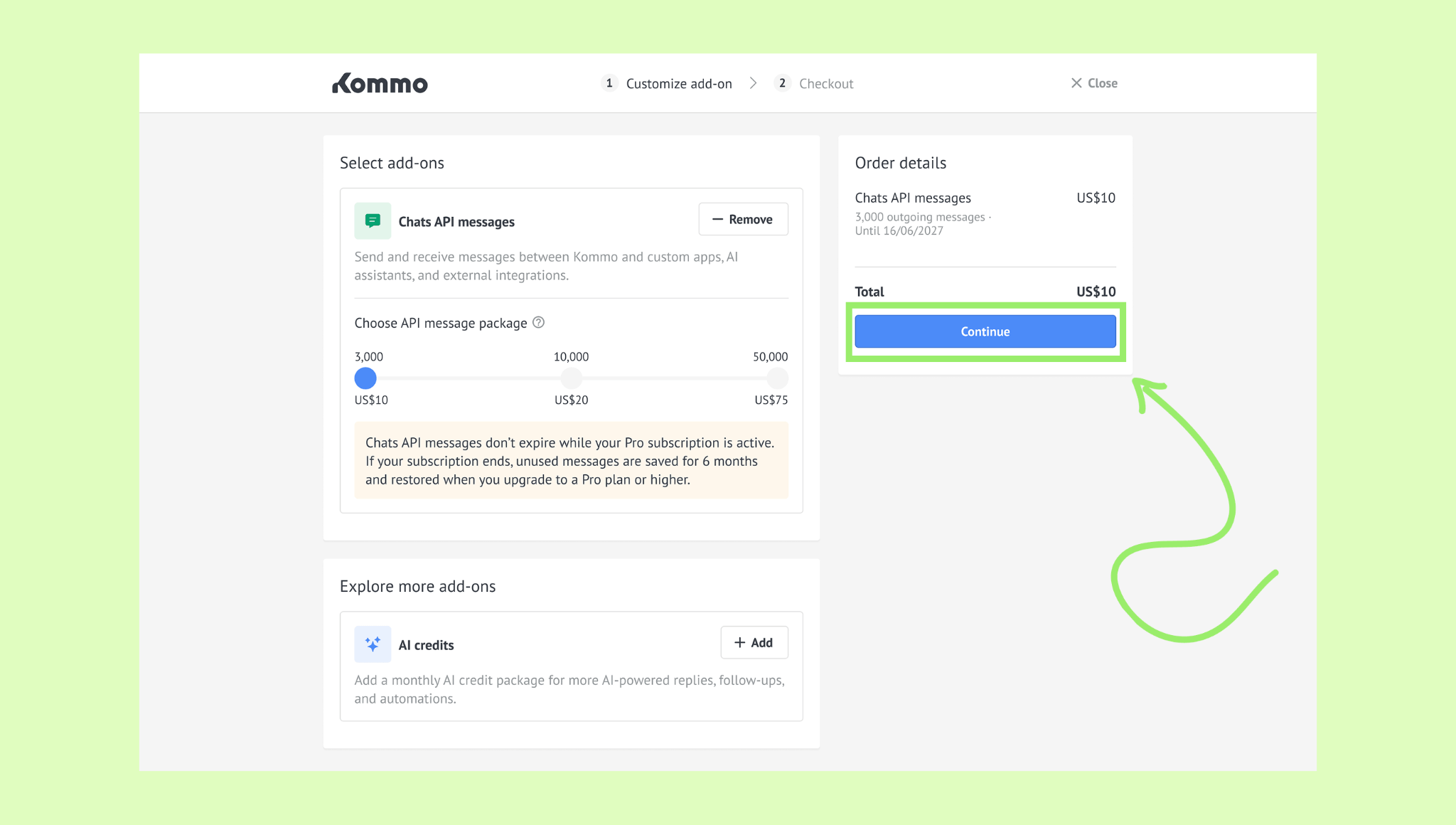
You can choose from the following Chats API message packages:
Package | Price |
|---|---|
3,000 messages | US$10 |
10,000 messages | US$20 |
50,000 messages | US$75 |
How to purchase Chats API packages
To purchase a Chats API package:
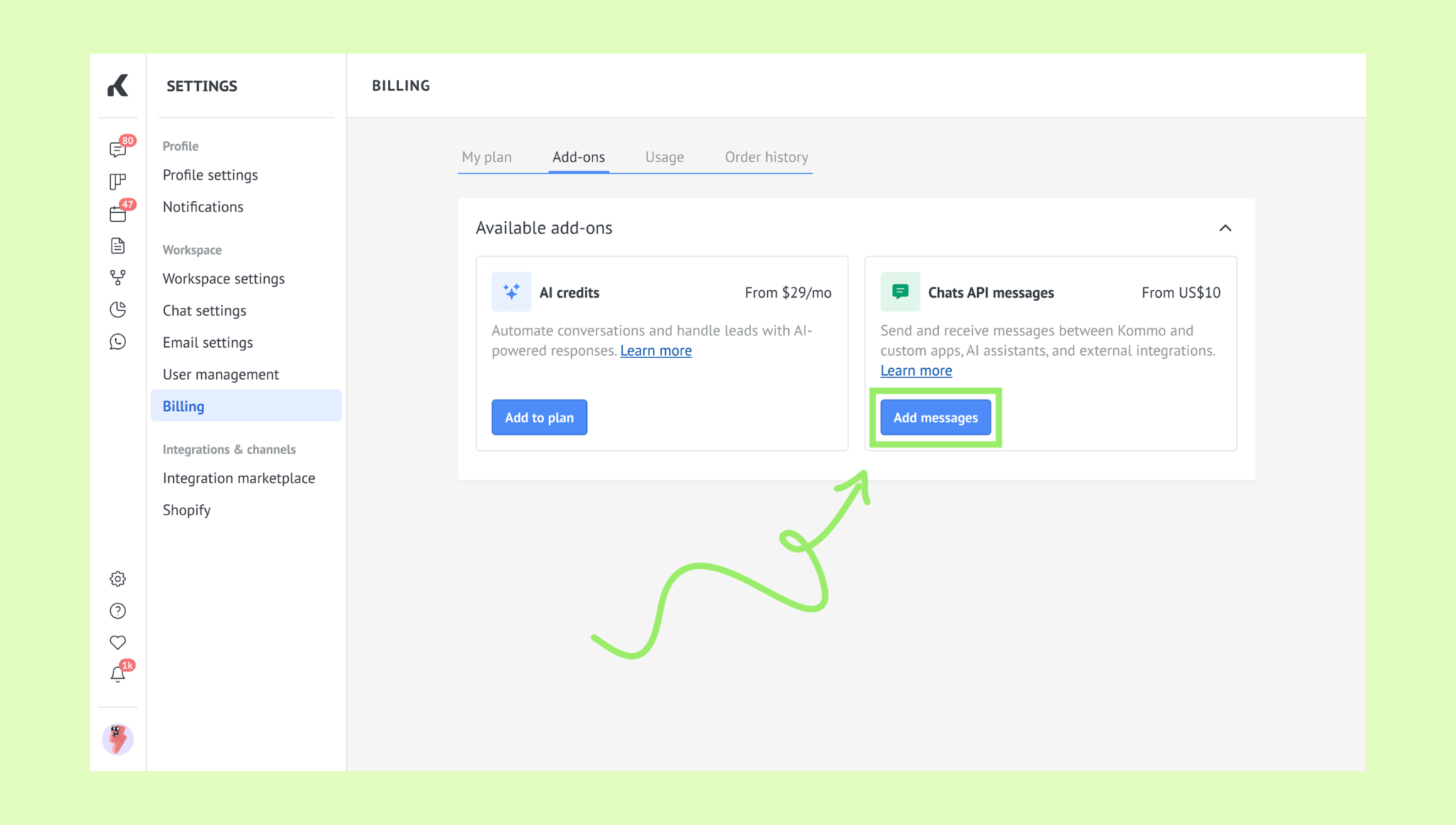
Go to Billing → Add-ons, click Add messages.
Select a message package, click Continue.
Fill in your payment details, click Continue.
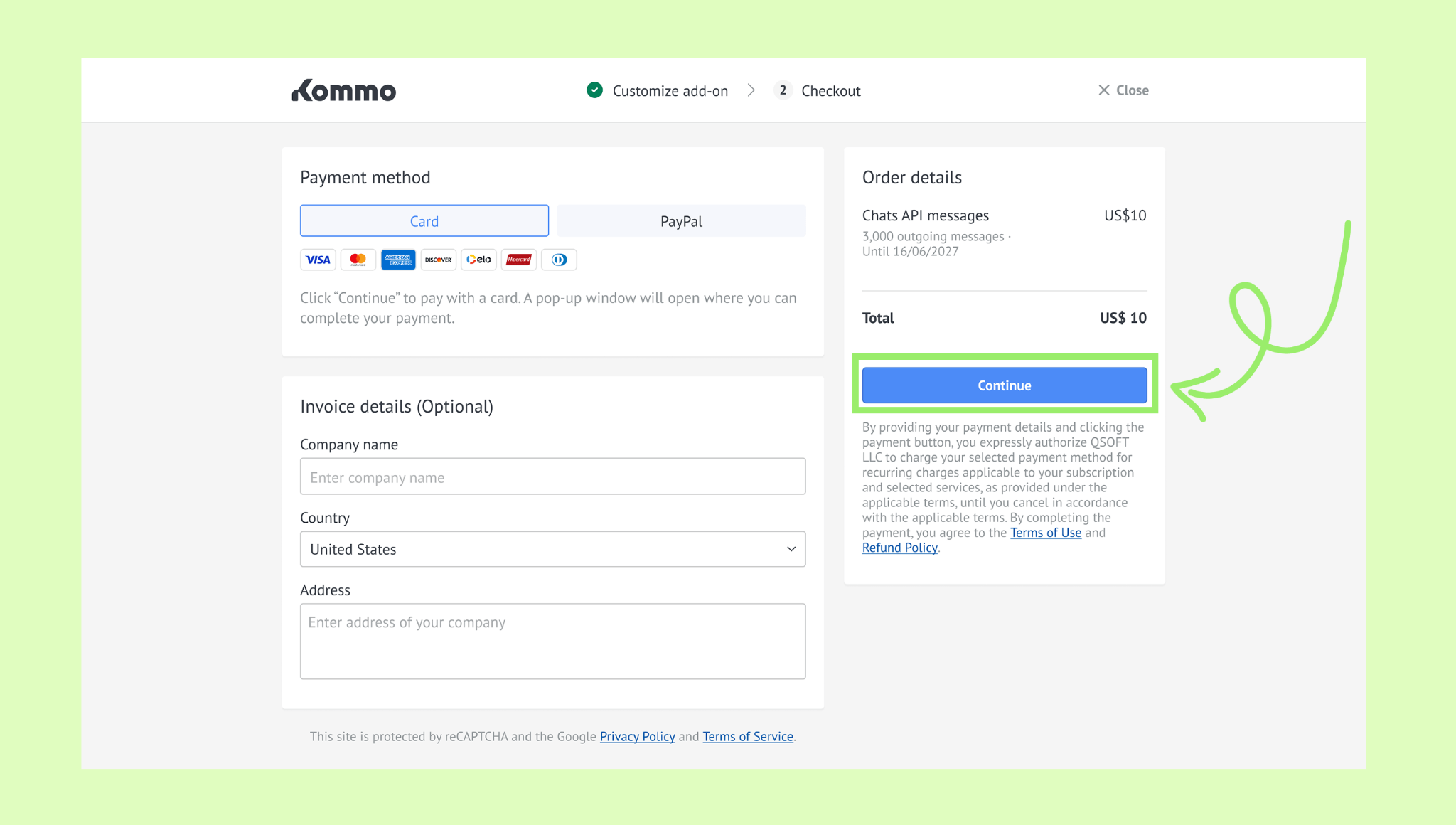
Complete the payment.
After the payment is processed, the Chats API add-on will appear on the Add-ons page. There, you can see its expiration date and purchase more messages if needed.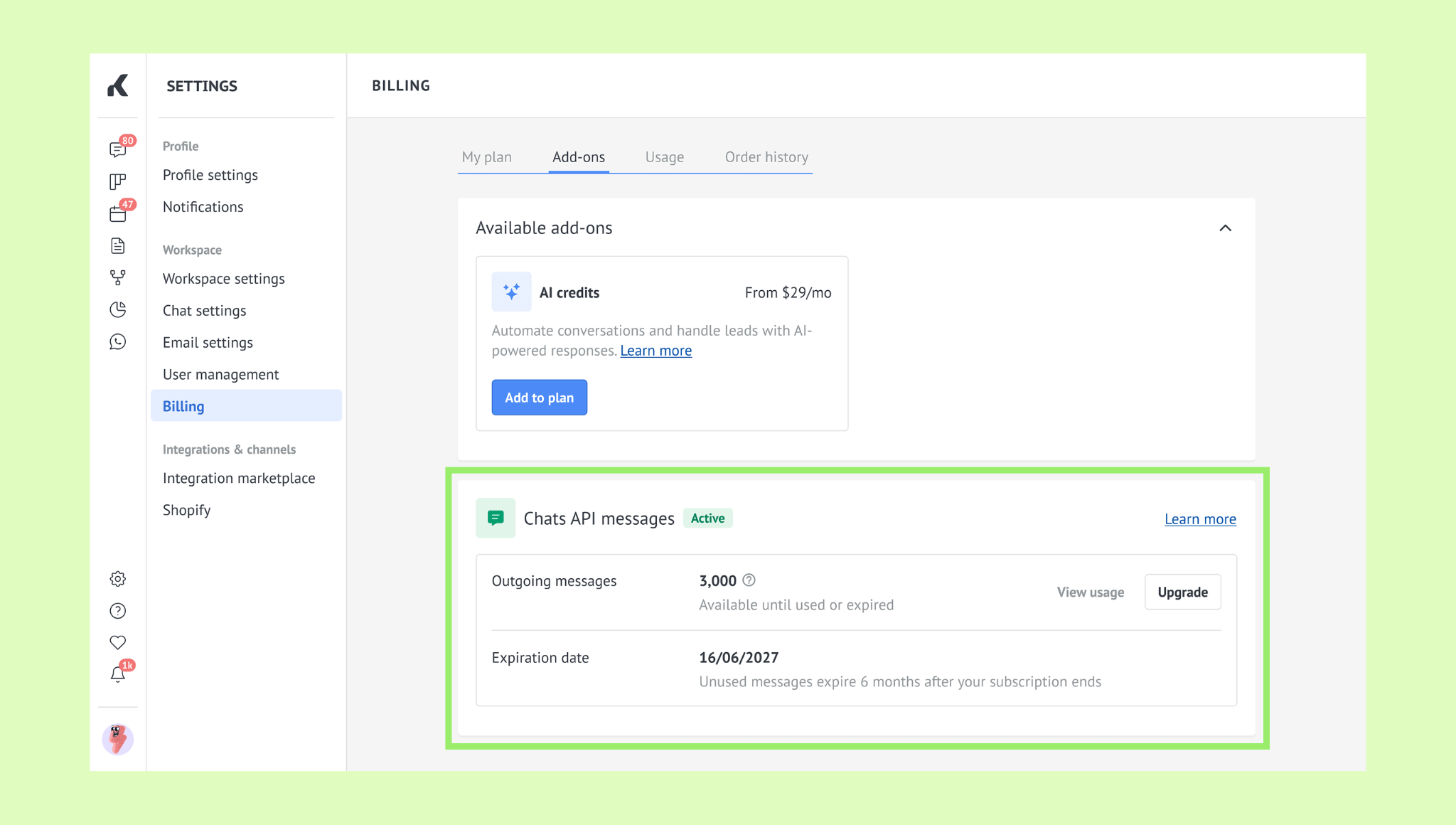
Note: You can purchase additional Chats API messages separately, when buying your first Kommo subscription, or while upgrading your plan. Learn how to manage your Kommo subscription.
To purchase additional Chats API messages:
Go to Billing → Add-ons, click Upgrade.
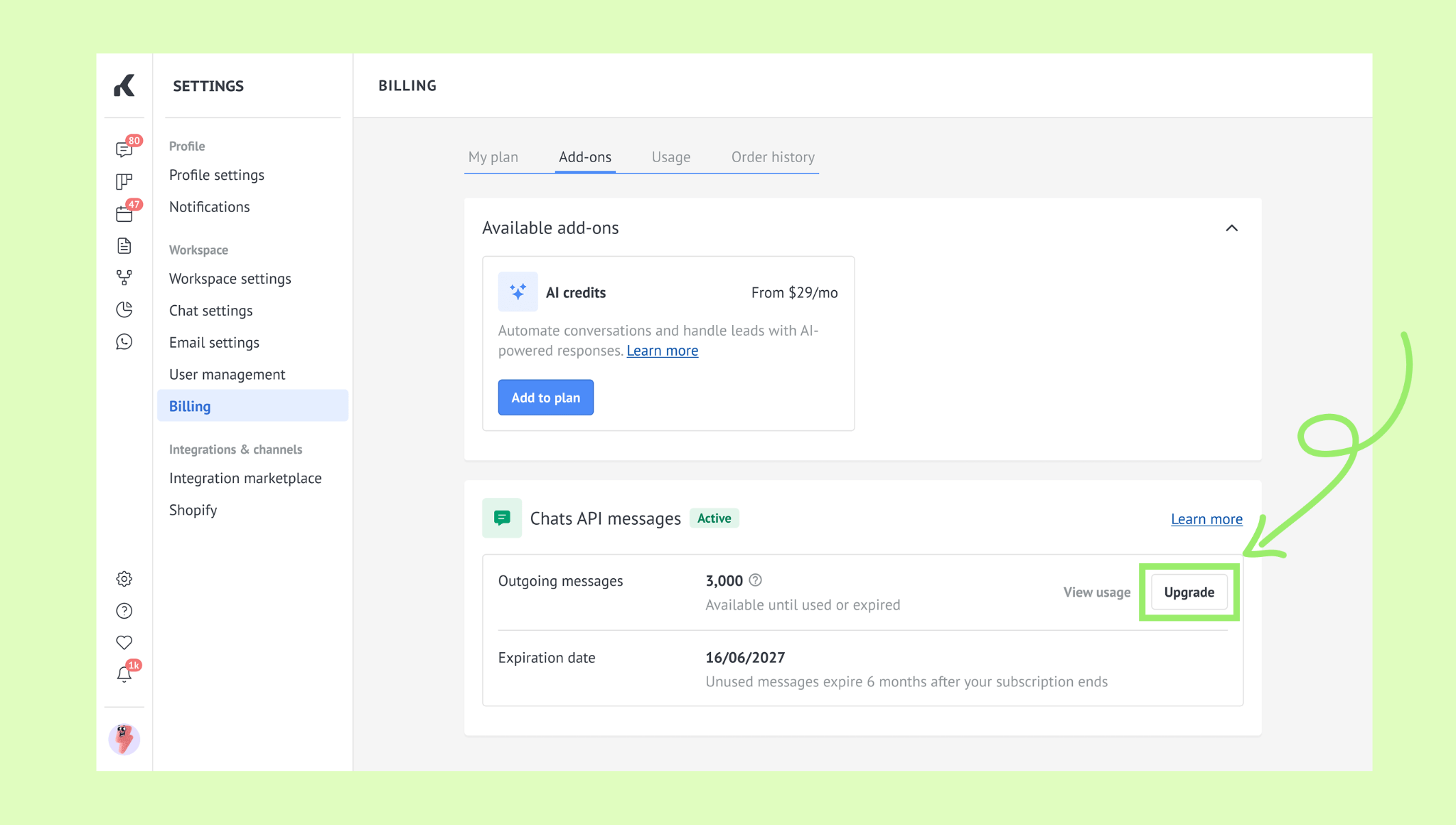
Choose a message package, click Continue.
Enter your payment details, click Continue.
Complete the payment.
After the payment is processed, the updated number of messages will appear on both the Add-ons and Usage tabs.
How to check your Chats API usage
To see how many messages you’ve used and how many are still available:
Go to Billing → Usage.
Find the Chats API section.
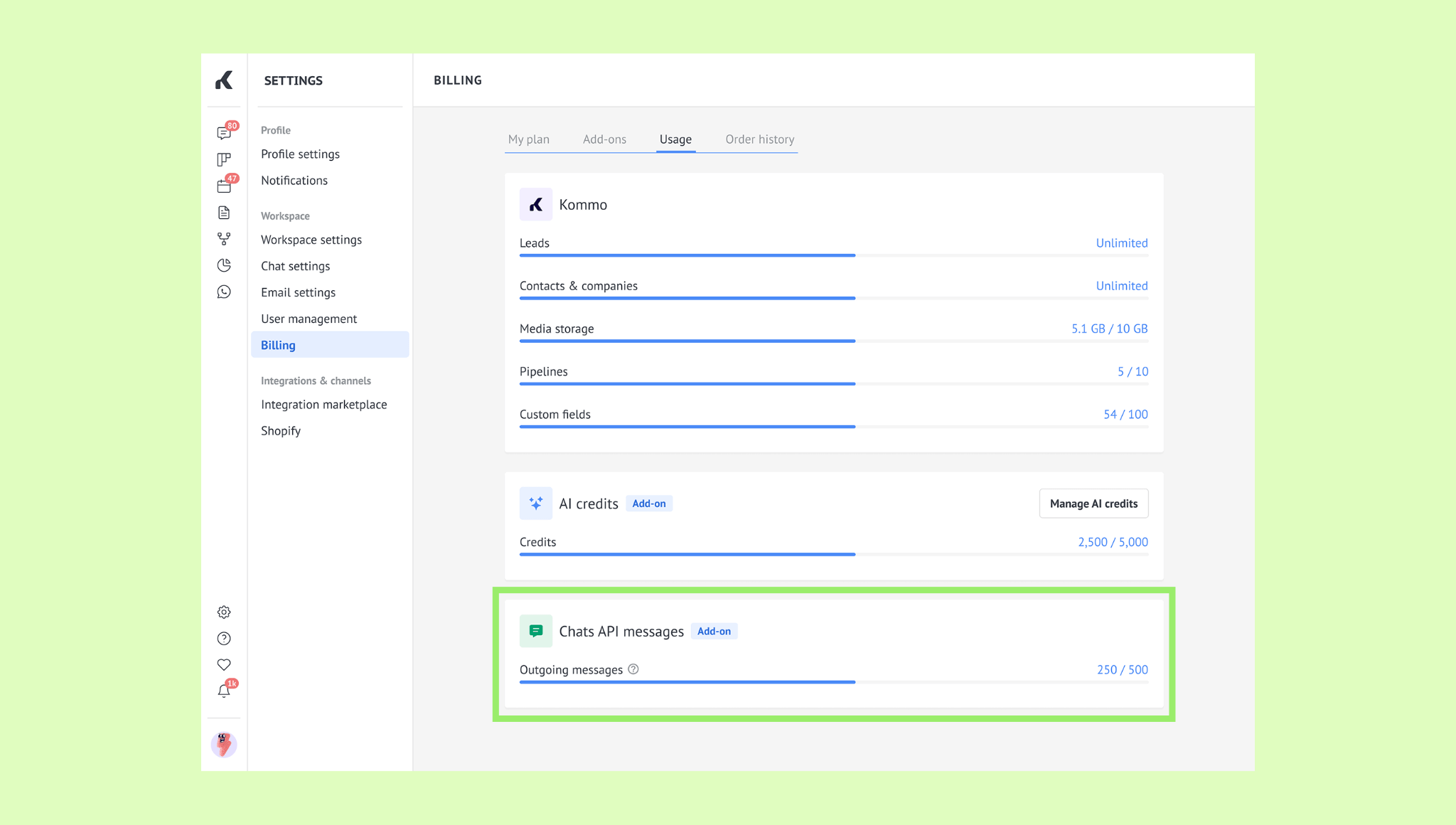
The information you see depends on whether you’ve purchased additional messages:
If you only have messages included in your Kommo plan, the total shows the number included in your plan.
If you’ve purchased additional messages, the total includes both your plan messages and all purchased packages.
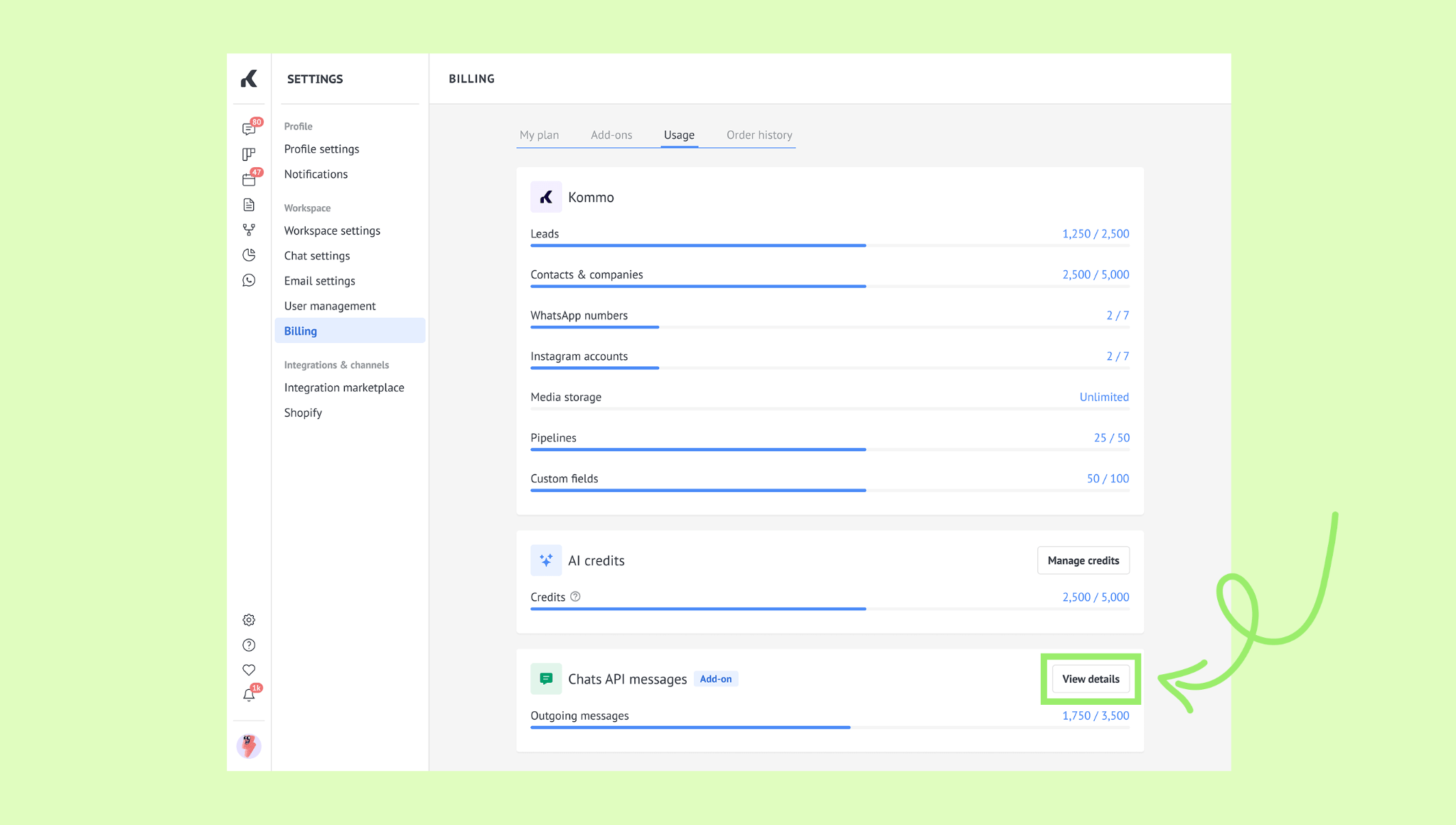
If you’ve purchased additional Chats API messages, you can also view a detailed breakdown:
In the Chats API section, click View details.
In the opened window, check the limits.
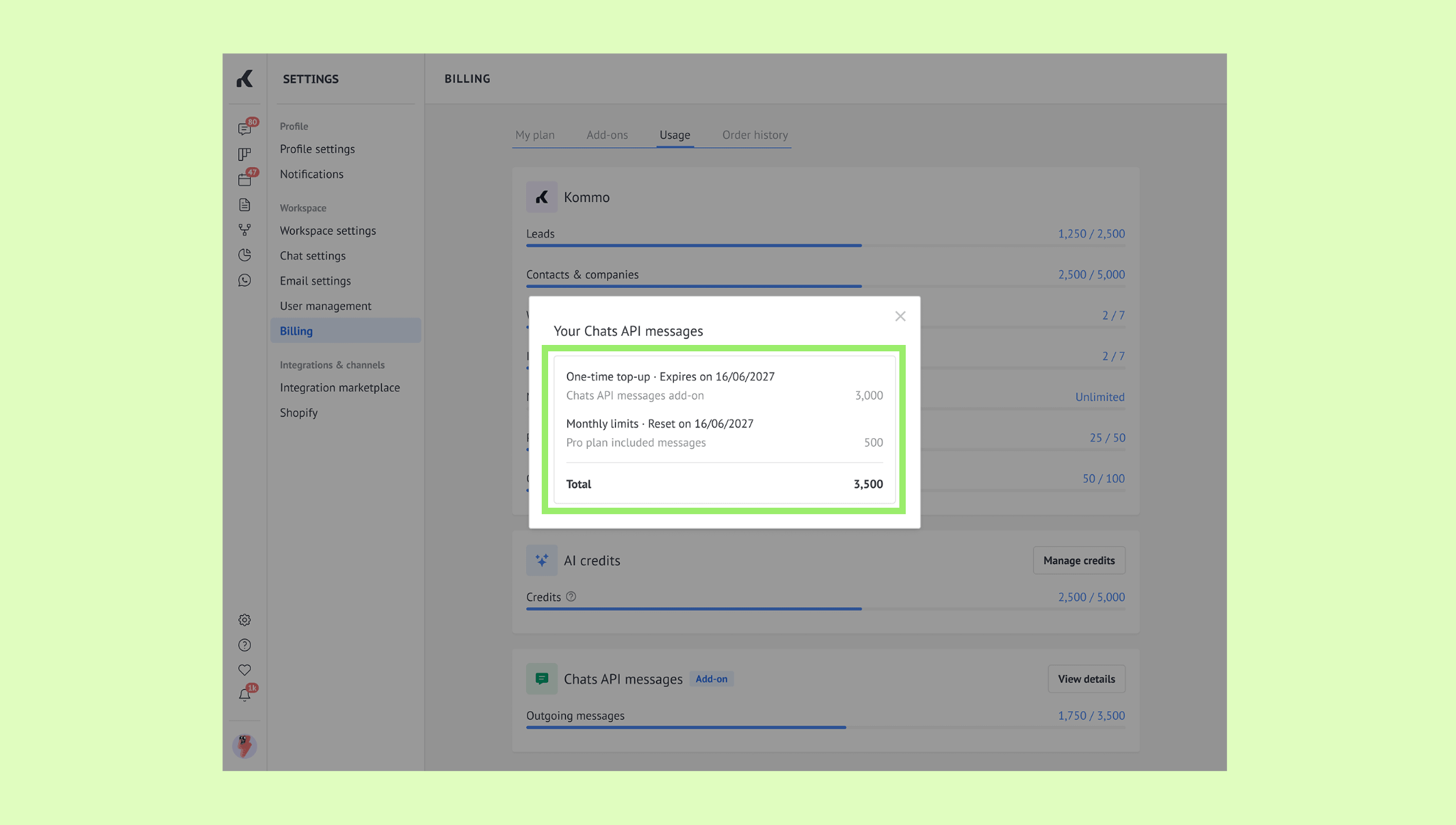
Click the X icon to close the window.
Note: When you get close to using all your available messages, Kommo will show a warning. You can purchase more messages at any time.
Tip: You can also check your Chats API usage on the Home page.