What you’ll need:
Available on all Kommo plans (Base, Advanced, Pro, Enterprise, or a 14-day trial)
An iOS or Android device
User permissions to access chats, leads, or tasks (Admin role required for full access)
Keep in mind:
Push notifications must be enabled on your device
Some features and settings are available only on the desktop version
Kommo Mobile lets you stay connected to your CRM wherever you are — so conversations keep moving, deals don’t stall, and tasks don’t get missed, even when you’re away from your desk.
With the mobile app, you can manage leads, reply to customers, and follow up with your team — all from your phone.
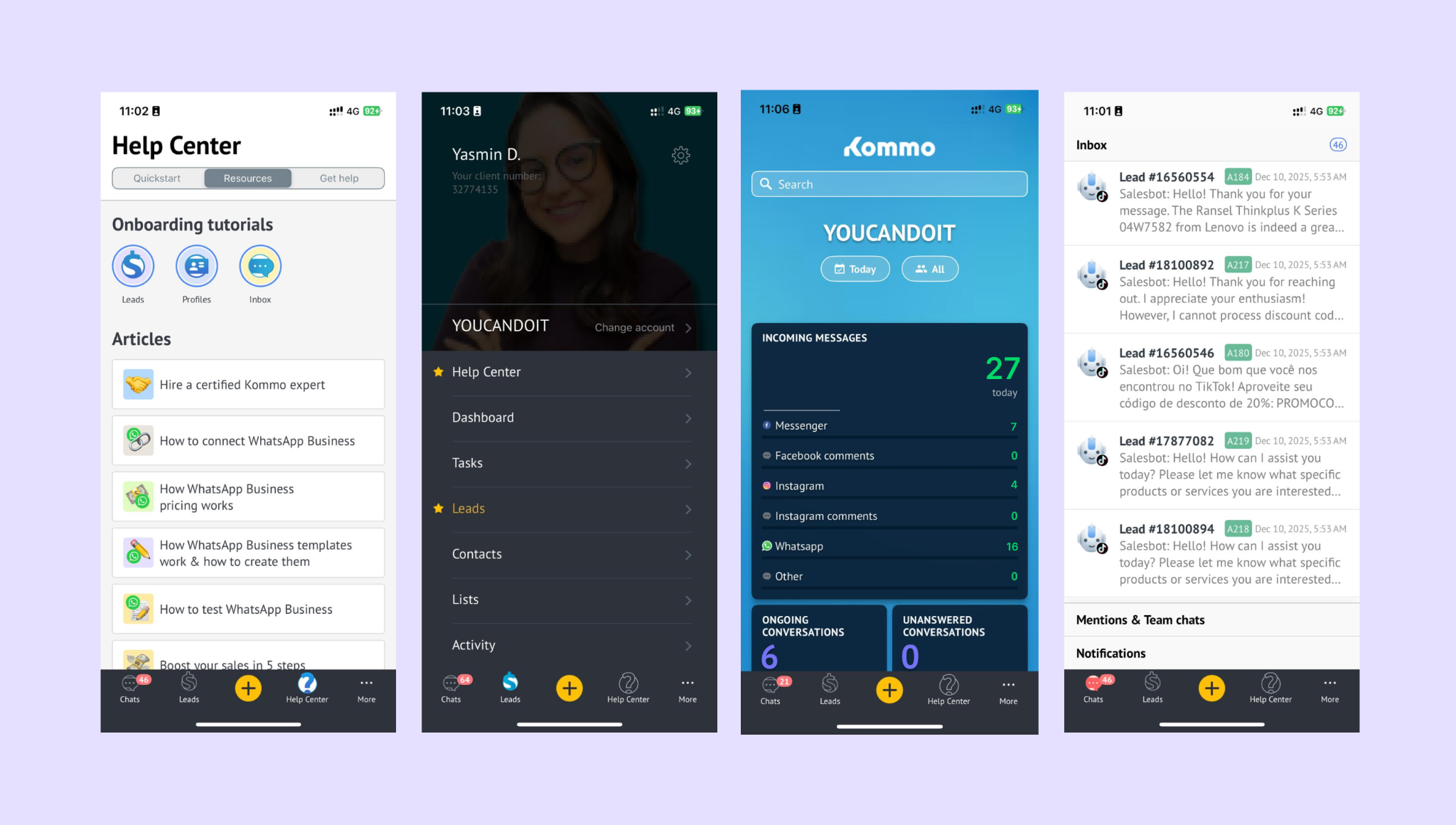
What you can do with Kommo mobile
Kommo Mobile helps you stay productive wherever you are. You can:
Reply to customers faster: Manage WhatsApp, Instagram, Telegram, and other connected channels from one inbox
Work with leads anywhere: Move leads between stages, update details, add notes, and upload files
Stay on top of tasks: View, create, and complete tasks without opening the desktop app
Get real-time alerts: Receive push notifications for new messages, lead activity, and task reminders
Keep track of activity: See recent updates, lead changes, and ongoing conversations across your workspace
Inbox and conversations
The mobile inbox brings all your customer conversations together in one place.
From the app, you can:
Reply to client messages from all connected channels
See full conversation history linked to each lead
Assign tasks or continue discussions without switching tools
You can also collaborate with your team:
Start internal chats with teammates
Create group chats
Mention teammates to draw attention to specific leads or messages
Share files and images directly in chats
Leads and pipelines on mobile
Kommo Mobile lets you work with leads wherever you are.
You can:
View your pipelines and lead stages
Move leads between stages
Edit lead and contact details
See the full activity history for each lead
Add notes or create tasks directly from the lead card
Note: Pipeline structure (stages, names, rules) is configured on the desktop version. Any changes made there sync automatically to the mobile app.
Tasks and reminders
Tasks help you keep track of what needs to happen next — even on the move.
In the mobile app, you can:
Create new tasks
View upcoming, overdue, or completed tasks
Edit task details and deadlines
Receive reminders so nothing slips through
Tasks are always linked to leads or conversations, so you have full context when following up.
Scanner: add leads instantly
The mobile app includes a built-in business card scanner.
You can:
Take a photo of a business card
Automatically convert it into a new lead
Save contact details without manual entry
This is especially useful after meetings, events, or networking sessions.
Notifications and mentions
Kommo Mobile keeps you informed without requiring constant checking.
You can receive notifications for:
New customer messages
Assigned or overdue tasks
Mentions in leads or team chats
Important lead activity
Note: Notification types are configured in the desktop version. Once set, they sync automatically to your mobile app.
Mobile app vs desktop version
Kommo Mobile complements the desktop version — each has its role.
Available only on desktop:
Connecting WhatsApp Business and other channels
Managing pipeline structure and automations
Configuring notifications, permissions, and security
Email integration
Merging duplicate leads
Creating new task types
Available on mobile:
Messaging and lead updates
Tasks and reminders
Notes and file uploads
Business card scanning
Real-time notifications
Changes made on desktop sync instantly to the mobile app.
Learn more about Kommo mobile
Install Kommo on iOS or Android
Download the app from the App Store or Google Play, log in to your Kommo account, and set up your preferences. [Learn more →]
Use pipelines on mobile (tbd)
View your pipelines, move leads between stages, update fields, and add notes — all directly from your phone. [Learn more →]
Manage notifications on mobile
Choose which alerts you receive and enable push notifications so you never miss important updates. [Learn more →]
If you need more help with setup or troubleshooting, feel free to reach out to our support chat or contact us via WhatsApp. You can also hire a Kommo partner to do all the hard work for you.
Not a user yet? Sign up for our 14-day free trial or book a free live demo.