What you’ll need:
Any Kommo plan (Base, Advanced, Pro, Enterprise, or 14-day trial).
Admin access in Kommo.
Keep in mind:
Only one account per channel (Facebook, Instagram, WhatsApp, etc.) can be connected to Kommo.
In Kommo, a pipeline is the central hub of your workflow. It consists of stages that represent the steps in your sales process. You can add leads and move them through these stages to track their progress. This helps you clearly see where each lead stands and quickly identify any bottlenecks.
Use cases
Customize your pipelines – Add, delete, or rename stages to match your workflow.
Connect your channels to a pipeline – Automatically add new leads when clients contact you via Facebook, Instagram, WhatsApp, or many other messengers.
Use multiple pipelines – Create separate pipelines for different products, channels, or departments.
Automate routine actions — for example, automatically send an email to a client or create a task when a lead moves to the next stage.
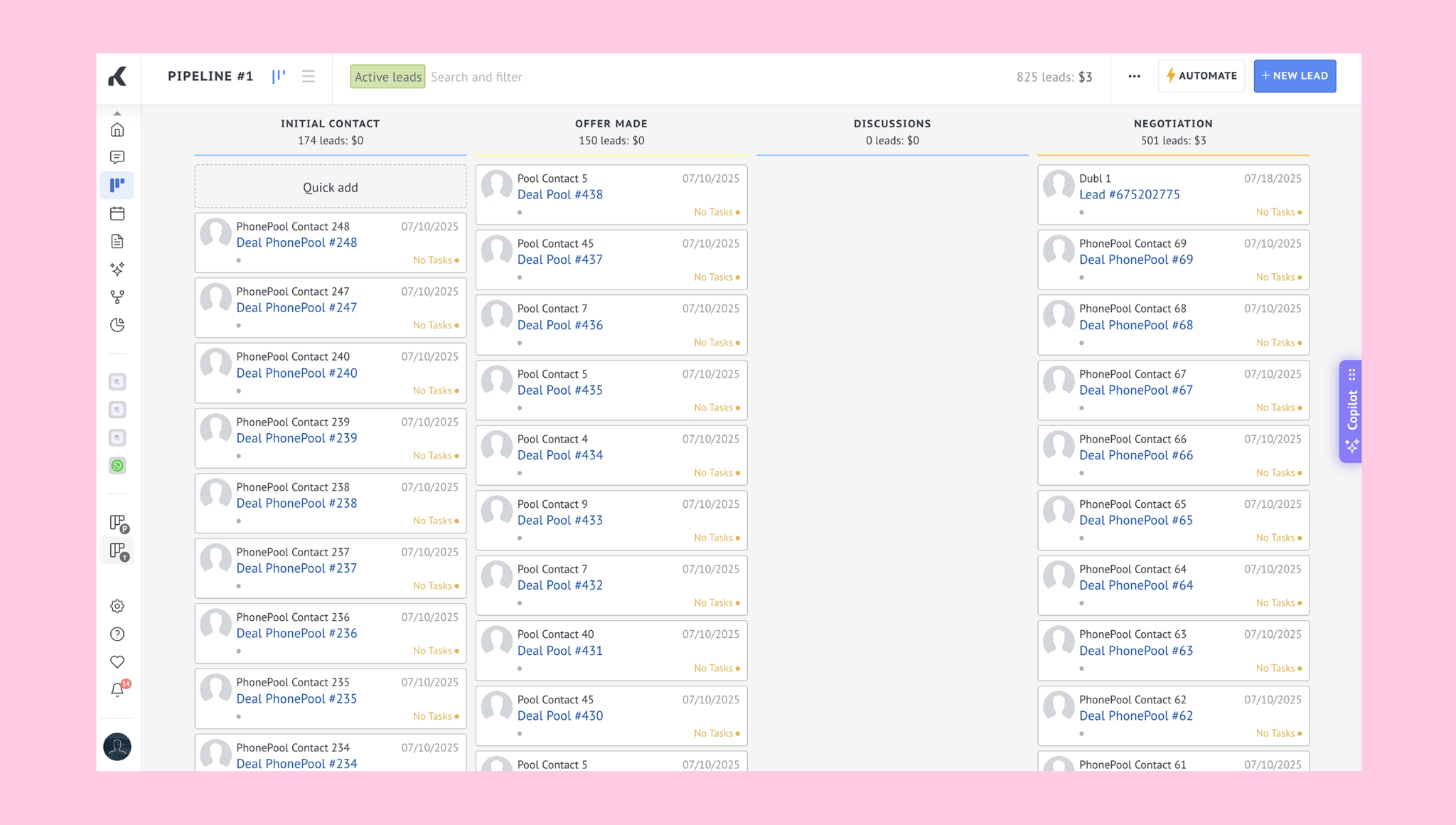
Manage leads within a pipeline:
Add a new lead
Leads can be added manually, imported in bulk, or created automatically from integrated channels.Move leads through stages
Each pipeline stage represents a step in your workflow, such as Initial contact, Offer made, or Negotiation. As a lead progresses, you can drag and drop it to the next stage.Close a lead
When a lead is won or lost, move it to the final stage of the pipeline. Kommo stores the history of all closed leads, making it easy to track performance and analyze results.
Learn more about leads in the Leads, contacts & companies article.
Stages
Pipeline stages are the steps a lead moves through from first contact to closing. The stages vary based on each company’s specific workflow.
You can customize stages — add, delete, rename, reorder, and change their colors to match your processes. Learn more in the Add or rename stages article.
Automations
Automate pipeline actions to reduce manual work.
With Kommo, you can:
Automatically create leads – Connect a channel like WhatsApp, Instagram, or Facebook, and all incoming requests will appear in your pipeline automatically.
Set stage triggers – When a lead enters a stage, actions like creating a task, sending an email, or reassigning a responsible user can happen automatically.
Automatically calculate lead score – Use a formula to let Kommo estimate how likely a lead is to buy, based on factors like pipeline stage or lead source.
Related articles:
Learn more about pipeline triggers and how to set them up in this article.
Learn how to automate pipeline actions in the Automate pipeline actions article.