What you’ll need:
Any Kommo plan (Base, Advanced, Pro, Enterprise, or 14-day trial)
In Kommo, your workflow is built around leads — each lead moves through pipeline stages that reflect your sales process. You can create pipelines, customize their stages to fit your business needs, and move leads through them manually or automatically.
This article explains how to manage leads in a pipeline.
Move a lead through pipeline stages manually
Go to Pipelines → Pipeline name.
Drag and drop the lead to the desired stage.
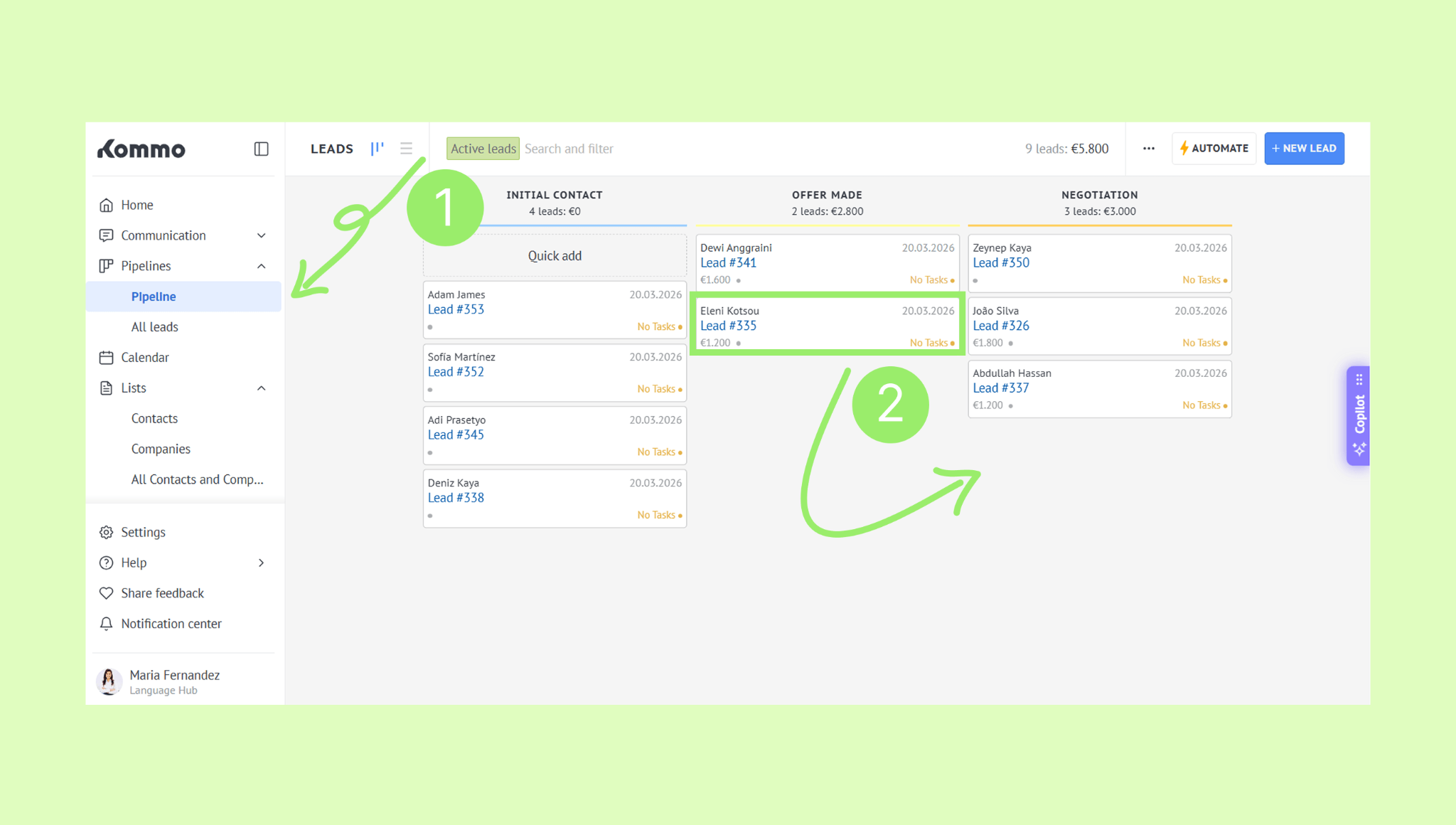
The expected revenue amount will update automatically.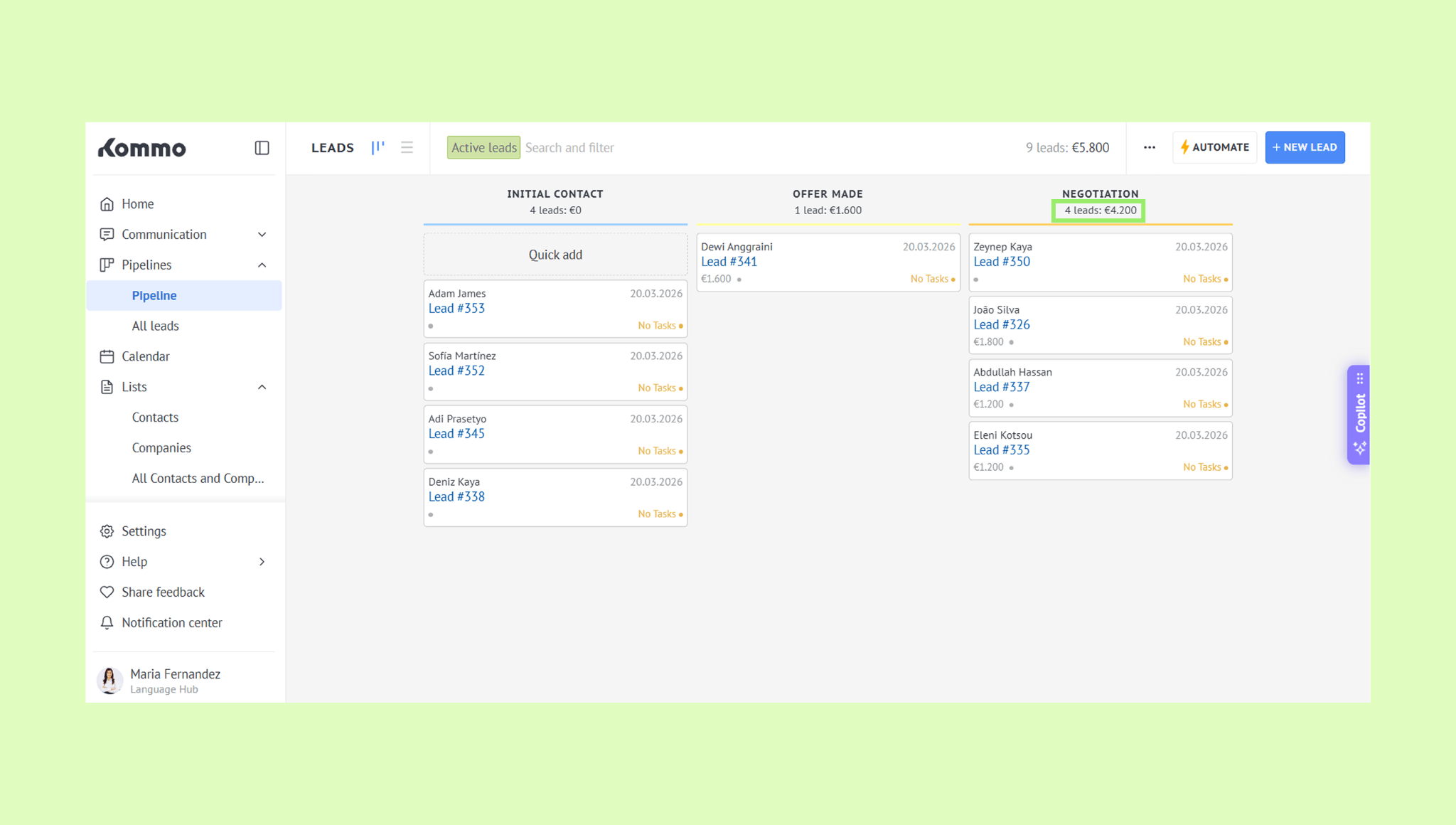
To move a lead to Won or Lost stages, drag the lead – options for Won and Lost will appear at the bottom.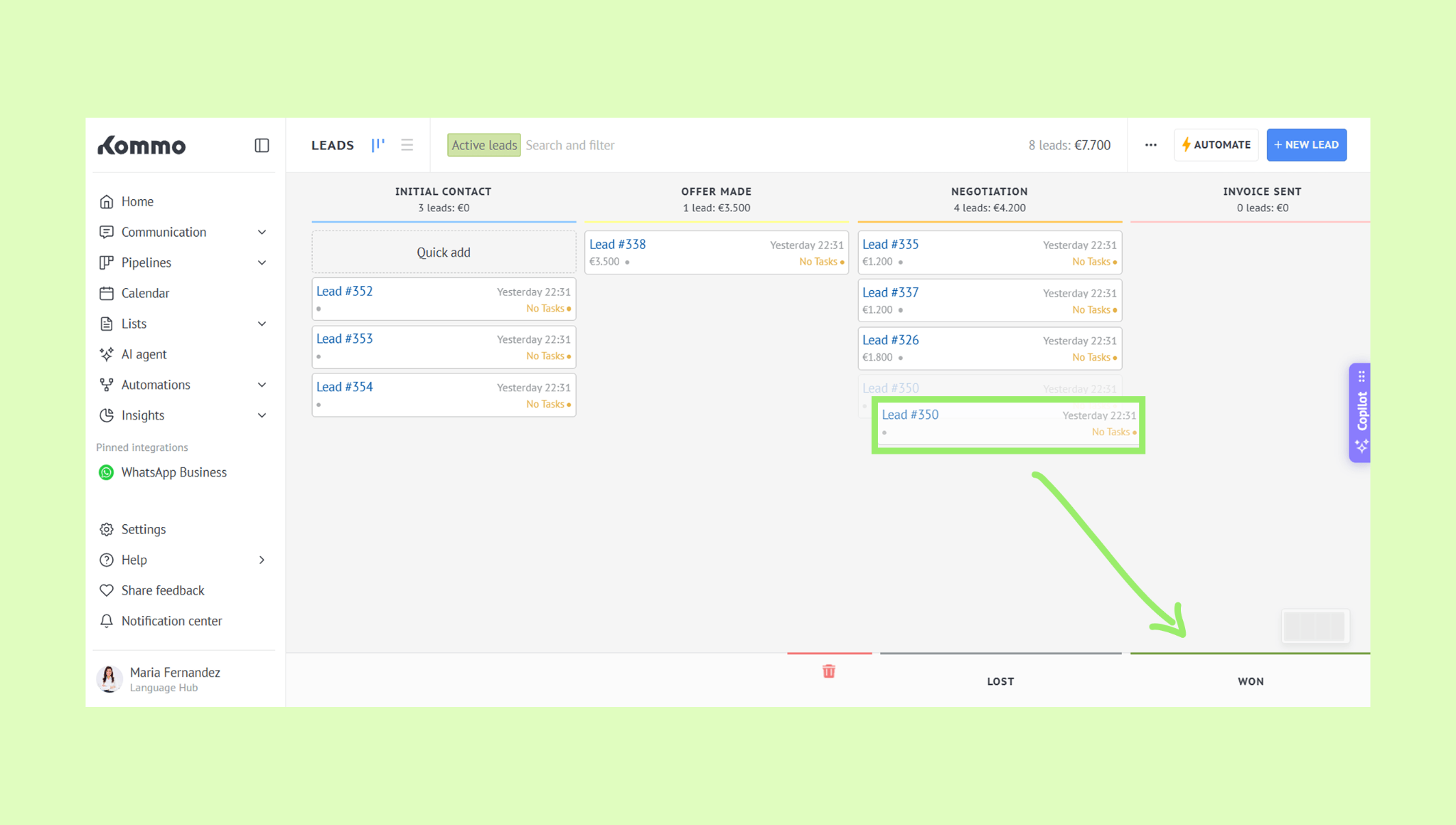
Drop the lead into the chosen stage. The lead will be removed from the pipeline since it is now closed.
Learn more about pipeline stages and how to customize them.
Move leads automatically
You can have Kommo move leads to the right stage automatically whenever something happens – for example, when a lead sends you an email or when you assign a new responsible user.
This is done using pipeline triggers.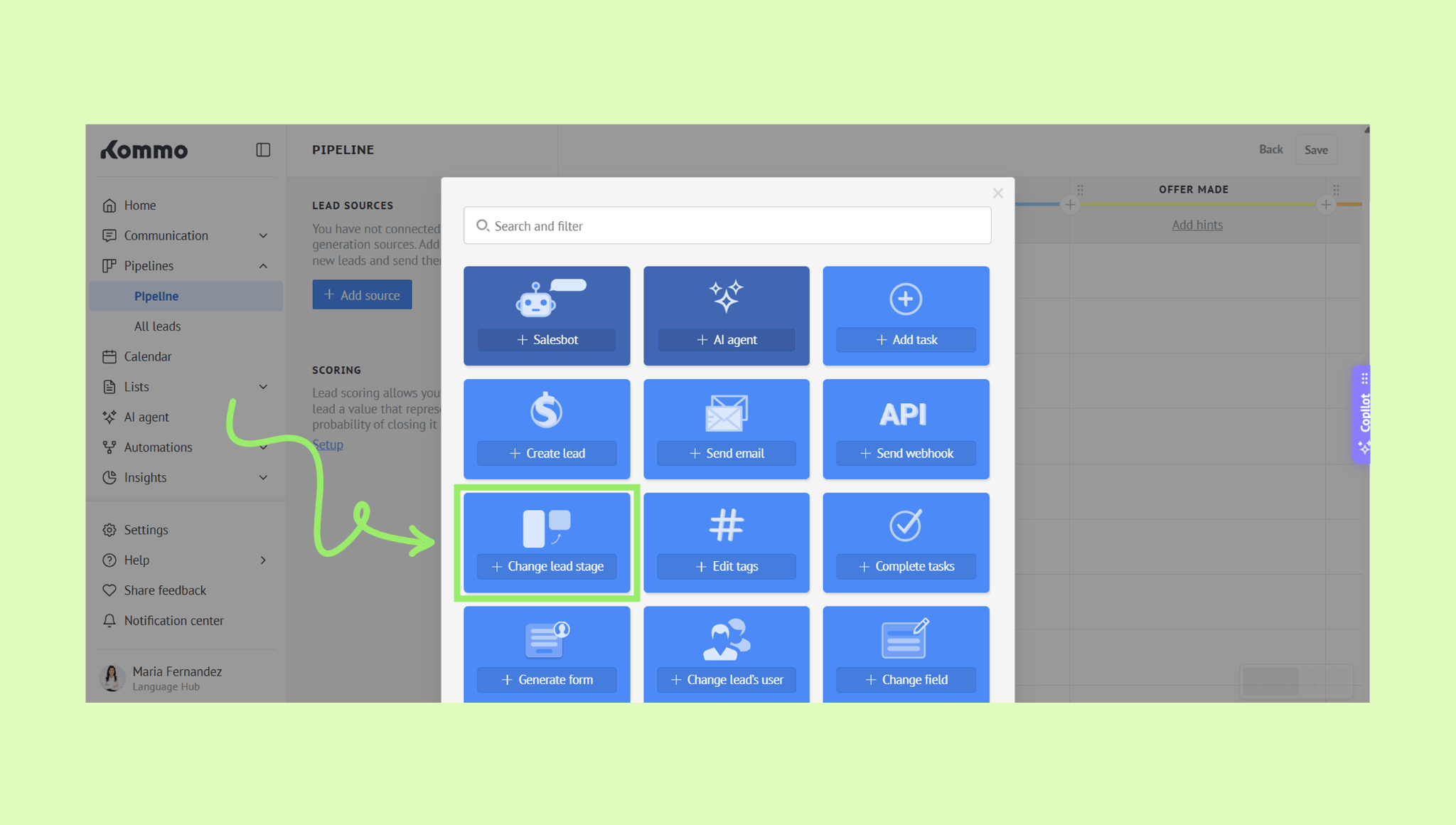
Learn more about triggers and how they work in this article.