
What you’ll need:
Any Kommo plan (Base, Advanced, Pro, Enterprise, or 14-day trial)
Keep in mind:
Only users with the Admin role can add and edit custom fields
Each Kommo plan includes a limited number of leads, contacts, and companies. You can view the exact limits here
Leads, contacts, and companies are the three record types in Kommo. Together, they make up your client database – storing key details, tracking history, and keeping all related information connected in one place.
This article explains how each record type works and how to work with them.
Use cases
Build your client database: Store all information about leads, contacts, and companies in one place.
Connect records: Link leads to contacts and companies to see the full context behind every sale.
Manage records in bulk: Update multiple records at once – reassign users, add tasks, create tags, or delete them in just a few clicks.
Track history: View all past communications, completed tasks, notes, and changes across leads, contacts, and companies.
Leads
In Kommo, leads are potential sales opportunities that represent interest from a person or company who may want to buy your product or service.
Each lead is connected to a pipeline stage – a step that shows the current status in your sales process. Learn more about pipelines and their stages in this article. 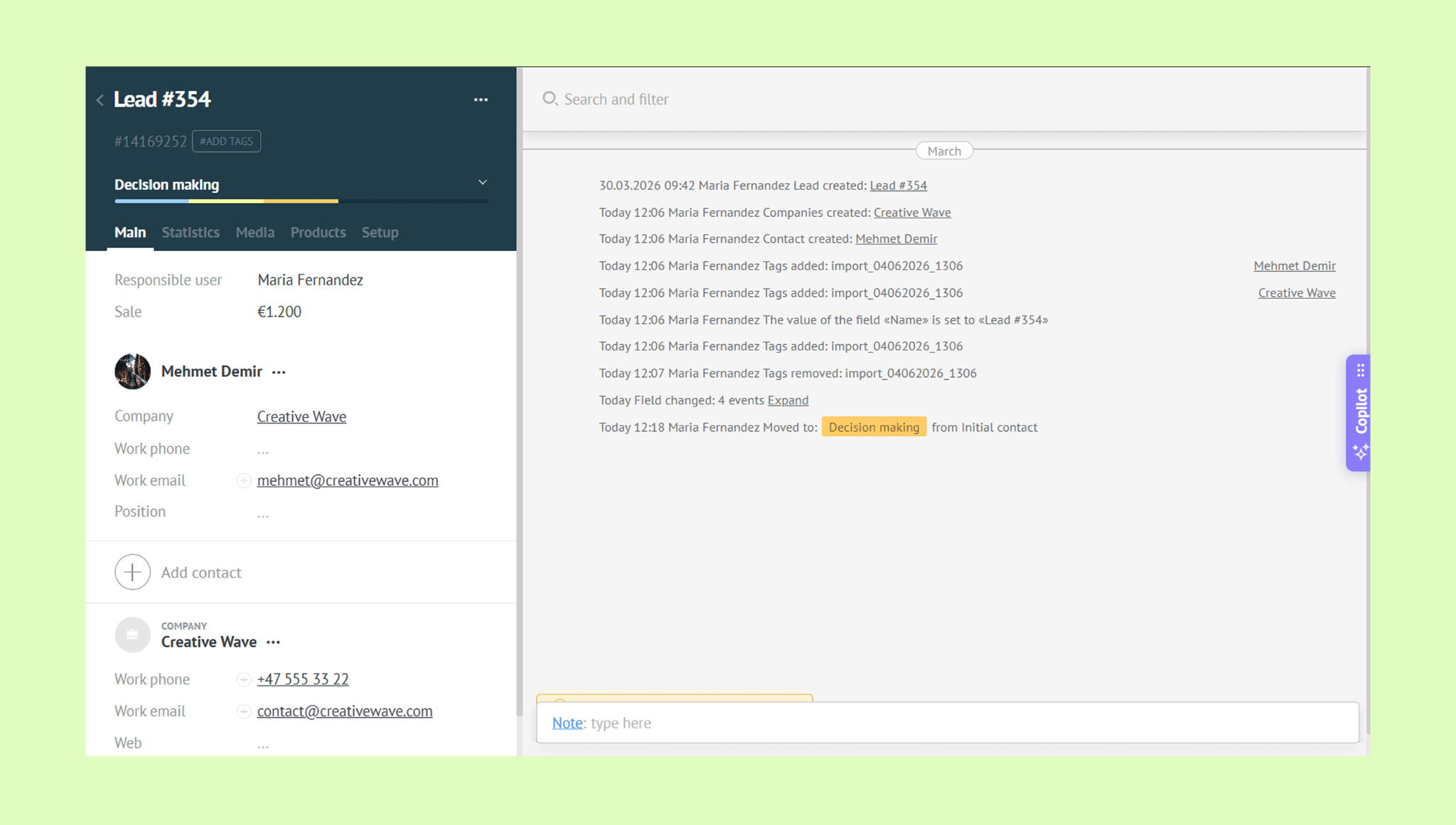
You can create leads in three ways:
Manually – add leads one by one
In bulk - import leads from a file or a spreadsheet
From connected channels – integrate a channel such as Facebook, Instagram, or WhatsApp to Kommo, and all incoming messages will automatically turn into leads in your pipeline
Learn how to connect a channel in this article.
When creating a lead, you can:
Add a lead’s name, a tag and sales amount
Set the pipeline stage
Link to a contact
Link to a company
Link to products — see which products were purchased
Learn more about products and how you can use them.
Contacts
Contacts are the people you do business with — potential clients, current customers, or anyone interested in your products or services. Each contact can store key details like name, phone number, and email, and keeps a full history of communications, tasks, and changes.
The main difference between a contact and a lead: a contact represents a person, while a lead represents a sales opportunity. A contact can exist without any leads, and one contact can be linked to multiple leads — for example, if the same client purchased several products or services 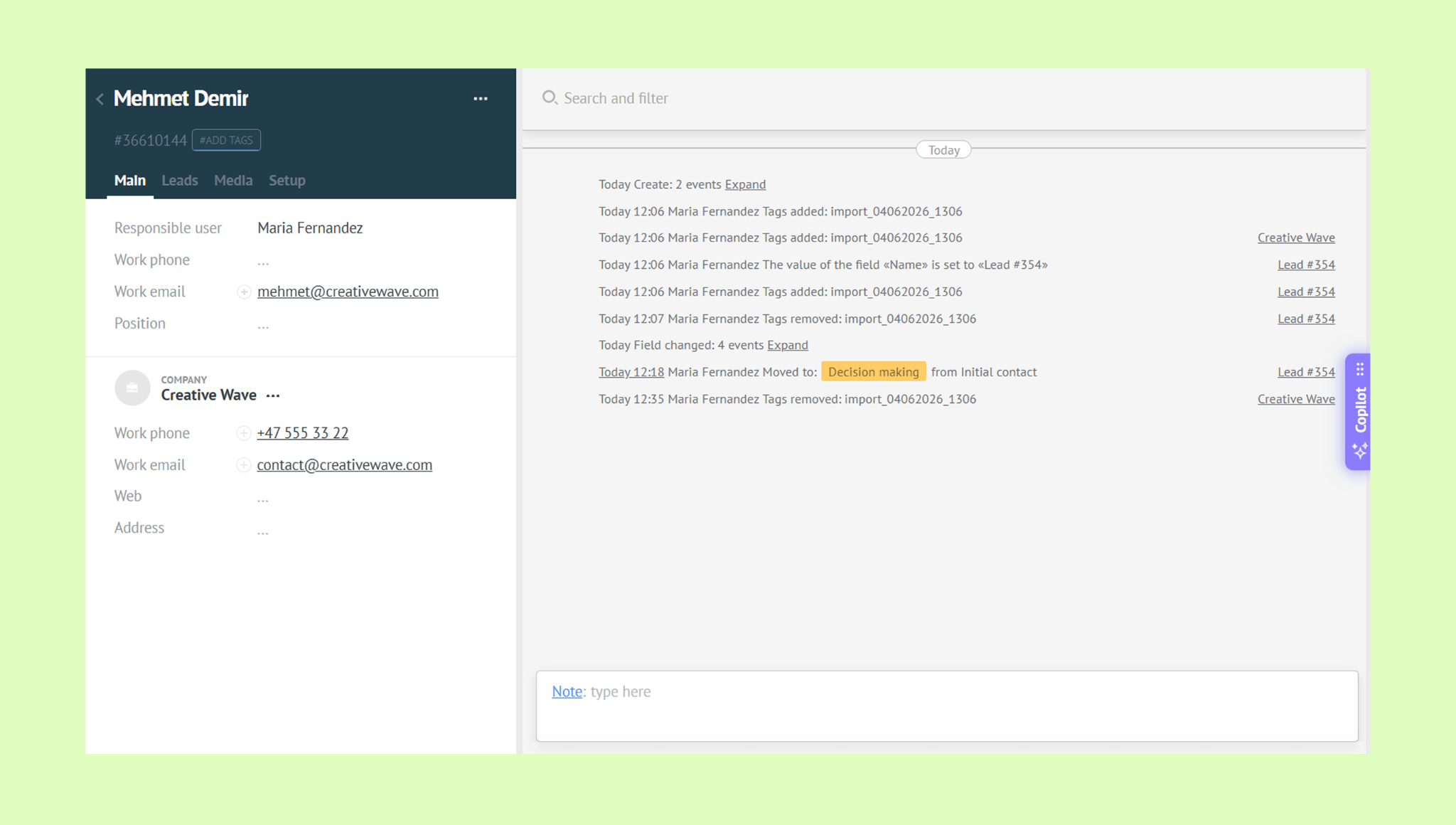
When adding a contact, you can:
Link them to a company — see where they work and their position
Link them to leads — connect a contact to the sales opportunities they are involved in
Companies
Companies are the businesses you work with. If your business works only with individuals (B2C), you can skip companies and use contacts only.
Like contacts, each company record stores key details and tracks full history.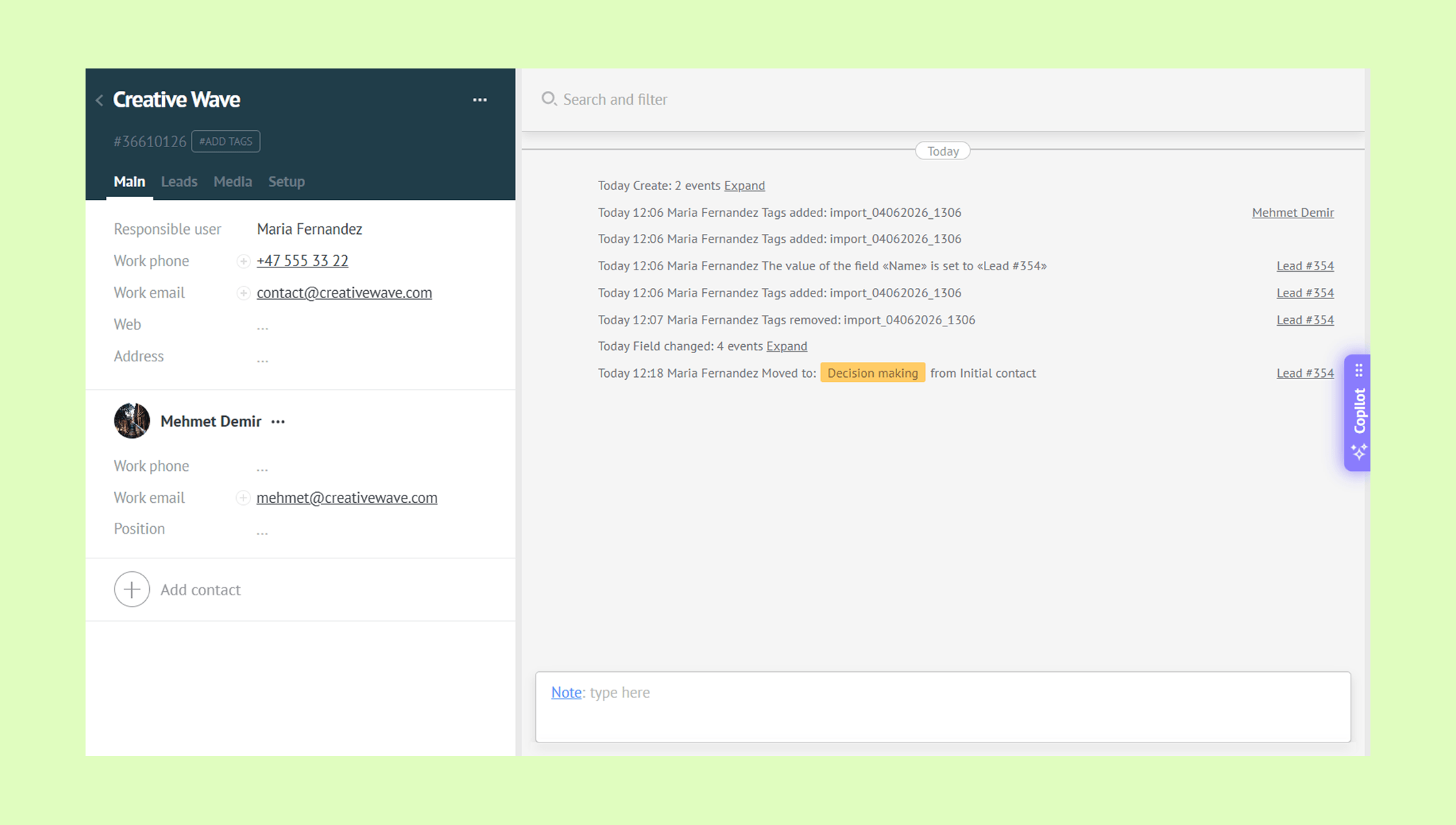
When adding a company, you can:
Link it to contacts — add one or multiple contacts and define their positions within the company
Link it to leads — connect the company to one or multiple leads
Import & export
You can add existing data to Kommo by importing leads, contacts, or companies from a file or a spreadsheet. You can also export your Kommo data as a file or send it directly to a spreadsheet.
For step-by-step instructions, check out this article.
Bulk actions
You can update multiple records at once in Kommo without opening them one by one. Select the records you need and apply an action to all of them at the same time — reassign to another user, add tasks, create tags, or delete.
Learn how to add, edit, and delete records in this article.
Duplicate control
Kommo's duplicate control helps you keep your database clean: you can set up rules to prevent duplicate records from being created. If duplicates appear, you can merge them to keep all information in a single record.
For more details, check out this article.