Viber is a powerful tool to connect with people across the world. To establish a convenient, two-way channel of communication with your customers through Viber, you can integrate with Kommo.
Begin connecting Viber to Kommo
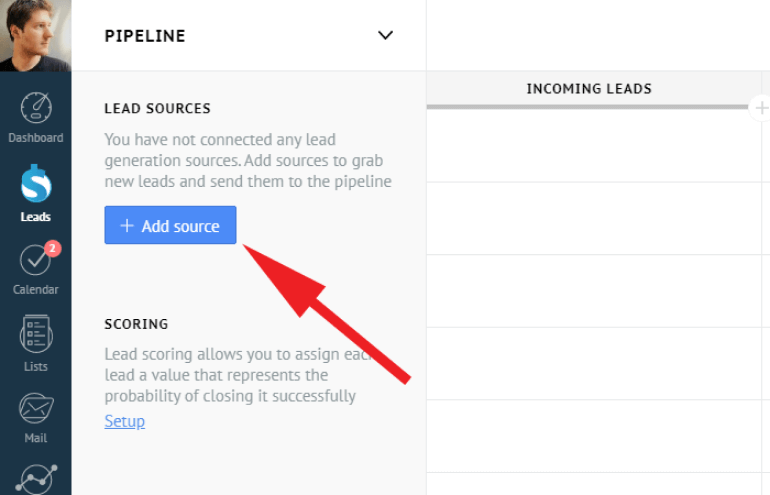
To begin, go to Leads > Setup button. From there, under Lead sources, click + Add source button.
Select Viber and click Add.
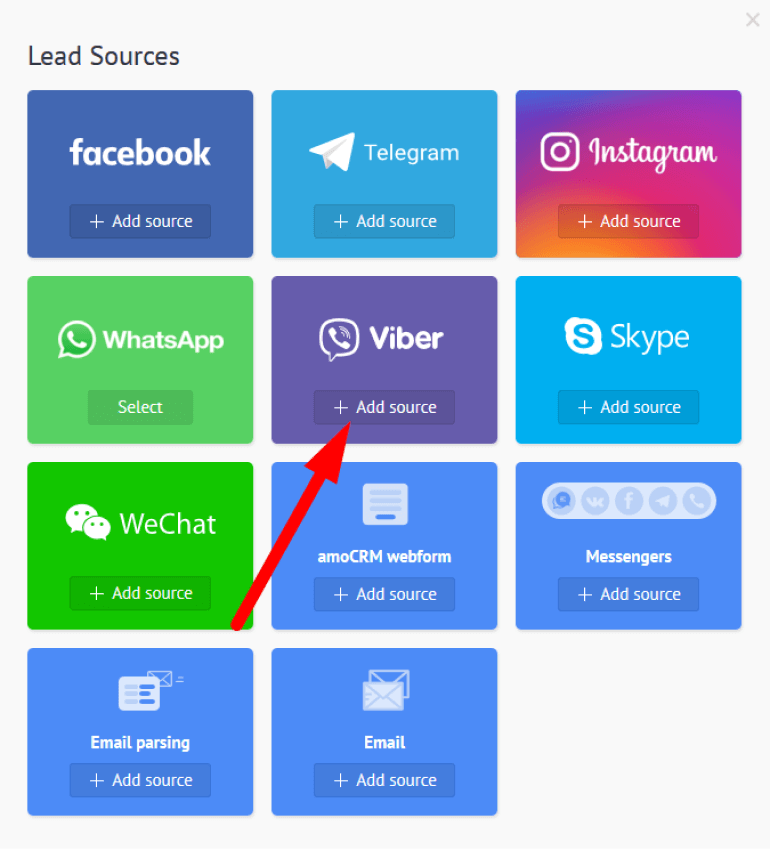
Go on the install icon and connect your Viber account
Proceed to Viber admin panel
Click on Create Bot Account
Fill out the form for a new account
From there, click Save and Viber will generate a Token for you to copy
Return to Kommo and paste “Viber API token field” to integration window
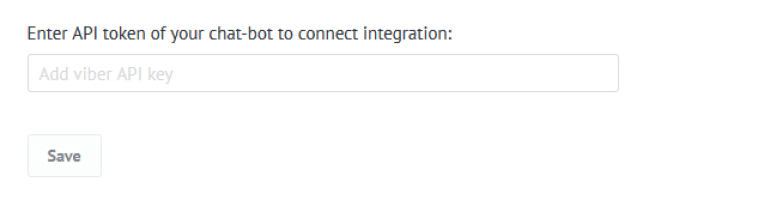
And that’s it!
Viber works with Salesbot, AI power-up, Response templates and with any features available for messengers.
Related use cases
CRM for Marketing - How Kommo generated 5k ebook downloads with Salesbot
Need more help in setting up or troubleshooting? Contact us by sending an email to support@kommo.com or write to us on Facebook.
Not a user yet? Visit our tour page or contact us for a demo.