What you’ll need:
Access to your Kommo profile
Keep in mind:
Changing the interface language affects only your profile. Other users keep their own language settings.
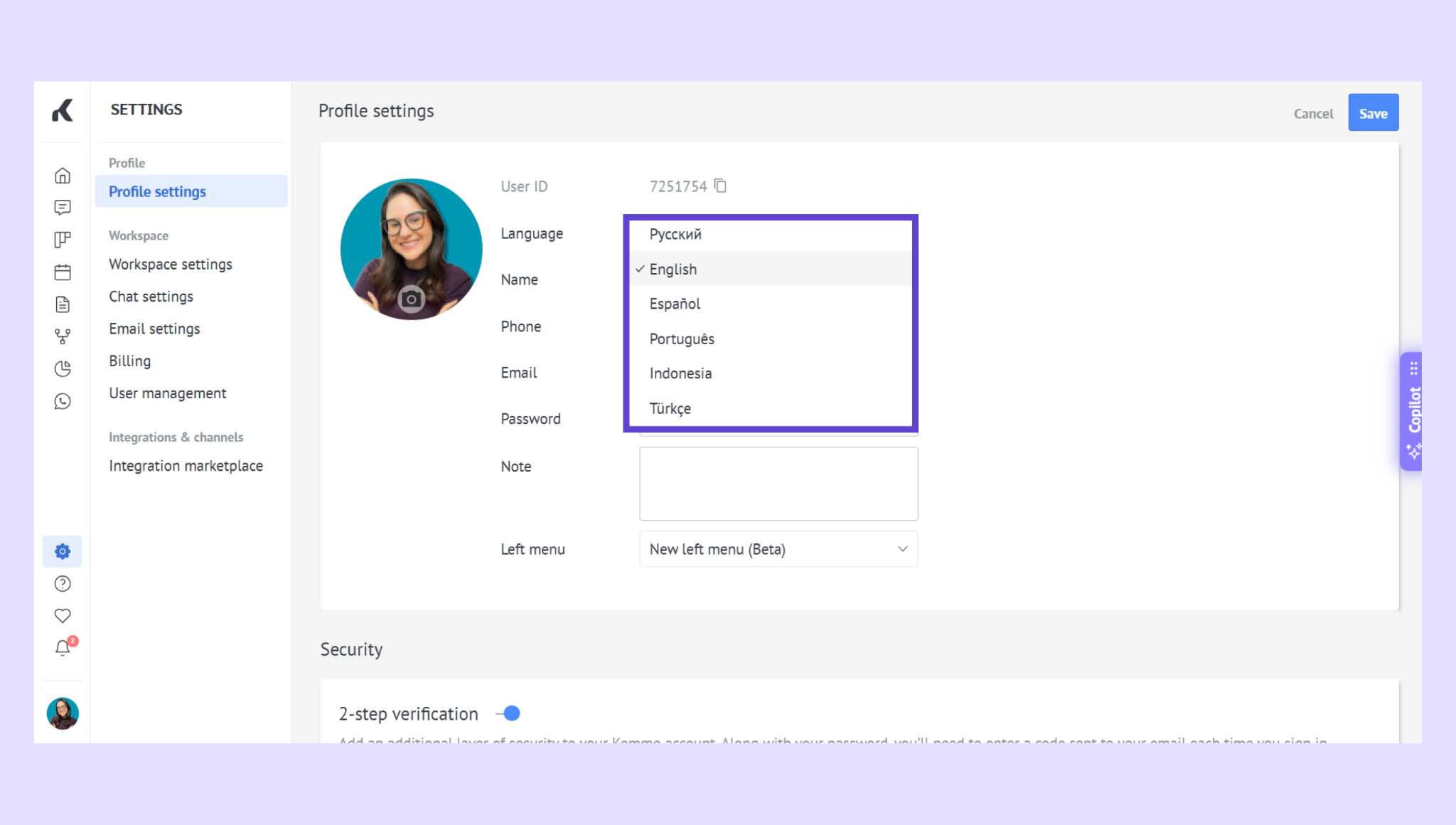
You can change the language of your Kommo interface in Profile settings. Kommo is available in English, Indonesian, Portuguese (Brazil), Russian, Spanish (Latin America), and Turkish.
Set your preferred language
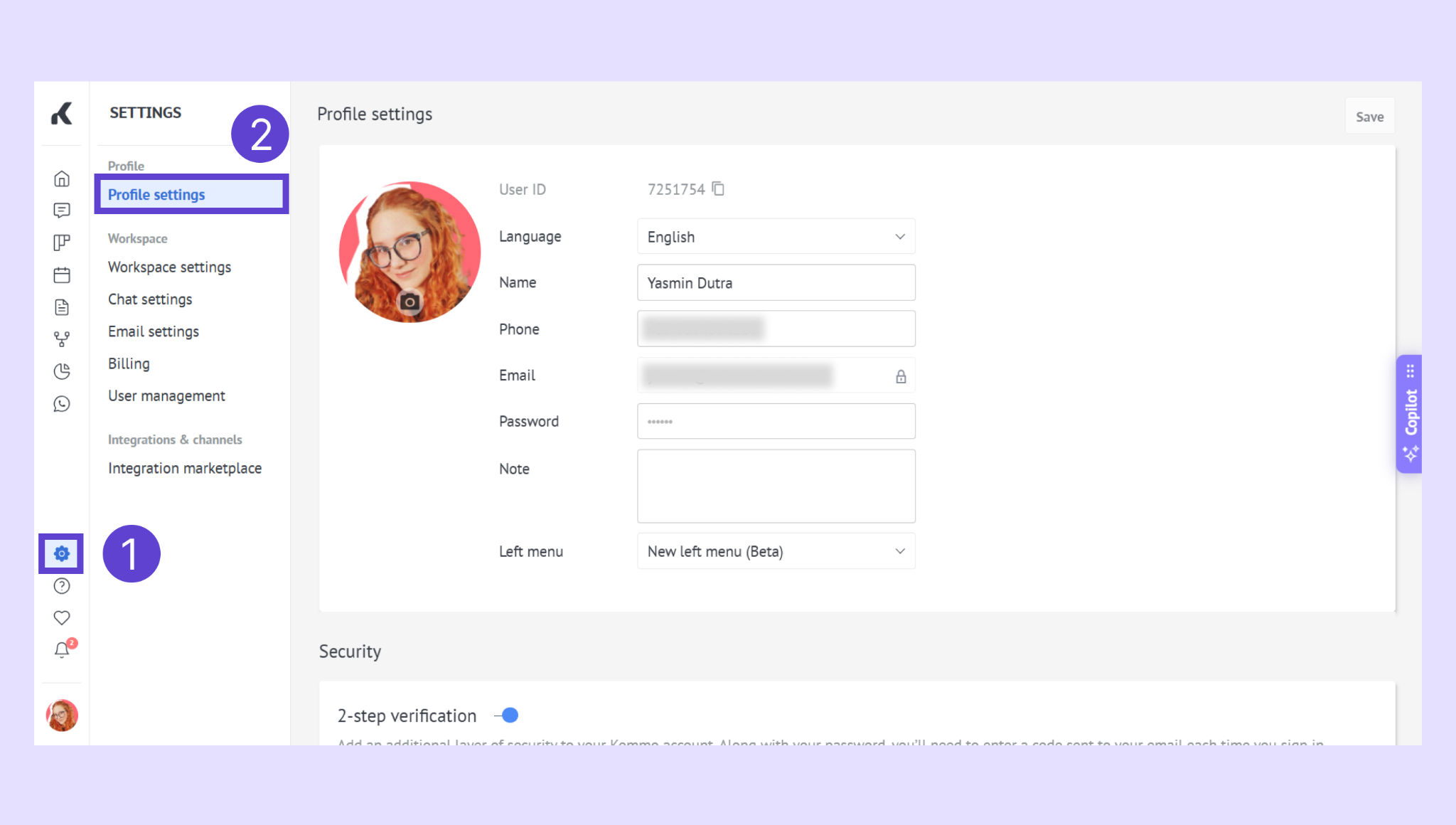
In the lower-left corner of Kommo, click your profile name, then click Profile settings.
Find Language, open the dropdown, and select your preferred language.
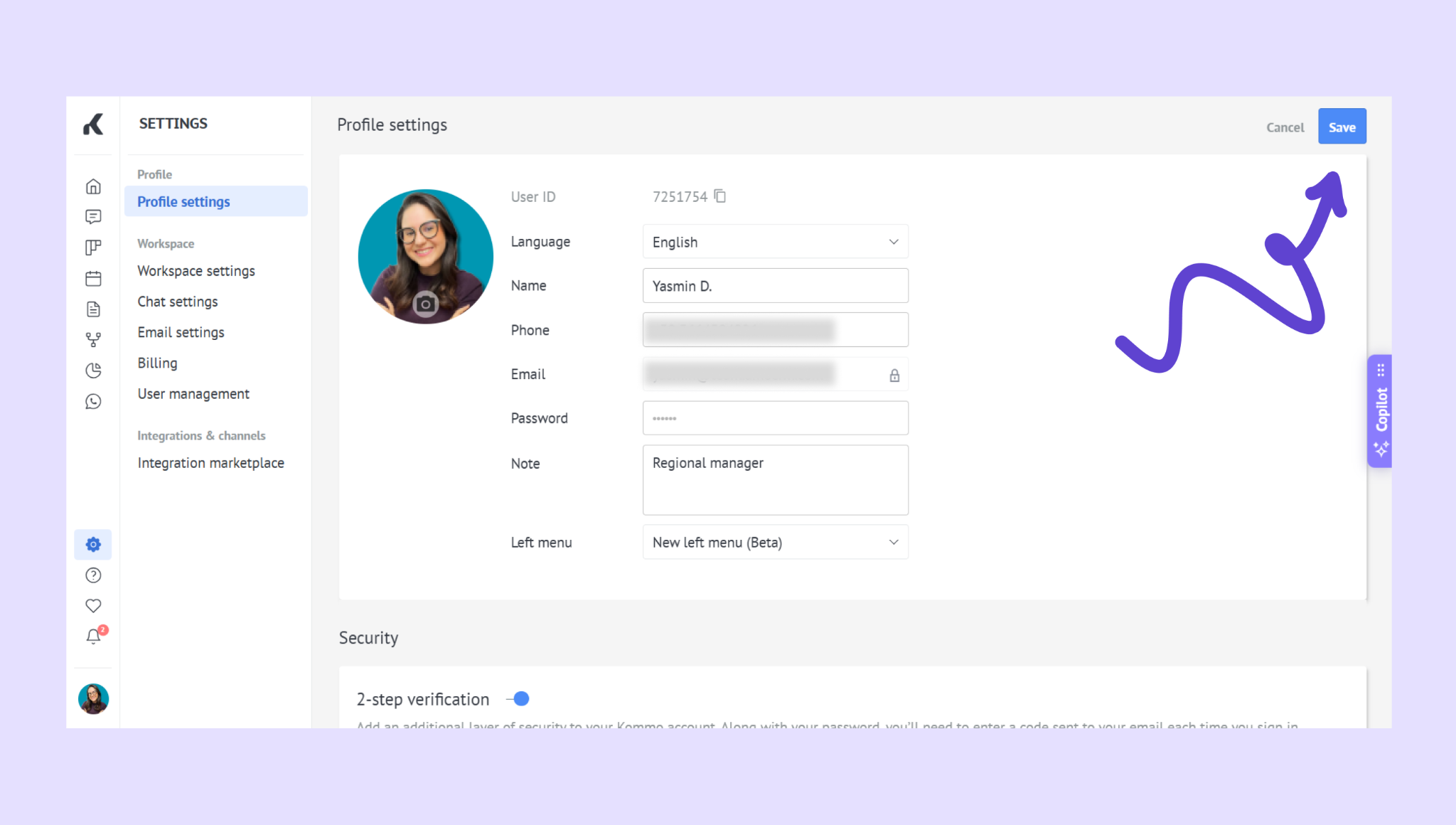
Click Save to apply the change. To discard it, click Cancel.
What happens after you change the language?
Your Kommo interface switches to the selected language. The change applies only to your profile, so other users continue to see the language selected in their own profiles.
To update other personal details, see Edit your profile information.