Check subscription helps you identify whether a client is following your Instagram account and enables you to offer exclusive incentives for followers. This tool supports better engagement and helps foster a loyal community.
Note: Want to explore additional Instagram integration features? Check out our complete guide here.
Benefits of the check subscription feature
Here’s why using the Instagram check subscription tool can enhance your engagement strategy:
Targeted engagement: Share exclusive content or promotions with followers, enhancing audience loyalty and interaction.
Increased follower growth: Attract new followers with incentives like discounts or resources, supporting your growth strategy.
Efficient audience filtering: Ensure only genuinely interested users receive offers, improving the quality of your engagement.
Requirements to use the check subscription feature
To use this tool, you’ll need:
A connected Instagram Business Account linked to a Facebook Page, integrated with Kommo. Haven’t set it up yet? Find our connection guide here.
An Advanced or Enterprise plan, or a trial account that includes Kommo’s Salesbot.
How to set up the Instagram check subscription feature in Kommo
Follow these steps to get the Instagram check subscription up and running:
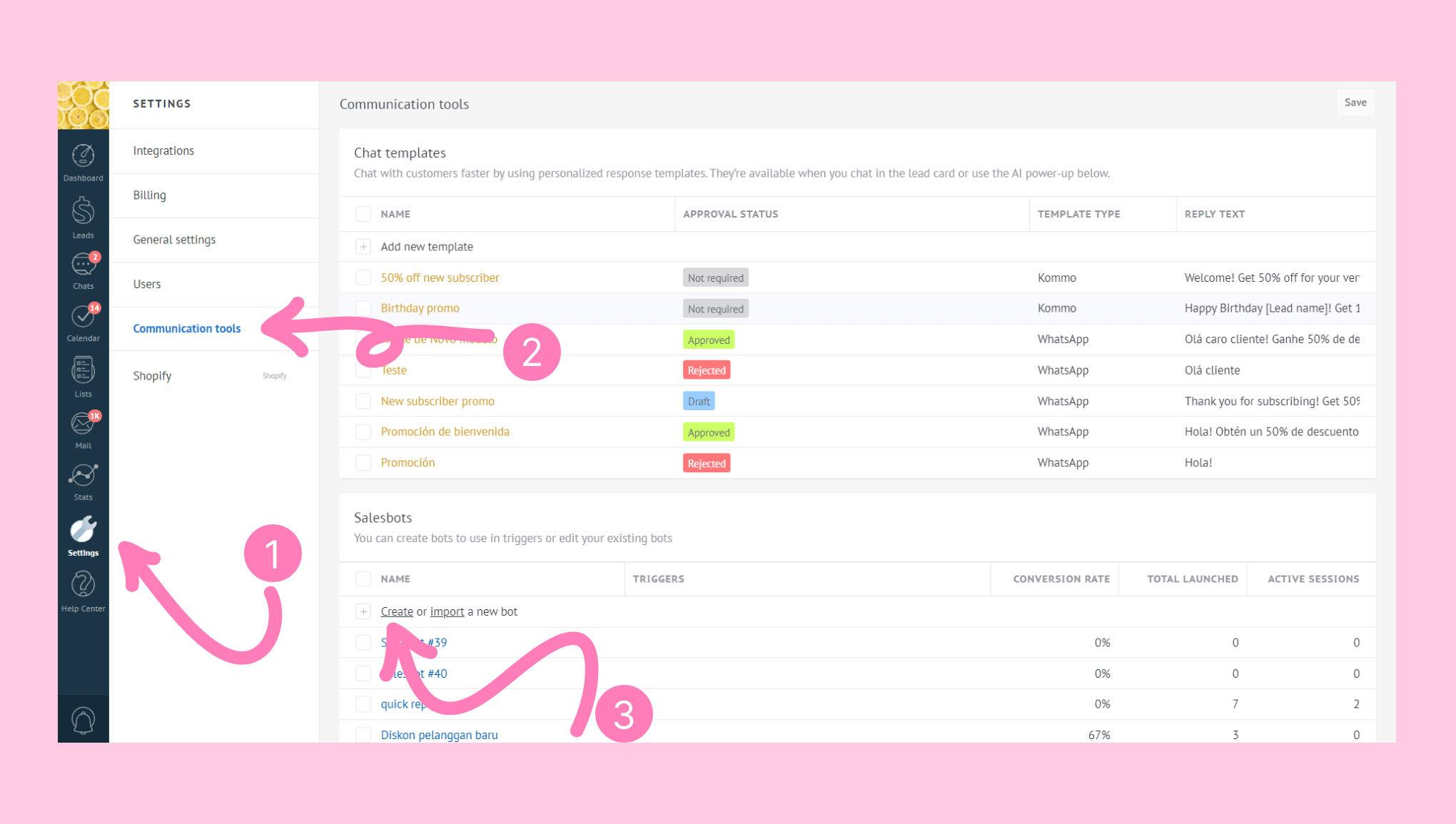
Go to Settings > Communication tools > Salesbots section in Kommo. Click Create a new bot.
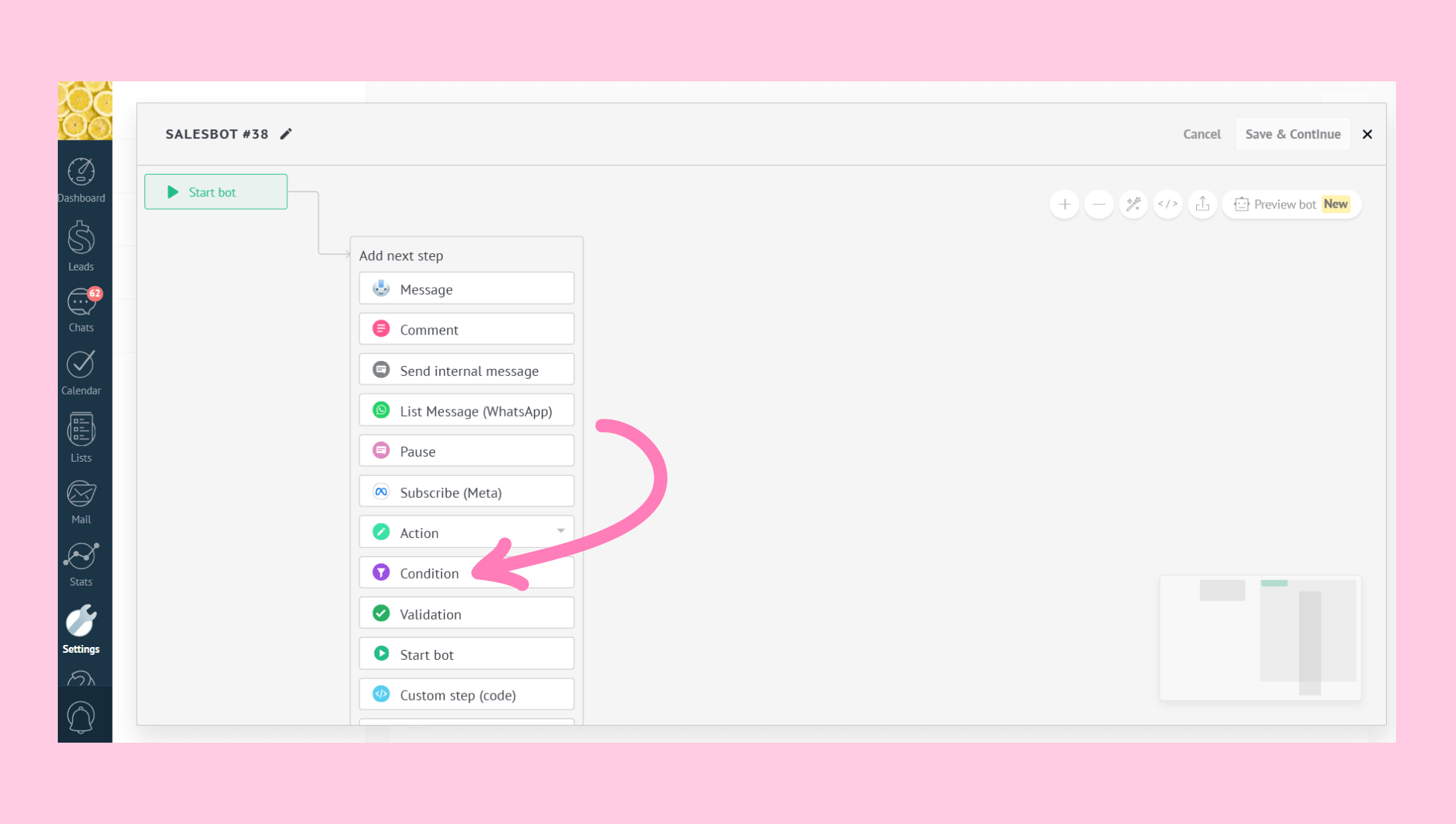
In the visual builder, select Condition.
Note: Check out our Salesbot steps and actions article to learn more about building Salesbots.
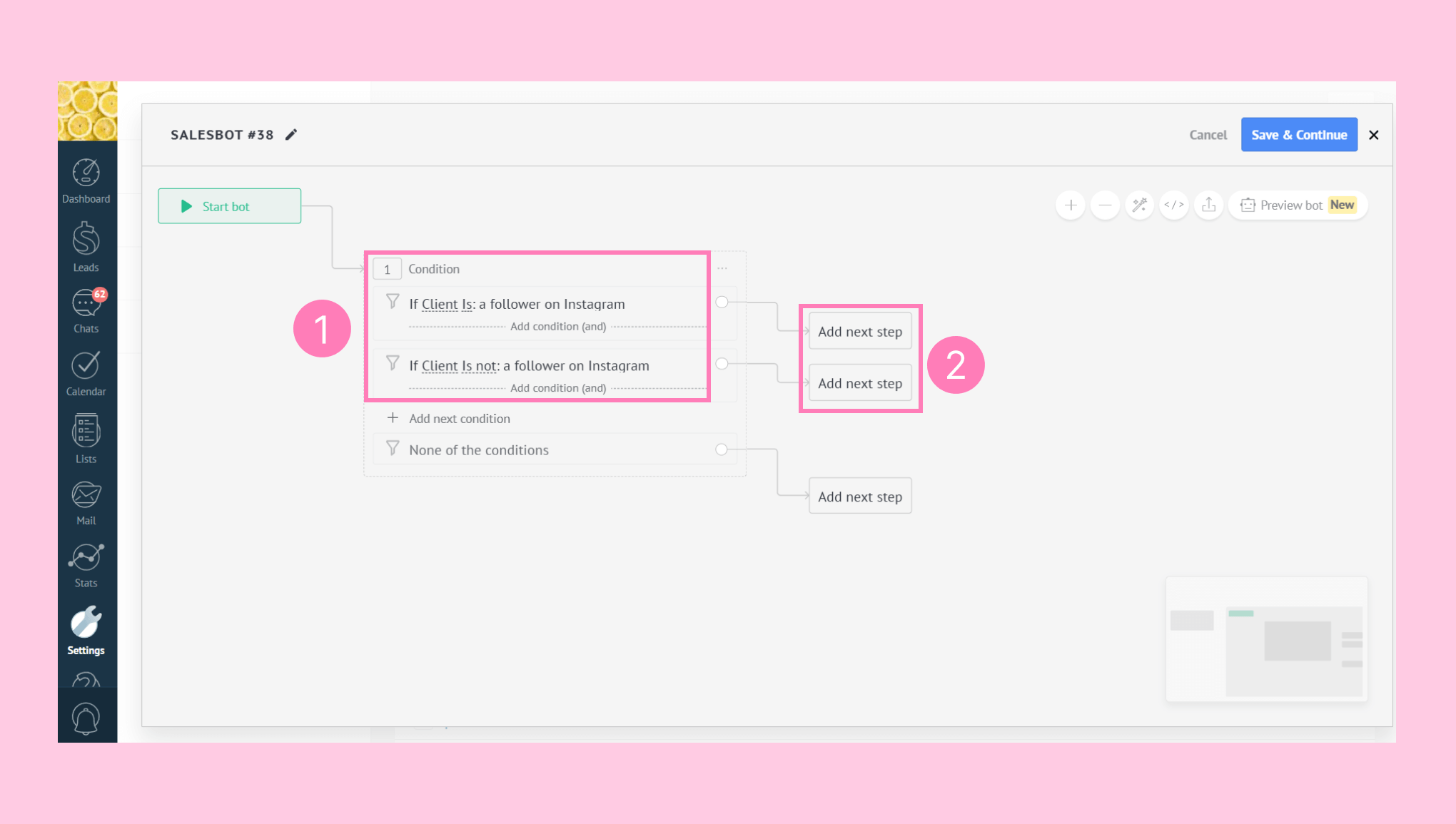
Choose ‘If Client is’ and optionally add ‘If Client is not’. The field ‘follower on Instagram’ will autofill based on the previous selections. Click ‘Add next step’ for each condition.
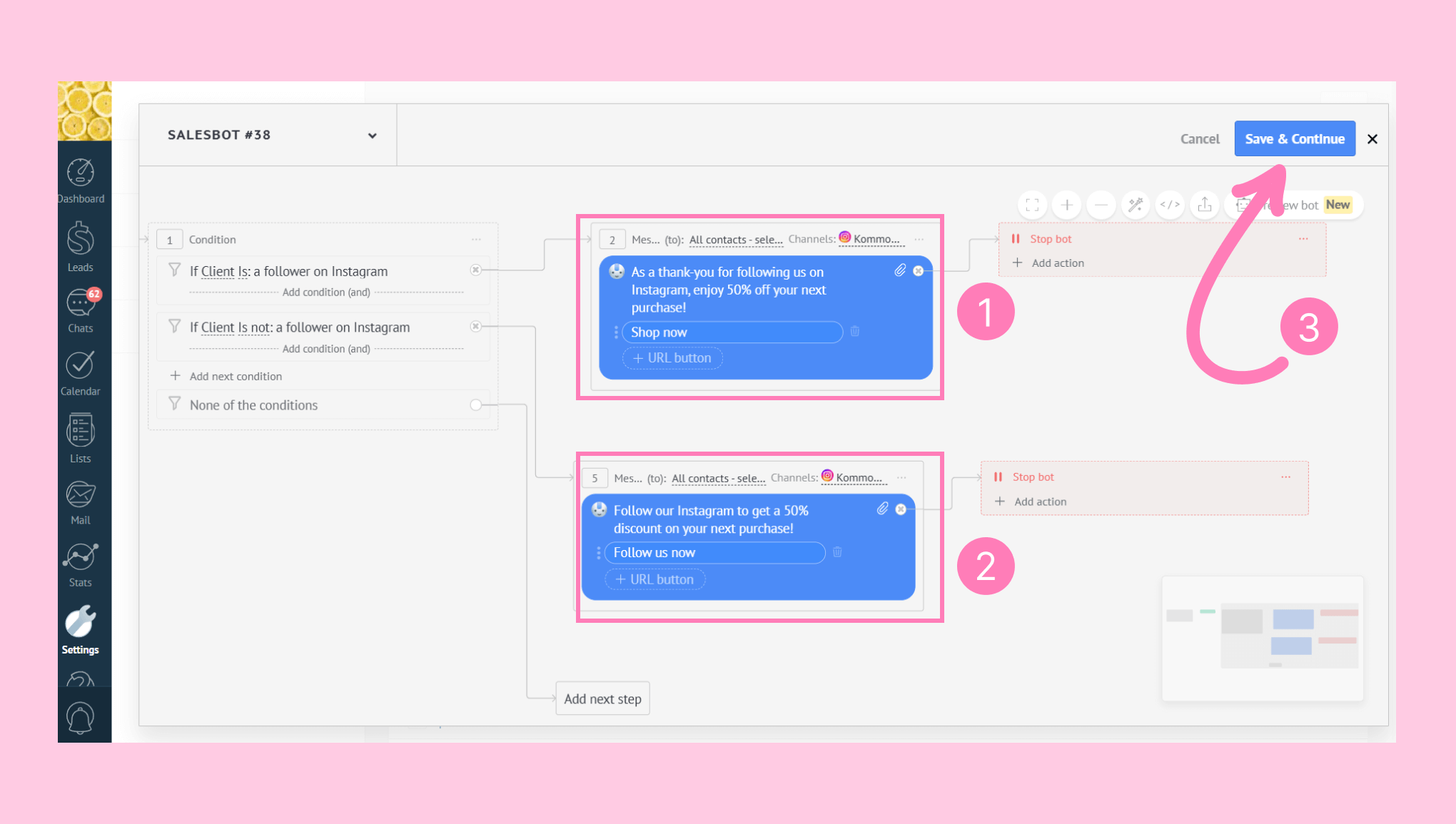
Select ‘Message’ and write a new message or choose a template. Set your Instagram account as the channel. Repeat this setup for the ‘If Client is not a follower’ step. Add the ‘Stop bot’ step next to each message and click ‘Save & Continue’.
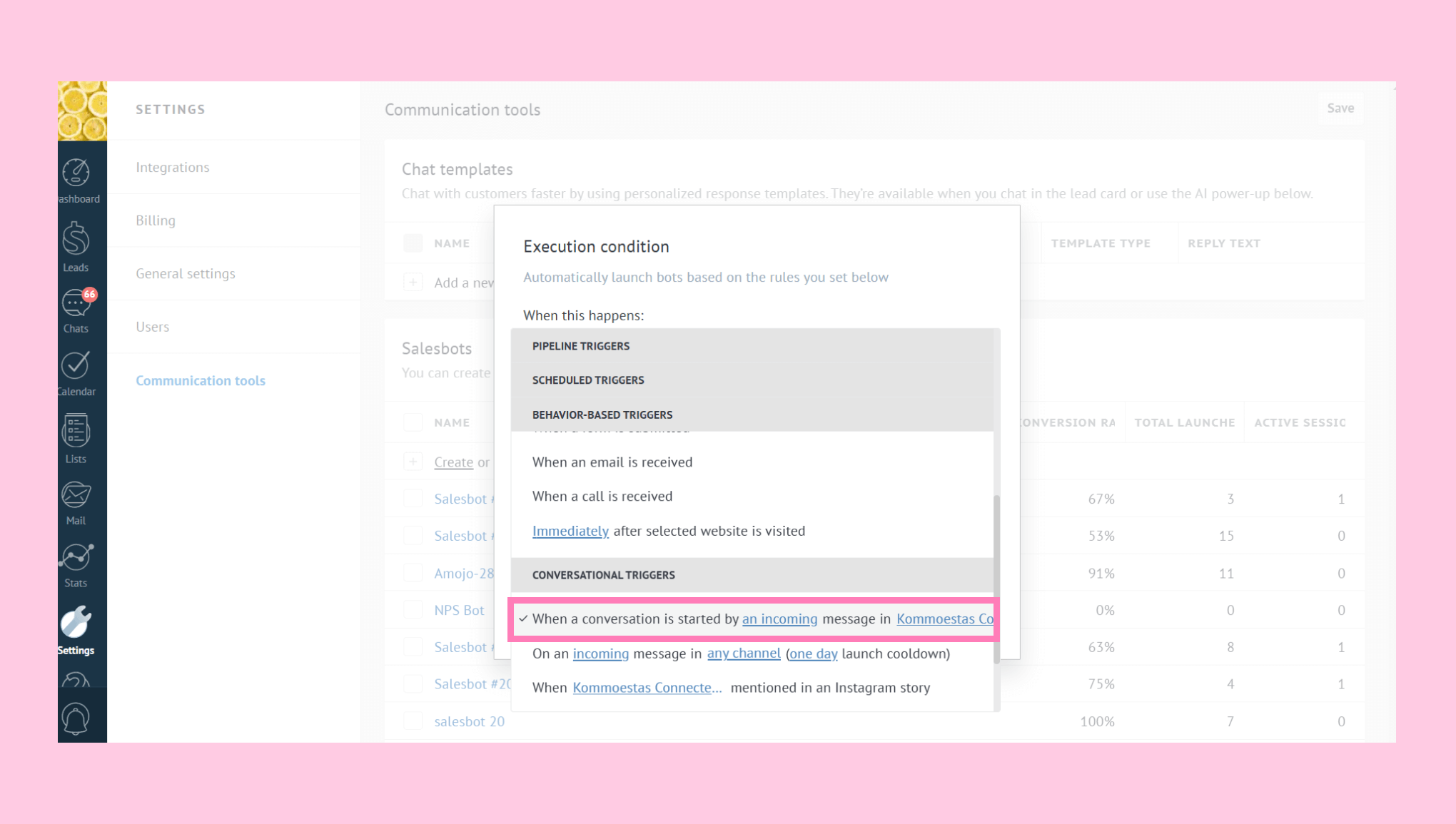
You'll then be prompted to choose the execution condition and triggers. For example, you can choose the ‘When a conversation is started by an incoming message’ in [Your Instagram account] trigger. To explore all trigger options, check out our article on Salesbot triggers.
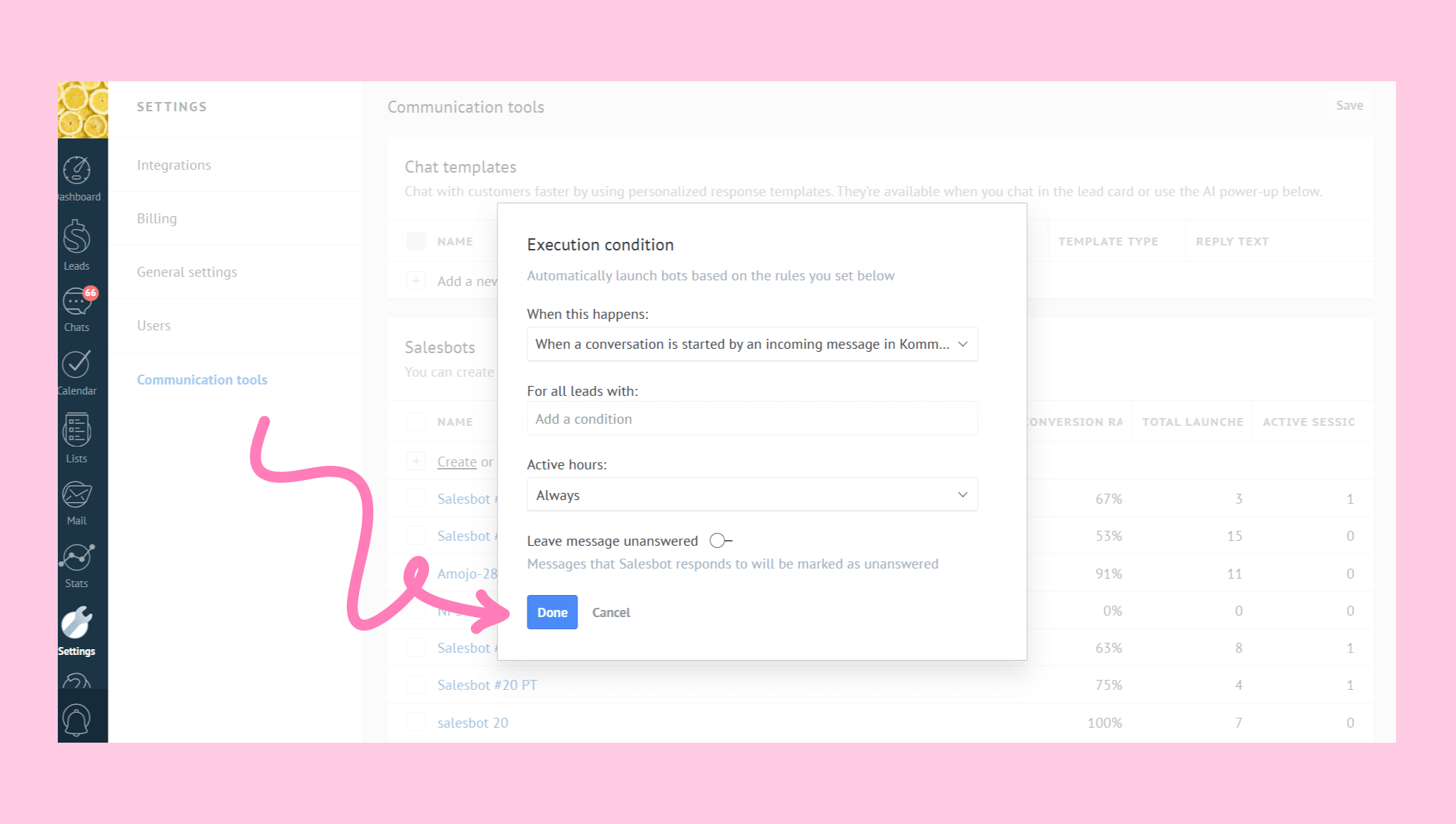
Click ‘Done’ to activate your Salesbot.
With this setup, you can easily identify followers and share tailored content, improving engagement and growing your Instagram audience.
If you need more help with setup or troubleshooting, feel free to reach out to our support chat or contact us via WhatsApp. You can also hire a Kommo partner to do all the hard work for you.
Not a user yet? Sign up for our 14-day free trial or book a free live demo.